
This guide provides an overview of AWB Management, its benefits, and the steps to set up air waybill (AWB) numbers in GoFreight. By default, access is granted to users with the roles of Admin, Operation Manager, and General Manager.
1. What is AWB Management?
AWB Management is a feature that enables you to create and store consecutive air waybill numbers issued by airlines in GoFreight’s air waybill database.
2. Benefits of Using AWB Management
- Reduces Manual Entry Errors – Ensures accuracy when selecting airline AWB numbers.
- Enhances Workflow Efficiency – Streamlines air export file processing.
Note: Only Admin, Operation Manager, and General Manager users have permission to create AWB numbers in AWB Management.
3. Where to Access AWB Management
To access AWB Management:
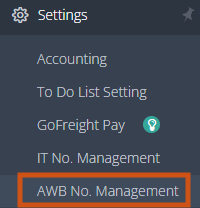
- Go to [Settings].
- Select [AWB No. Management].
This will take you to the setup page.
4. How to Set Up AWB No.
- Click the green plus (+) button to add a new row.
- Under Carrier, select the airline that issued the AWB numbers.
- Example: Choose China Airlines from the trade partner database.
- Setup Air Carrier Prefix
- Example: For China Airlines, please input “297”.
- Enter the AWB number range:
- Begin No.: Start of the range.
- End No.: End of the range.
- Note: Both Begin No. and End No. should consist of 7 digits. If you enter fewer than 7 digits or if the End No. is smaller than the Begin No., the system will not allow you to save the entry.
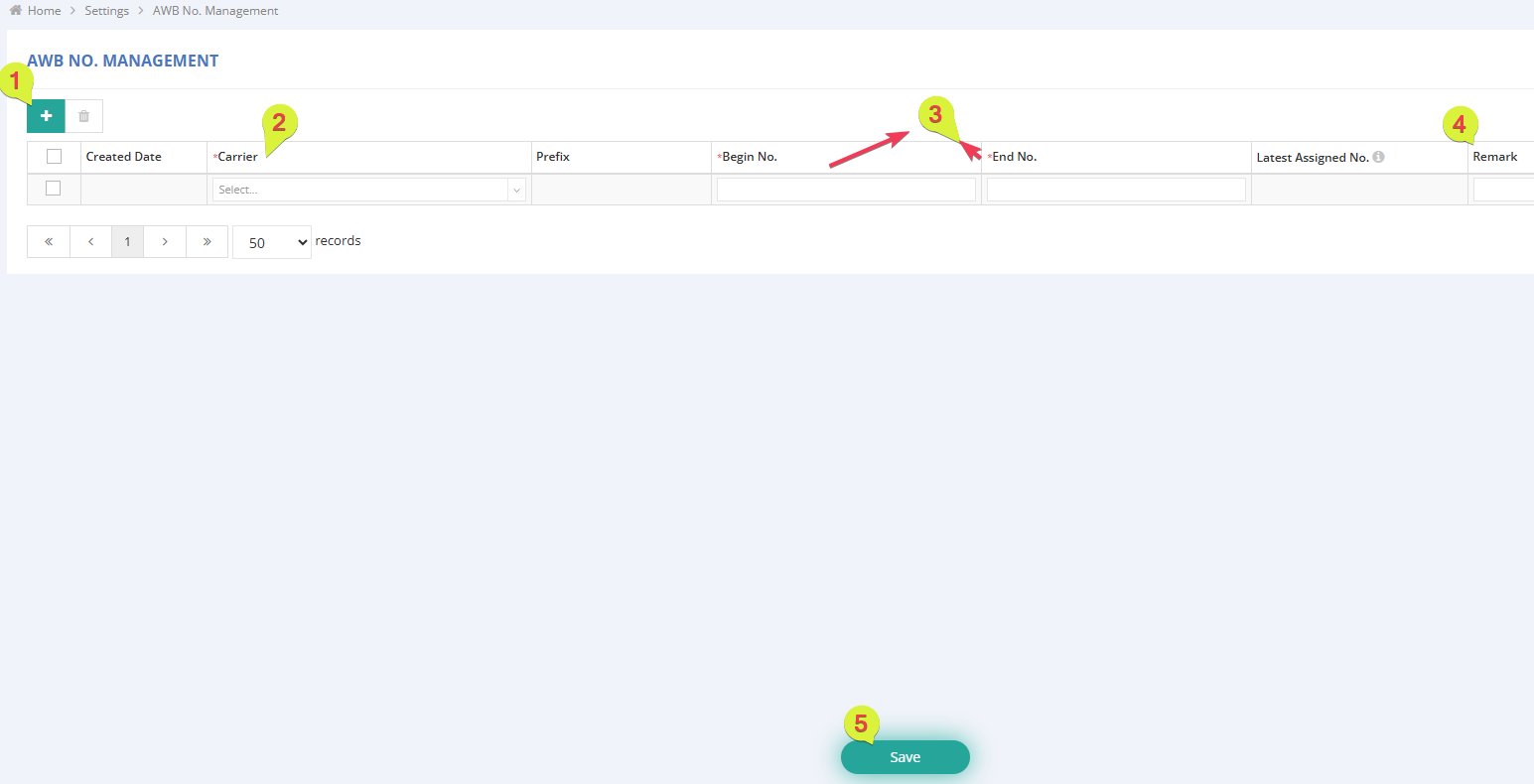
- (Optional) Add remarks in the ‘Remark’ column if needed.
- Click Save to store the AWB number range.
Note: The Created Date will automatically show today’s date as a record of when the range was added.
5. Tracking Assigned AWB Numbers
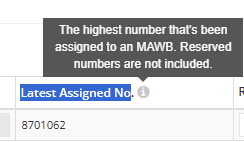
Once an AWB number is assigned and saved in an Air Export Shipment, the Latest Assigned No. column will automatically update, allowing you to track the last number used from that range.
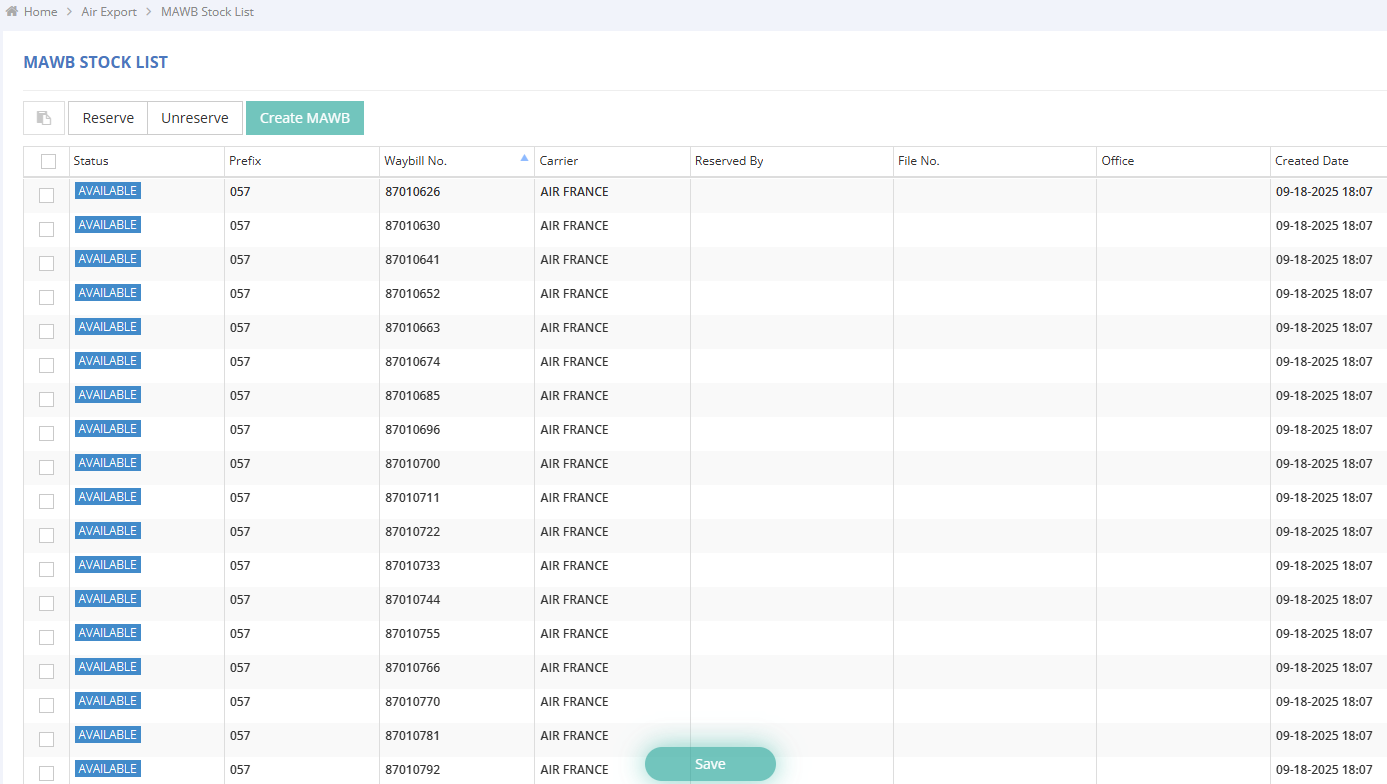
The MAWB Stock List under the Air Export Module will also reflect the Mawb numbers in the list view once the AWB management has been set up.
For a visual guide on using this feature, please refer to the following video: