
The Check Bond Status tool in Trade Partner Entry allows you to retrieve real-time bond information directly from CBP (U.S. Customs and Border Protection). This helps ensure the importer’s continuous bond is active and sufficient before filing ISF or entry.
When you click Query Bond Status, GoFreight pulls the latest bond record and displays the details in the Importer Bond Details window.
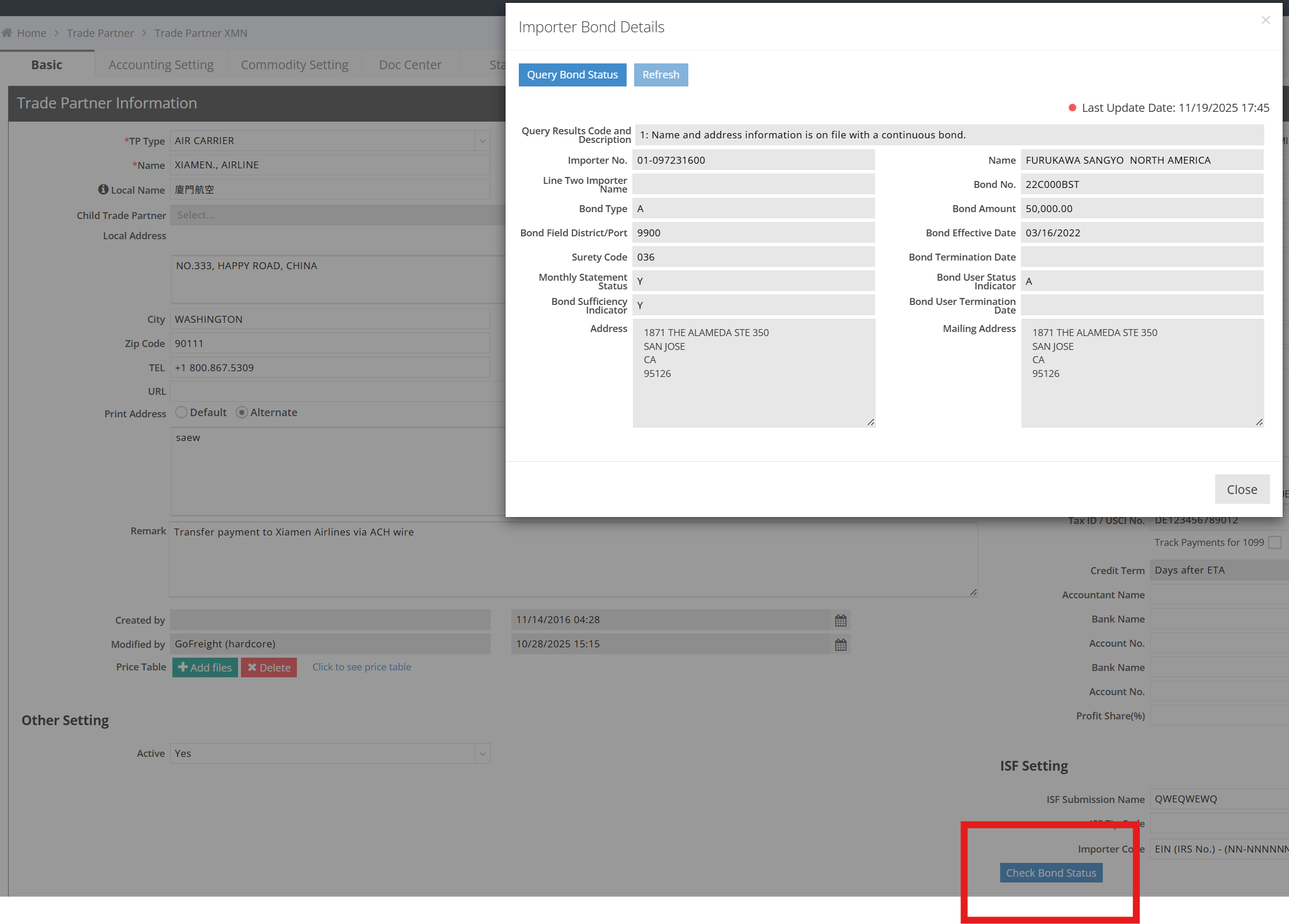
Why “Bond Termination Date” Is Usually Blank
Most importers use a Continuous Bond. A continuous bond:
-
Does not have a fixed expiration date
-
Renews automatically every year
-
Remains active as long as the premium is paid
-
Only terminates when the importer, surety company, or CBP cancels it
Because CBP does not assign a scheduled termination date, the fields Bond Termination Date and Bond User Termination Date are typically empty for continuous bonds.
This behavior is normal and expected.
When a Bond Gets Terminated
A continuous bond ends only when:
-
The importer requests cancellation
-
The surety (bond company) cancels it
-
The importer stops paying the annual bond premium
-
CBP revokes the bond for compliance issues
If the surety cancels the bond, CBP marks it terminated 15 days after receiving notice. Only at that time will a termination date appear.
FAQ
Q: Can GoFreight show the "Bond Termination Date"?
A: GoFreight already displays it, but CBP typically returns the field as blank for continuous bonds because no fixed termination date exists.
Q: Is this a system limitation?
A: No. The data depends entirely on the CBP bond record. The system shows all available fields exactly as provided by CBP.
Q: How do I verify if the bond is active?
A: Check Bond User Status Indicator:
-
A = Active
-
Other statuses may indicate suspension or termination.