
This feature allows users to customize invoice remarks directly in the Bank List. You can set specific remarks for different currencies (e.g., USD vs. CAD) and manage them independently for each bank account.
1. Feature Overview
- Availability: All users.
- Function: Designate specific bank account information to appear on invoices based on the currency selected.
- Fallback: If no custom invoice remark is set (or the Invoice Remark Toggle is disabled), the system will display the default invoice remark (if a default template is configured).
2. Configuration Steps
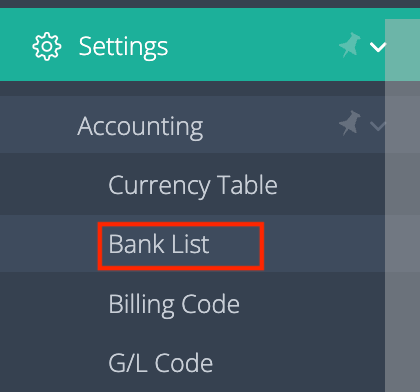
Step 1: Access Bank List Settings
- Navigate to: Settings > Accounting > Bank List
- Note: By default, only Admin & GM roles can access this list.
- To gain access, obtain approval from your GM and send a request to: support@gofreight.com
Step 2: Select or Edit a Bank Account
- Choose the bank account you want to display on invoices (e.g., a specific USD account).
- Enable Invoice Remark:
- Click More Settings > Invoice Remark
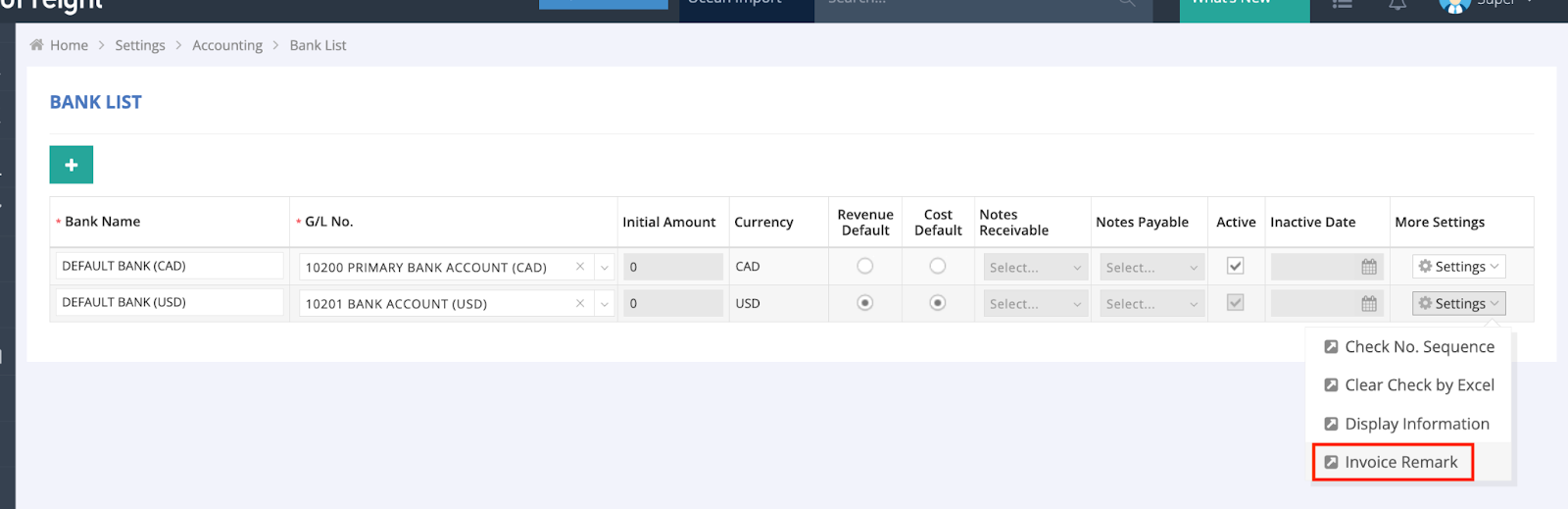
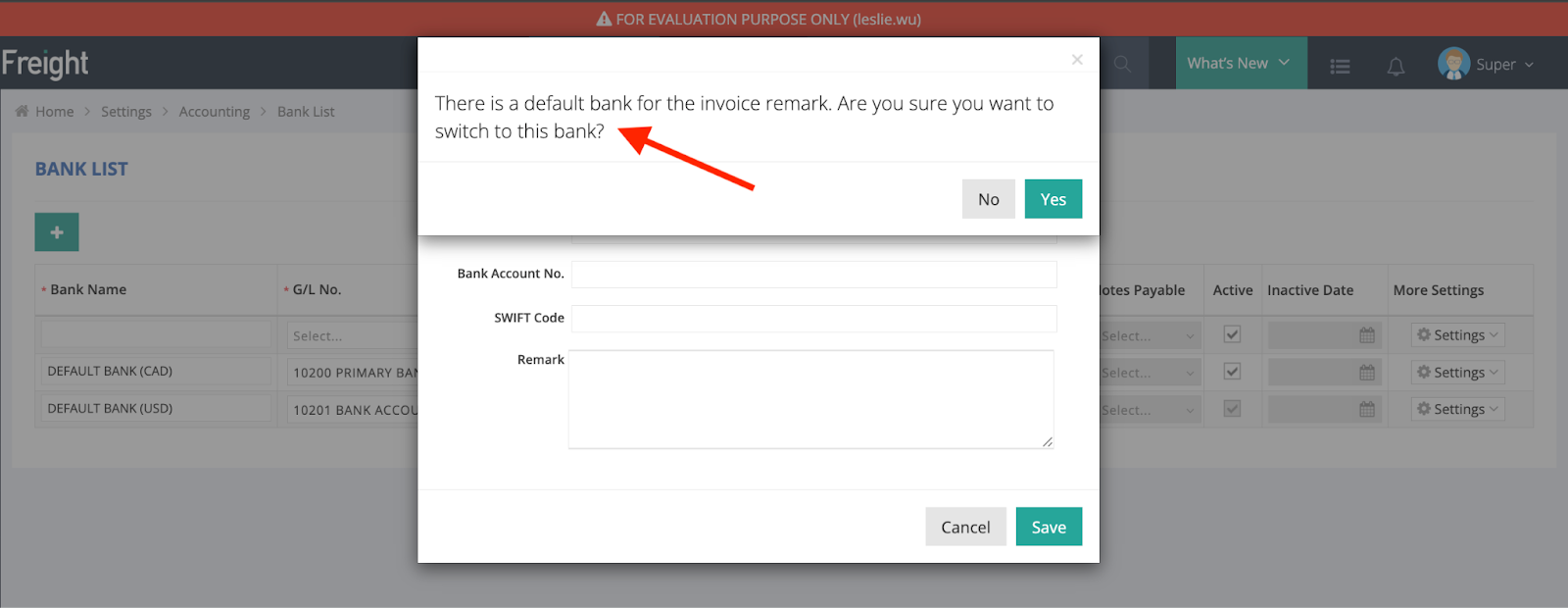
- Toggle Set As Default Bank to ON
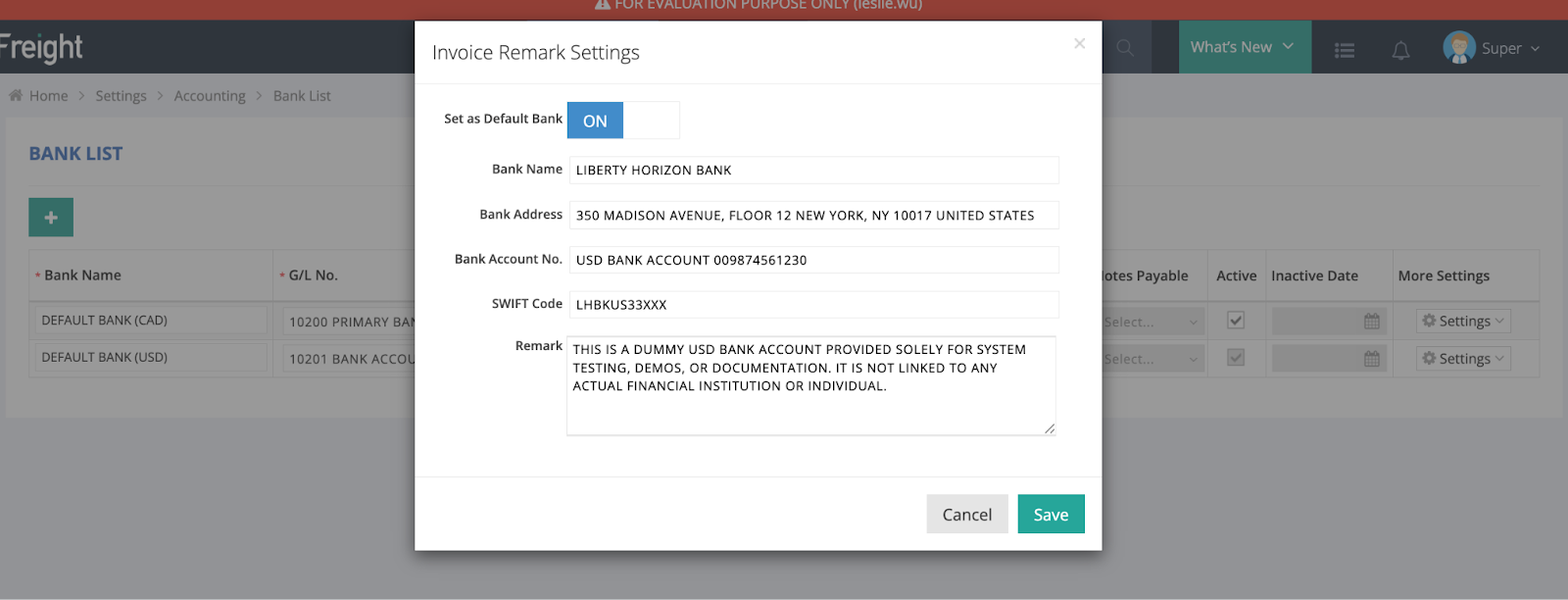
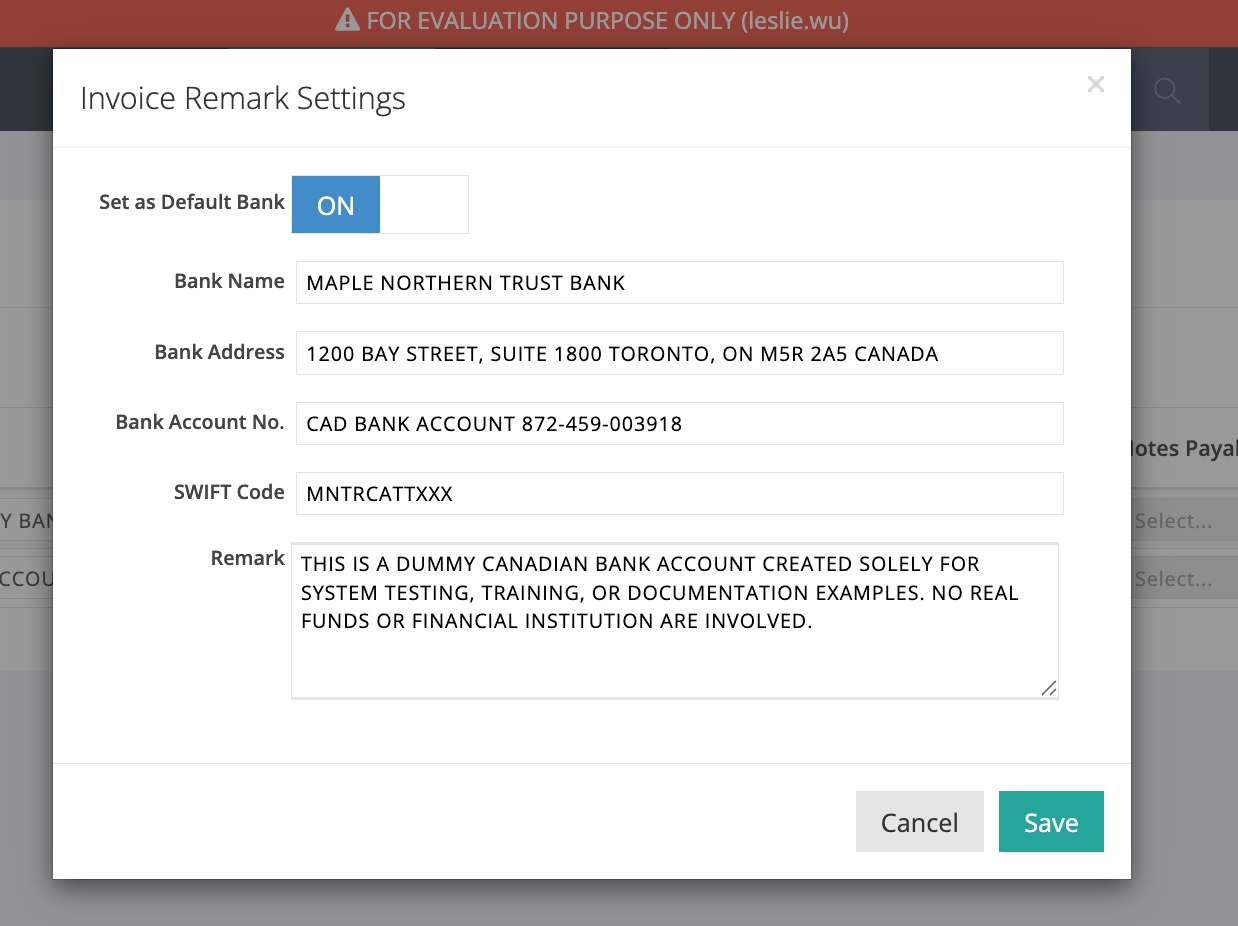
- Fill in the required fields: Bank Name, Bank Address, Bank Account No., SWIFT Code, Remark
Example Setup:
- USD Account
- CAD Account
Step 3: Save Changes (Crucial Step)
You must perform a two-step save process for changes to take effect:
- Click OK/Save inside the bank account window.
- Click Save on the main settings page.
Warning: Closing the window without the final save will result in lost changes.
3. Managing Multiple Currencies
You can configure different invoice remarks for different currencies.
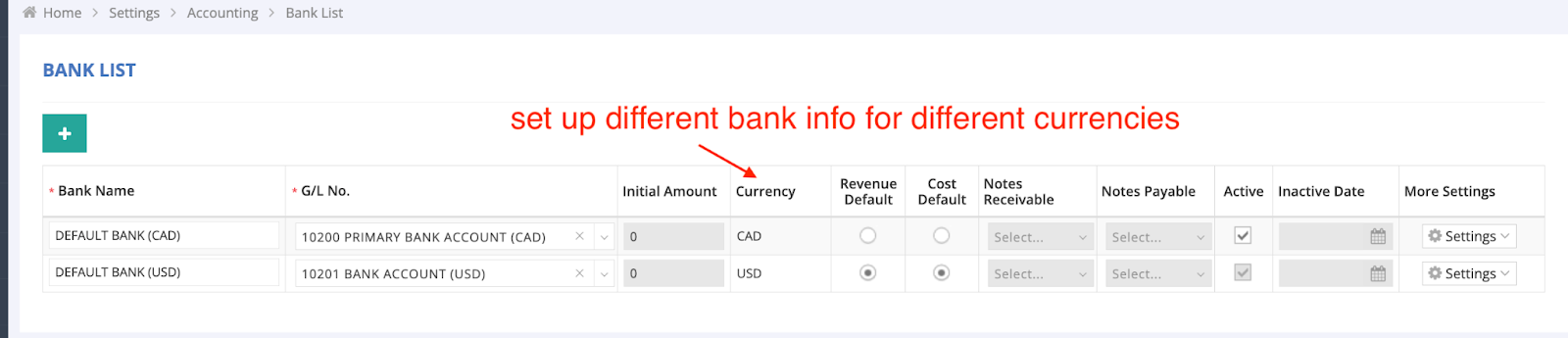
How it works: The invoice will automatically display the bank information corresponding to the currency selected on the invoice form.
Restriction: Only one "Default" bank account can be active per currency. The system will block or prompt you if a second default is attempted for the same currency.
4. Invoice Display Behavior
The displayed bank information depends on your AR System Style:
- “Default” or “Rate” Style:
- Invoice shows bank info based on the main currency.
- Example: If the main currency is USD, the invoice will display the USD bank account remark.
- “Tax” Style:
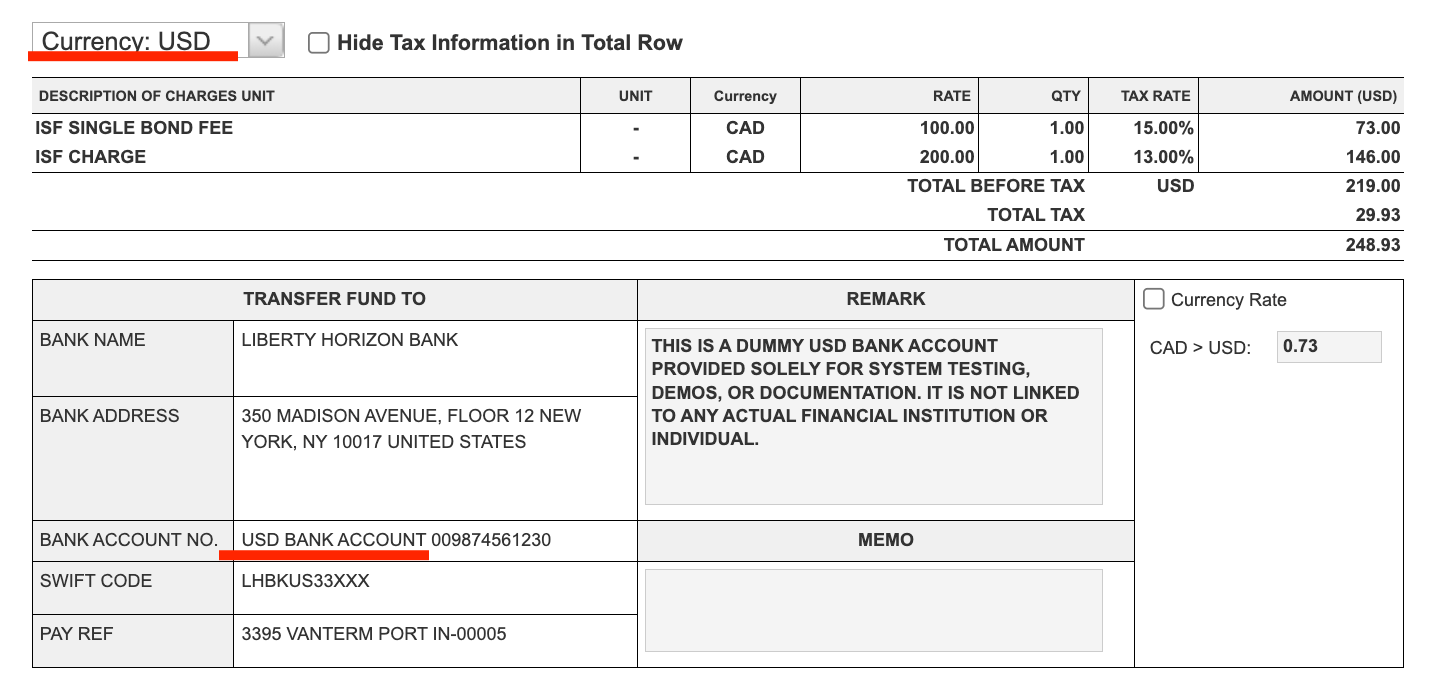
- Invoice displays bank info based on the currency selected from the invoice menu.
- USD Scenario: Shows the USD bank account remark.
- CAD Scenario: Shows the CAD bank account remark.
