
Overview of the ISF and AMS Application Process
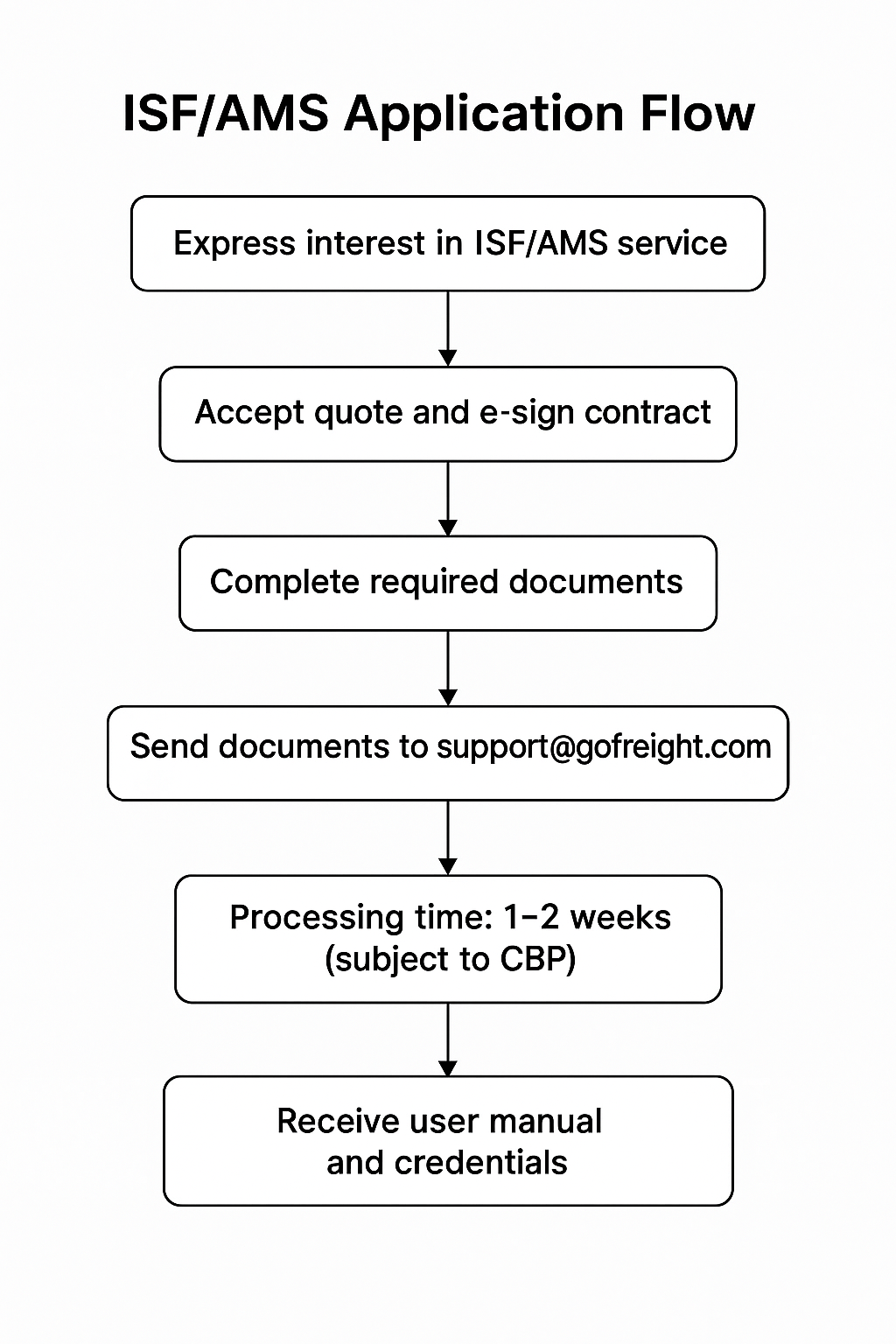
To utilize the ISF (Importer Security Filing) and/or AMS (Automated Manifest System) service with GoFreight, please follow the application process outlined below and prepare the necessary documents.
-
Pricing
ISF and AMS filings in GoFreight are charged on a per-transaction basis. For pricing details, please contact our customer support team at support@gofreight.com or reach out to your Customer Success Manager. Our support agent or your CSM will assist you shortly.
- Application Process:
- Accept the quote provided by GoFreight; an online e-contract will be sent to you for e-signature.
- Complete the required documents ( LOI, Letter of Intent, and Customer Profile)
- Send the completed documents to our customer support team at support@gofreight.com .
- Processing time: Approval from CBP typically takes 1 to 2 weeks, subject to CBP.
- Once approved, our Customer Support Team will finalize the system setup and send a separate email containing your ISF/AMS user manual as well as AMS user credentials.
- Required Documents:
For ISF:
- Signed LOI (See below attachment "LOI_eFreight_V1.0 for download. Please ensure to include your Company Name and Address at the top of the Word file for the LOI. )
- Customer Profile ( See below attachment “Customer Profile_EN; the pre-filled columns serve as samples for reference only.)
- ISF Setup
When applying for the ISF setup, you can choose how your future ISF number will be assigned:
- Option 1: ISF Number Starts with Your SCAC
- A valid Type 3 Bond Number (also referred to as the International Carrier Number) is required.
- No NVOCC certificate is needed.
- A valid Type 3 Bond Number (also referred to as the International Carrier Number) is required.
- Option 2: ISF Number Starts with our Vendor ( eFreight’s) Filer Code
- Your ISF number will be generated using the vendor’s filer code: 8EFT.
- No NVOCC certificate or Type 3 bond is required.
For AMS:
- Signed LOI (See below attachment "LOI_eFreight_V1.0 for download. Please ensure to include your Company Name and Address at the top of the Word file for the LOI.)
- Customer Profile ( See below attachment “Customer Profile_EN; the pre-filled columns serve as samples for reference only. Please list out the AMS user information in the Account Setup for AMS.)
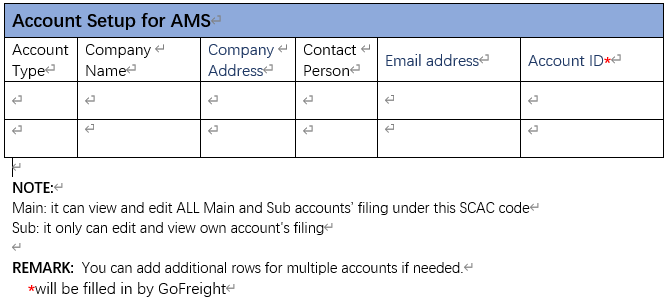
Note: If applying for both ISF and AMS, please fill out the LOI and Customer Profile together in the same form.
- LOI: Please select one of the LOI forms below to complete.
- Customer Profile V.3.0 : Mandatory for all submissions.
For more information about our ISF and AMS add-on services, please refer to the links below:
Related Topics
Related to