
To safeguard your data and maintain compliance with industry security standards, please take note of the following:
- Each user account is designated for use by a single individual only.
- User sharing (multiple users accessing the same login) is strictly prohibited, as it poses security, compliance, and audit risks.
- In the near future, we will implement enhanced security measures to detect and prevent account sharing. When triggered, these measures may prompt your team to obtain additional user licenses if necessary.
- For more details, please refer to the GoFreight Terms of Service .
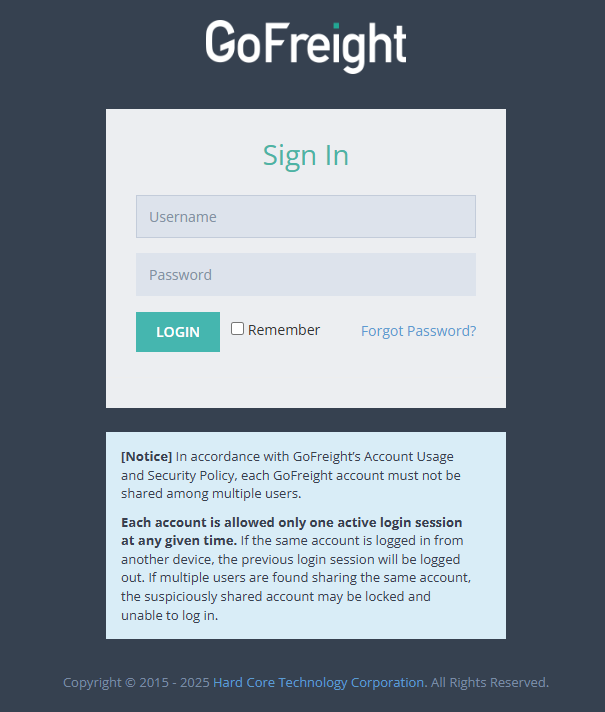
How GoFreight Protects Your Account Security
1. One-Device-Only Login Policy
To enhance account protection, GoFreight enforces a one-device-only login policy. When a new login is detected, the system will automatically log out the previous session.
The following scenarios may impact how you access GoFreight:
- Scenario 1: Multiple Browsers or Devices in Use
After enforcement begins, users will no longer be able to stay logged in across multiple browser sessions or devices at the same time, including incognito or private browsing sessions.
For example, logging in to GoFreight on Edge will automatically log you out of any existing session on Chrome or another browser.
This restriction does not apply to multiple tabs or windows within the same browser session.
- Scenario 2: Previous Session Still Active
If your previous session is still active on another device (for example, your office computer), logging in from home, a different device or different internet source will automatically end the earlier session.
Important Reminder:
If you are logged out unexpectedly and the behavior does not match the scenarios above, it may indicate that someone else is using your login credentials.
In this case, please reset your password immediately by following the instructions in our Knowledge Center article: How to Reset Your Password .
2. Account Lock Due to Suspicious Activity
To help keep your account secure, GoFreight continuously monitors for unusual or potentially risky activity. If something out of the ordinary is detected, the system may temporarily lock the affected account as a precaution.
This is a protective measure and does not necessarily mean your account has been compromised. If this happens, please follow the on-screen instructions or contact GoFreight Support for assistance.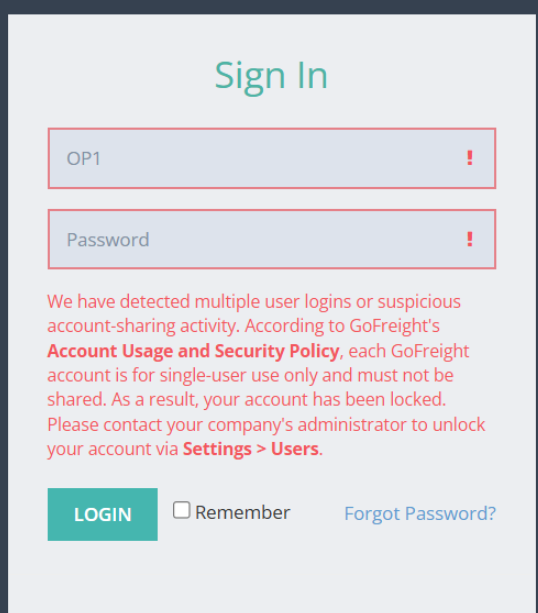
How to Unlock Your Account
If your account is locked, please follow the steps below:
- Contact your system administrator to unlock the account.
- The system administrator should navigate to Settings > User Management.
- Locate the locked user account and click Unblock.
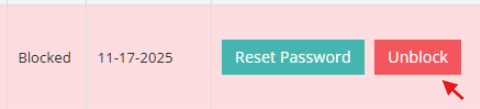
Once your administrator unblocks the account, you will be able to log in again.
For security purposes, please reset your password immediately by following the instructions in the Knowledge Center article: How to Reset Your Password .
Important Reminder:
If your account is locked again shortly after being unblocked, and your system administrator is unable to resolve the issue, please contact GoFreight Support and include your system administrator in the communication so we can assist further.
FAQ
Q1: Will my account be blocked if I use multiple devices when working from home and in the office?
A1:
No. Under the one-device-only login policy, using multiple devices will result in your previous session being logged out, thereby ensuring account security. It does not lock the account on its own.
Q2: How Shared Logins Are Detected?
A2:
Each login session is assigned a unique Login ID.
GoFreight’s monitoring system detects when the same User ID is used across multiple devices simultaneously. When this occurs, the system automatically keeps the most recent login session and logs out the previous one.
Q3: Why does GoFreight Enforces Shared Login Control?
A3:
Shared logins create security, compliance, and audit risks.
To protect customer data and meet industry compliance standards such as C-TPAT (Customs-Trade Partnership Against Terrorism), each user must have an individual login. This ensures system security, maintains clear activity traceability, and allows all user actions to be properly monitored.