
In GoFreight Air Shipments, the system allows you to set shipment dimensions, and it will automatically calculate the volume weight for you.
Volume data can be found at both the MAWB and HAWB levels. This guide uses the Air Import shipment HAWB level as an example.
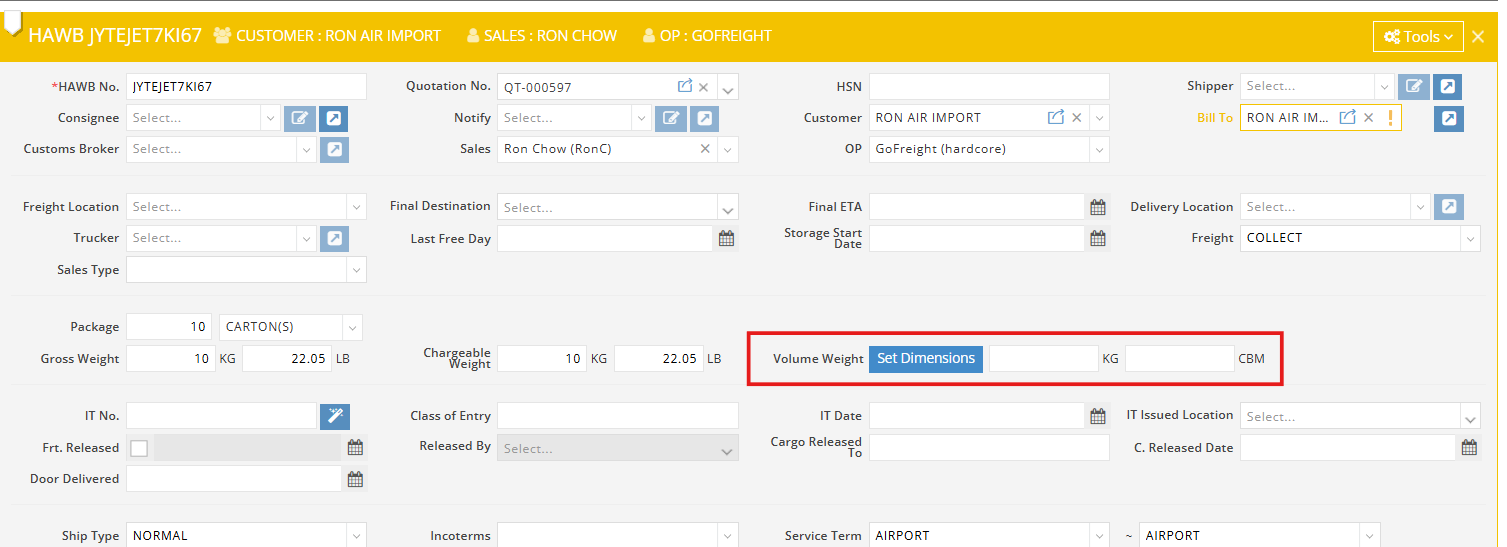
- Navigate to the “Volume Weight” section.
- Click “Set Dimensions.”
- Click the plus sign (+) to add a new dimension entry.
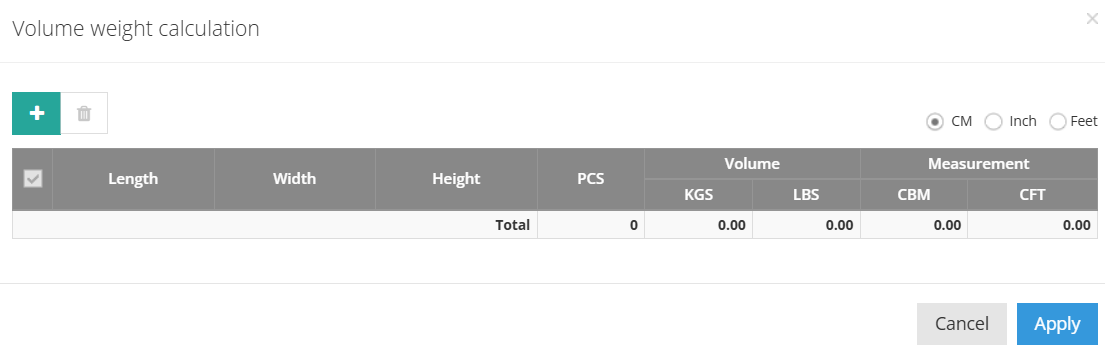
- Enter the following for each line item:
- Length
- Width
- Height
- Pieces
- GoFreight supports three units of measurement: CM, Inch, and Feet. Once the values are entered, GoFreight will automatically calculate the volume weight in both KGS and LBS.
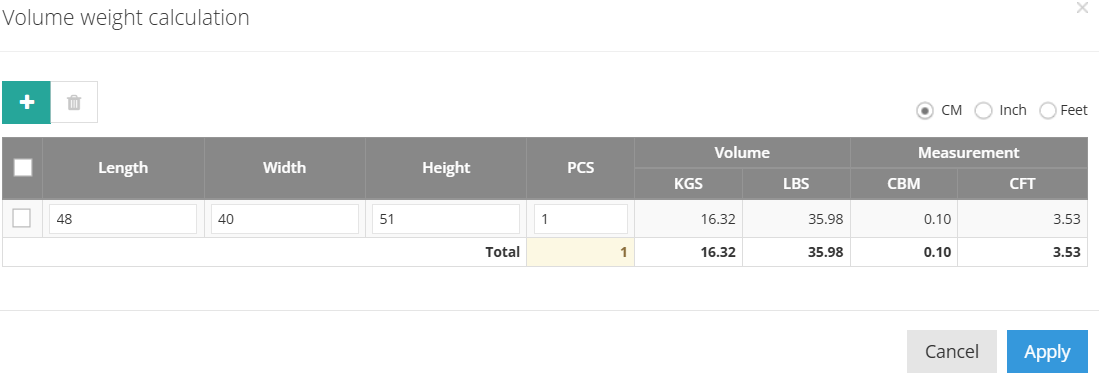
- Once the values are entered, GoFreight will automatically calculate Volume Weight in KGS and LBS
Air Volume Weight Calculation Formulas
If Unit = Cm
- KGS = (L × W × H) / 6000
- LBS = [(L × W × H) / 6000] × 2.20462262
If Unit = Inch
- KGS = (L × W × H × 2.54³) / 6000
- LBS = [(L × W × H × 2.54³) / 6000] × 2.20462262
If Unit = Feet
- KGS = (L × W × H × 30.48³) / 6000
- LBS = [(L × W × H × 30.48³) / 6000] × 2.20462262
Example Calculation
Let’s apply the formulas using the following example:
- Length: 48
- Width: 40
- Height: 51
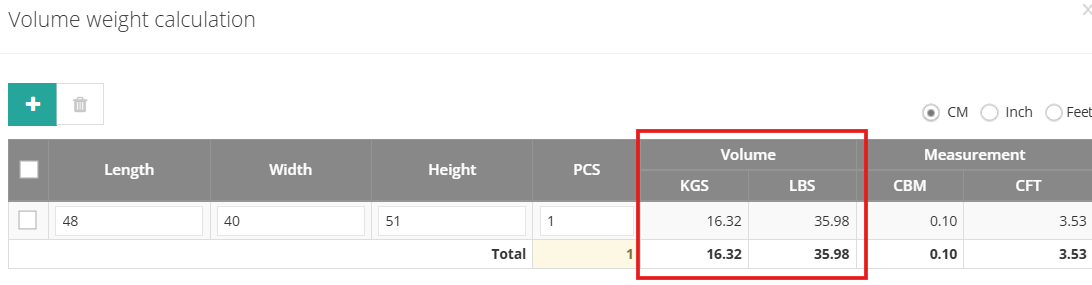
Select Unit = CM
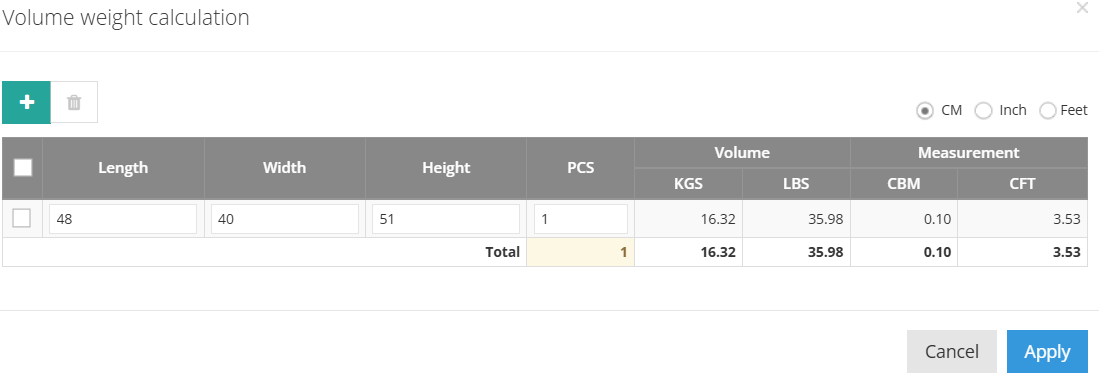
- KGS = (48 × 40 × 51) / 6000 = 16.32 KGS
- LBS = 16.32 × 2.20462262 = 35.98 LBS
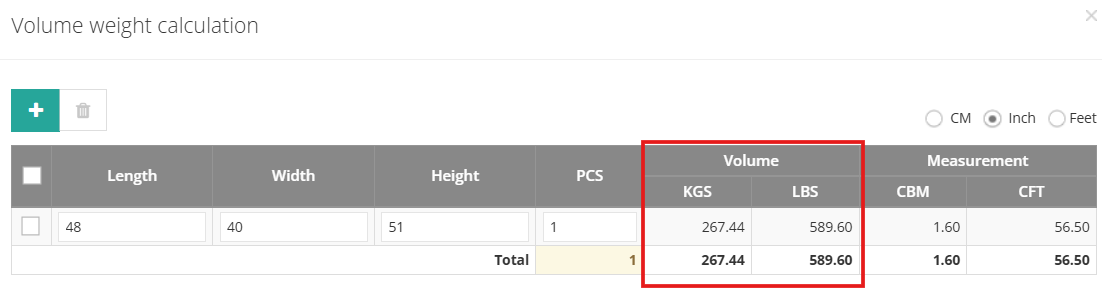
Select Unit = Inches
- KGS = (48 × 40 × 51 × 2.54³) / 6000 = 267.44
- LBS = 267.44 × 2.20462262 = 589.60
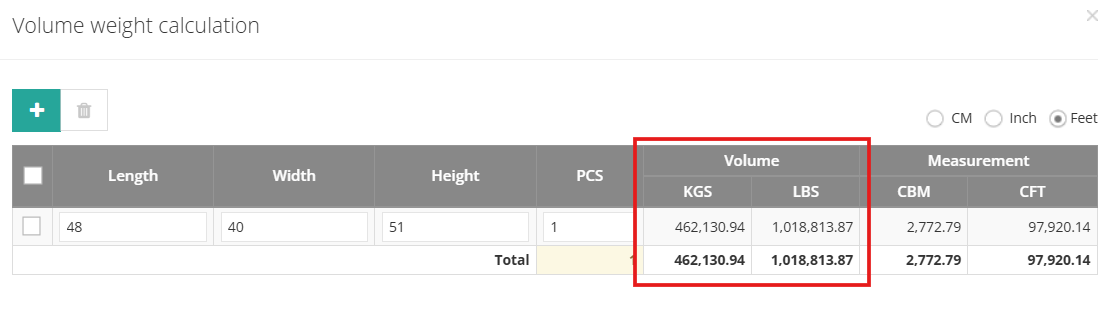
Select Unit = Feet
- KGS = (48 × 40 × 51 × 30.48³) / 6000 = 462,130.94
- LBS = 462,130.94 × 2.20462262 = 1,018,813.87
 Was this article helpful?1 out of 1 found this helpful