
In the GoFreight system, adding new ports is not permitted. Our system follows the United Nations Code for Trade and Transport Locations (UN/LOCODE). You can access the code list using the link below: UN/LOCODE Code List .
If you're having trouble locating a specific port in the system, we recommend checking the UN/LOCODE official site. Often, the site lists ports under their local or original names, which might help you find what you're looking for.
Example: For Port-of-Venice, refer to the Italy page (IT) here: Italy UN/LOCODE
The UN/LOCODE uses its Italian name “Venezia”, instead of “Venice”.

Please input "Venezia" or "ITVCE" to select it from the Port of Destination (POD) section.

Some rail or road terminal locations may not be available in the POL or POD fields on the GoFreight system, even if they appear on the UN/LOCODE list. If this occurs, please reach out to a GoFreight Support Agent to request the activation of the "Port Management" feature for your system.
A gentle reminder: This feature is designed to allow users to update existing port information only; it does not support adding new ports or locations.
Once this feature is enabled, users with Admin or General Manager roles will have the ability to manage and update the port list as needed. Please refer to the following instructions to guide you through the feature “Port Management”.
- If you'd like to rearrange the display name or the alias of the port, navigate to "Settings > Port Management".
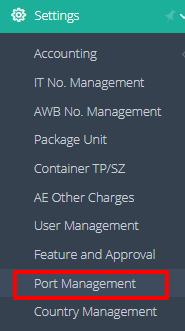
- You can filter the information to quickly locate the desired location name.

- Select the office where you want to make the change. Double-click on the location to edit the display name.
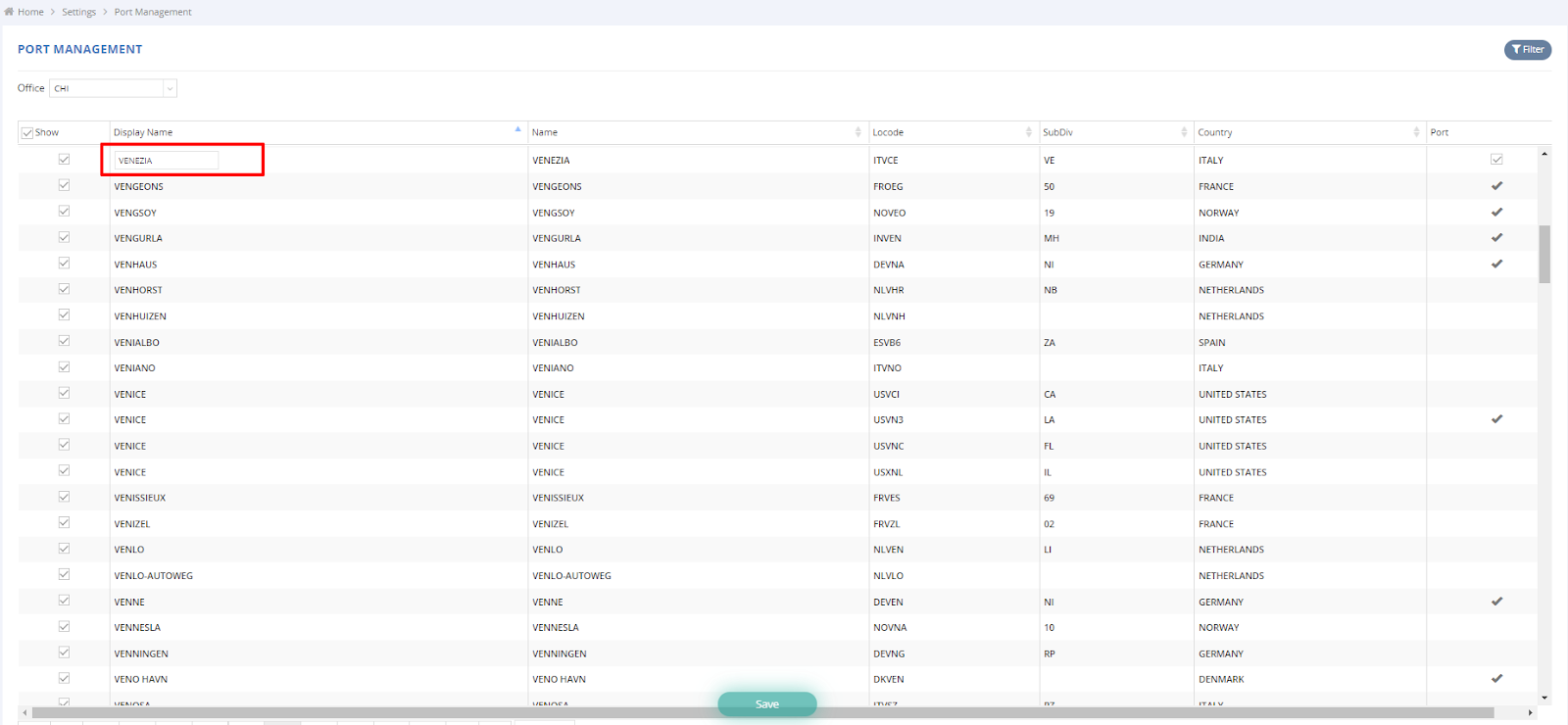
- You can click the first checkbox to determine whether the location can be selected in the system.

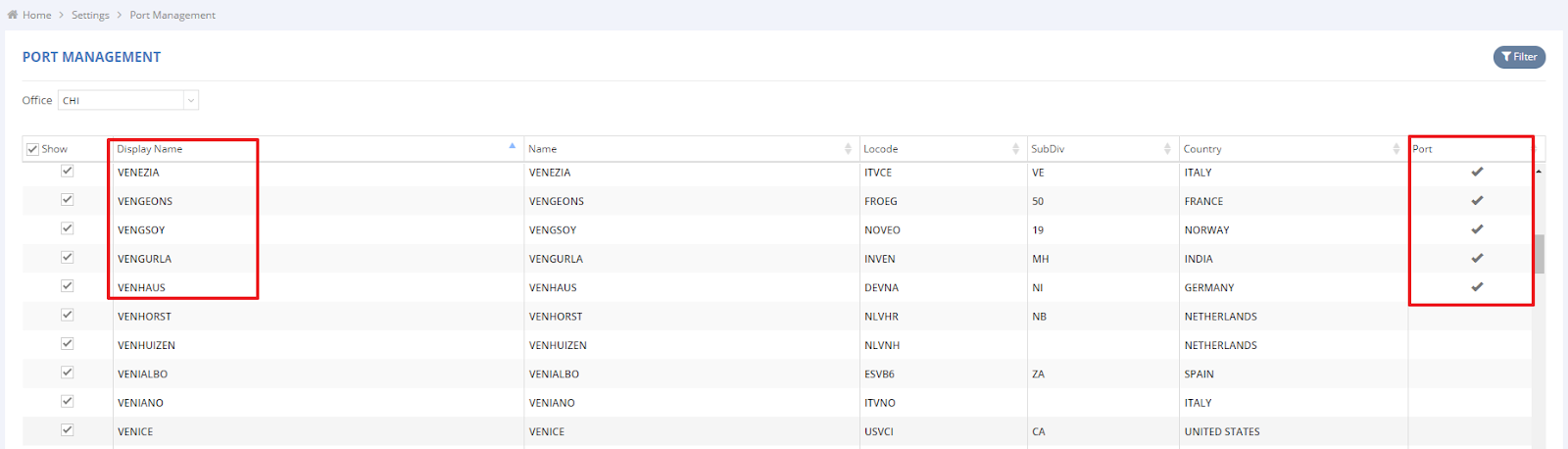
- Locations that have been set up as "PORT" (marked in red) can be selected in the Port of Loading (POL), and Port of Discharge (POD). In other words, if a location is selectable in other fields but not in POL/POD, you can navigate here and check the port checkbox to enable it.

For a visual guide on this feature, please refer to the following video: