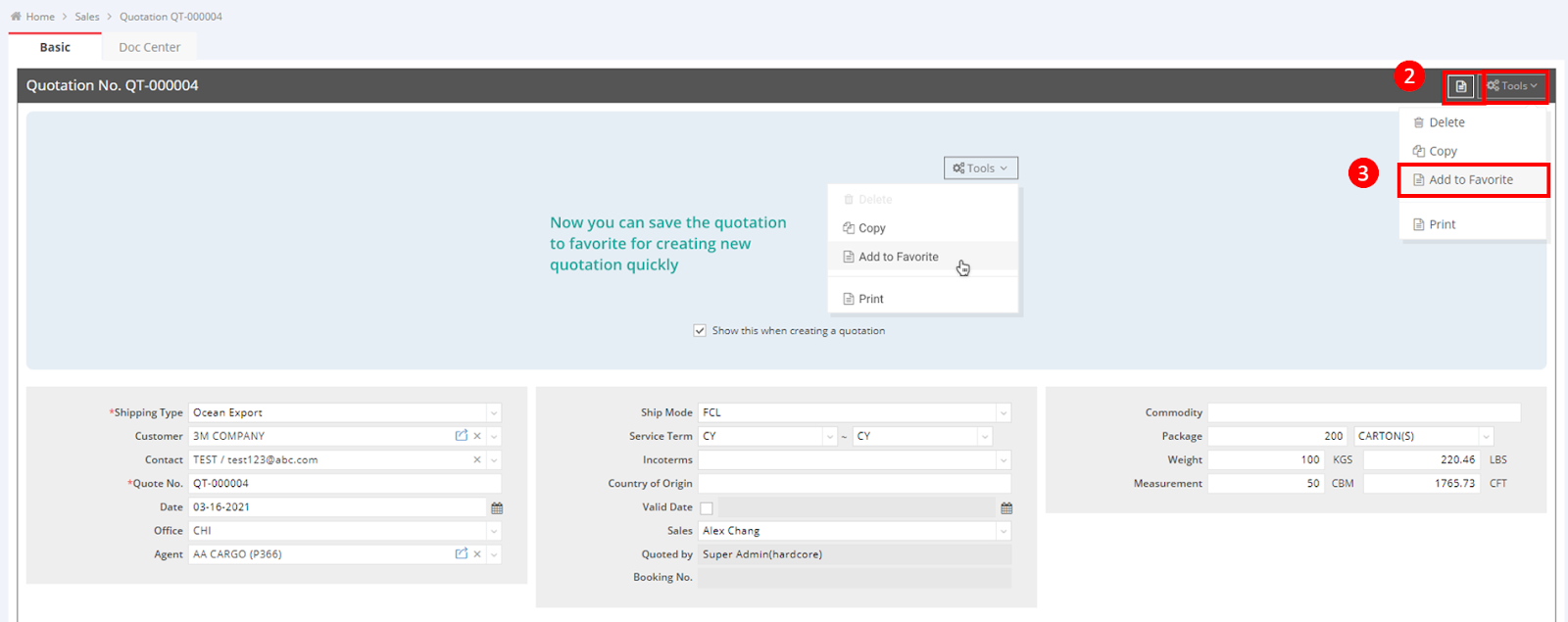
- After saving the quotation, locate the Tools button in the upper right corner.
- Click the document icon to open or hide the favorites section.
- Navigate to Tools and select Add to Favorite.
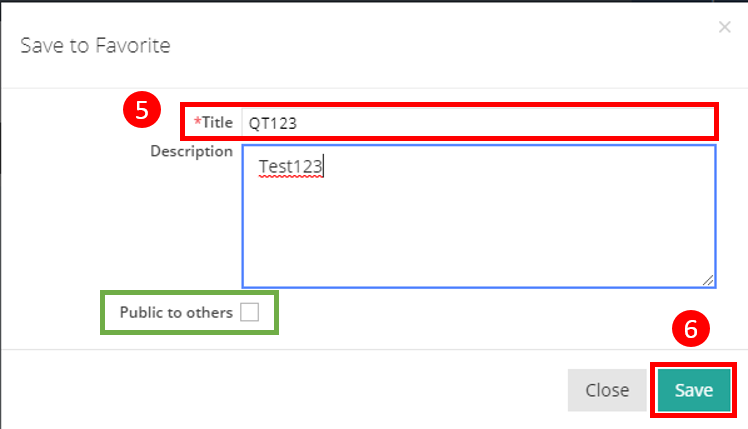
- A pop-up screen will appear.
- Enter the Title of the quotation.
- Click Save.
- Note: Only the Sales Manager can see the checkbox labeled “Public to others” (refer to the green frame). When the Sales Manager decides to share their quotation template with others, they can check this option, allowing others to view the template in the Favorites zone.
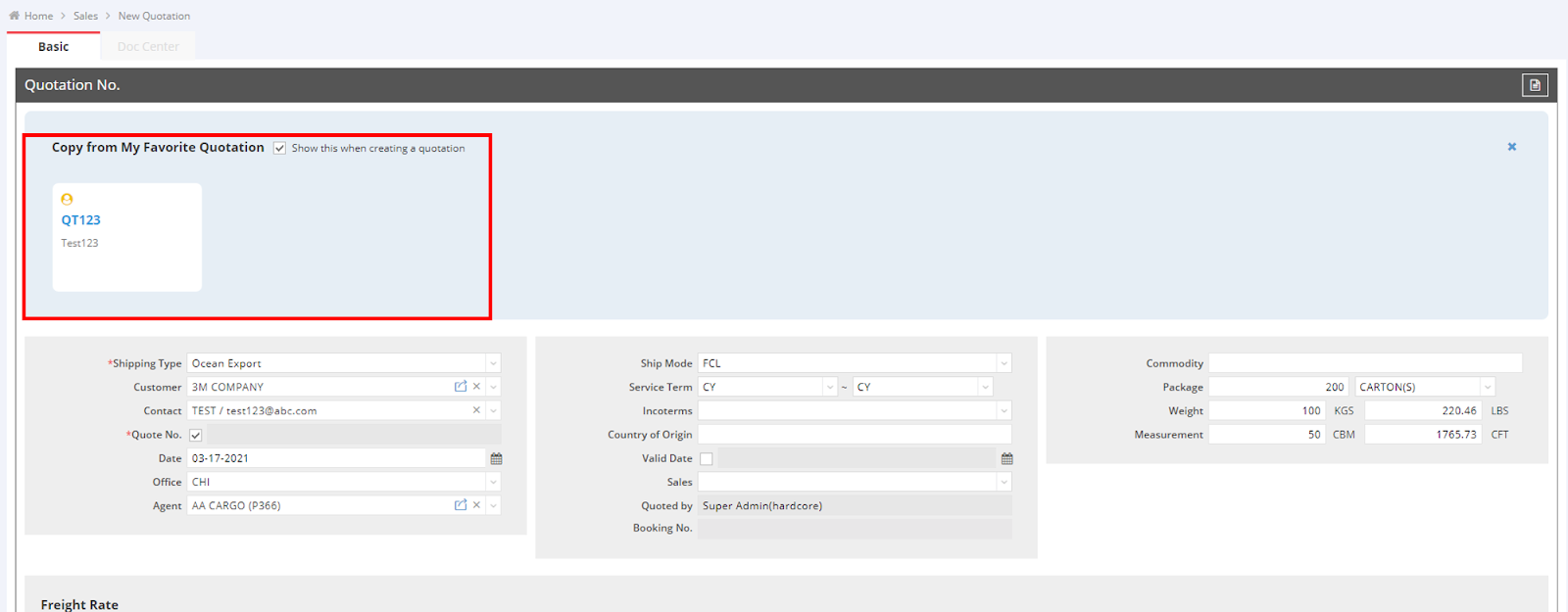
The next time you access the quotation entry, you will find the added quotation templates in the upper section, ready for use.