
Changing the Sales in Charge for Multiple Shipments
Currently, the feature “Change Sales” in the batch is only available in the House B/L List of the Ocean Import module. With this feature, you can change the Sales in charge in batch at once for multiple shipment files.
By system default settings, this feature “Change Sales” in the batch is only available for the General Manager, Operation Manager, Sales Manager, Accounting Manager, Operation, and Accounting users.
If you want to change the sales in charge for multiple shipments, you can easily batch-change them from your shipment list. Please follow the instructions below:
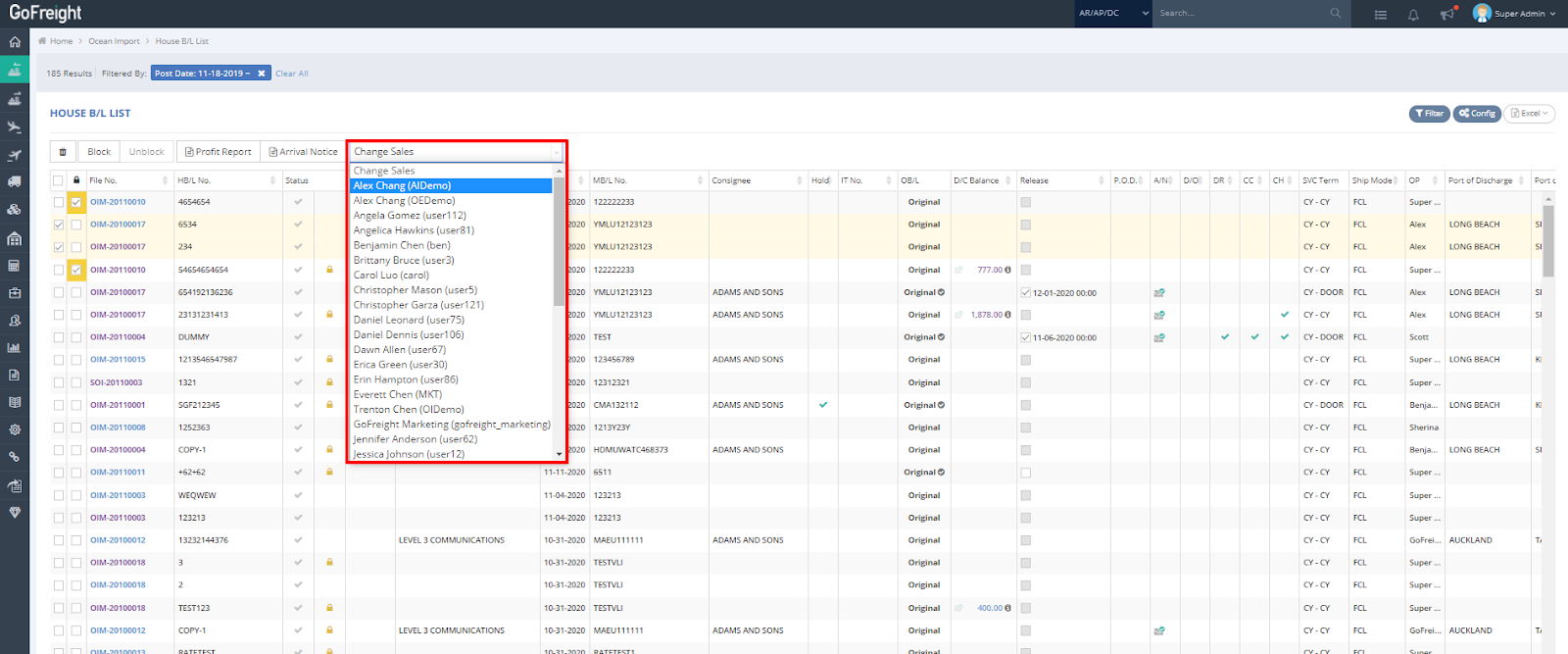
- In the House B/L List of the Ocean Import module, Select multiple shipments that currently have the same sales representative listed in the first row, then click on “Change Sales.”

- Choose the new salesperson from the dropdown menu.
- In the pop-up message, click “Proceed” to confirm the change of the sales representative’s name.
