
Follow these steps to batch-update shipments in the GoFreight system:
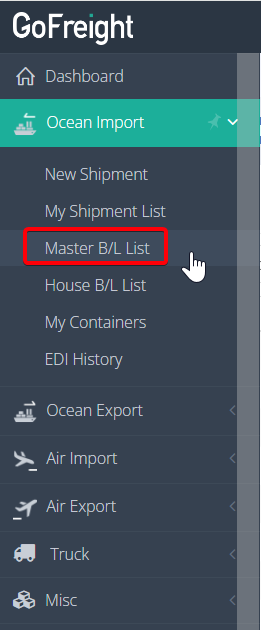
- Access the Master B/L List: Go to “Ocean Import” > “Master B/L List” on the navigation bar.
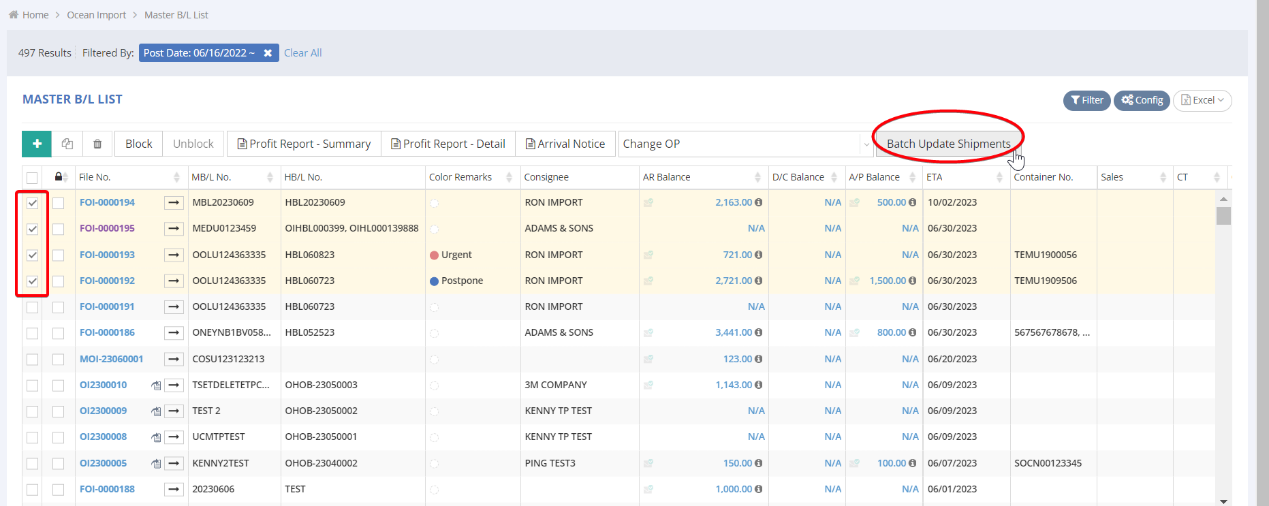
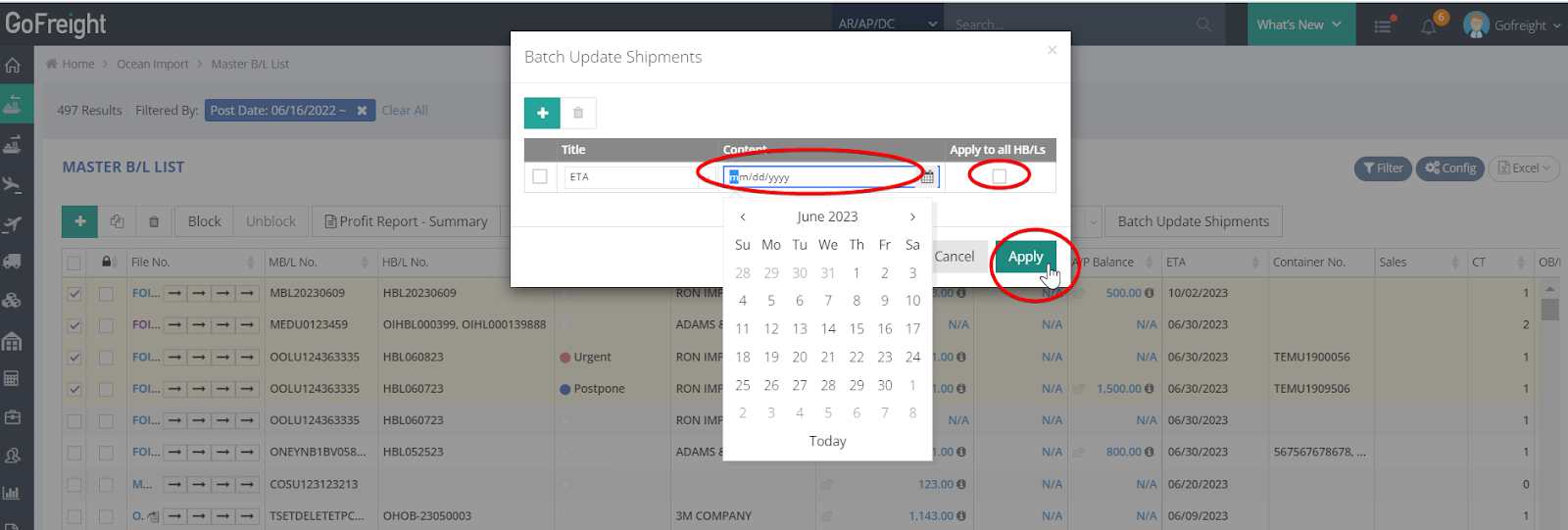
- Select Shipments: Choose multiple shipments you wish to batch update by selecting them in the first row. Then, click “Batch Update Shipments.”
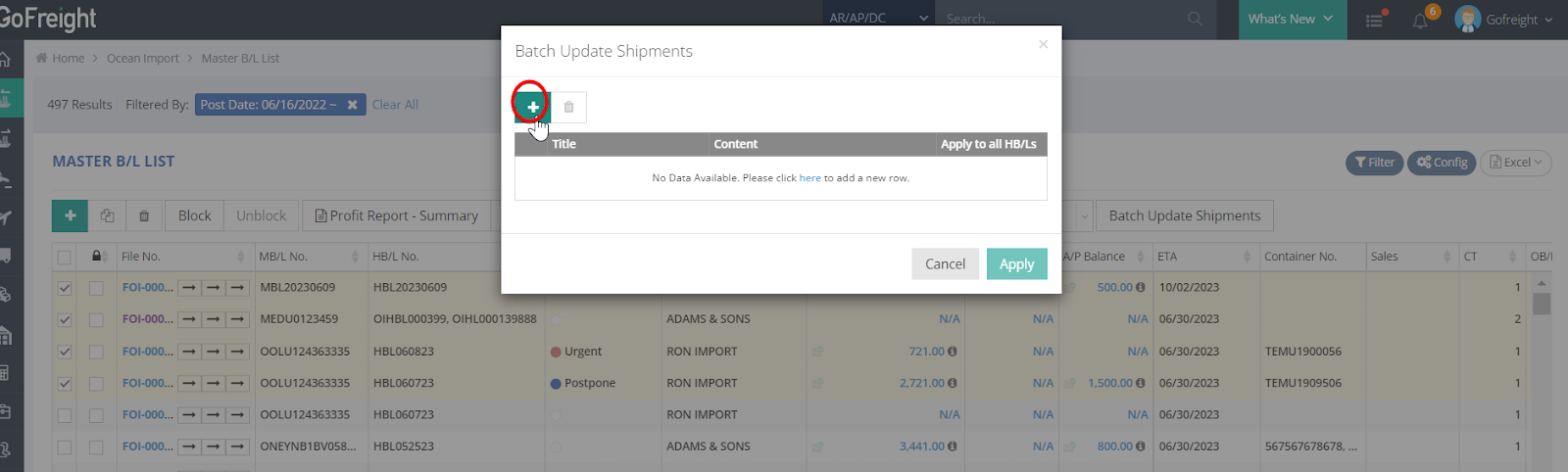
- Add Update Item: In the pop-up message, click the green icon “+” to add the item you want to batch update.
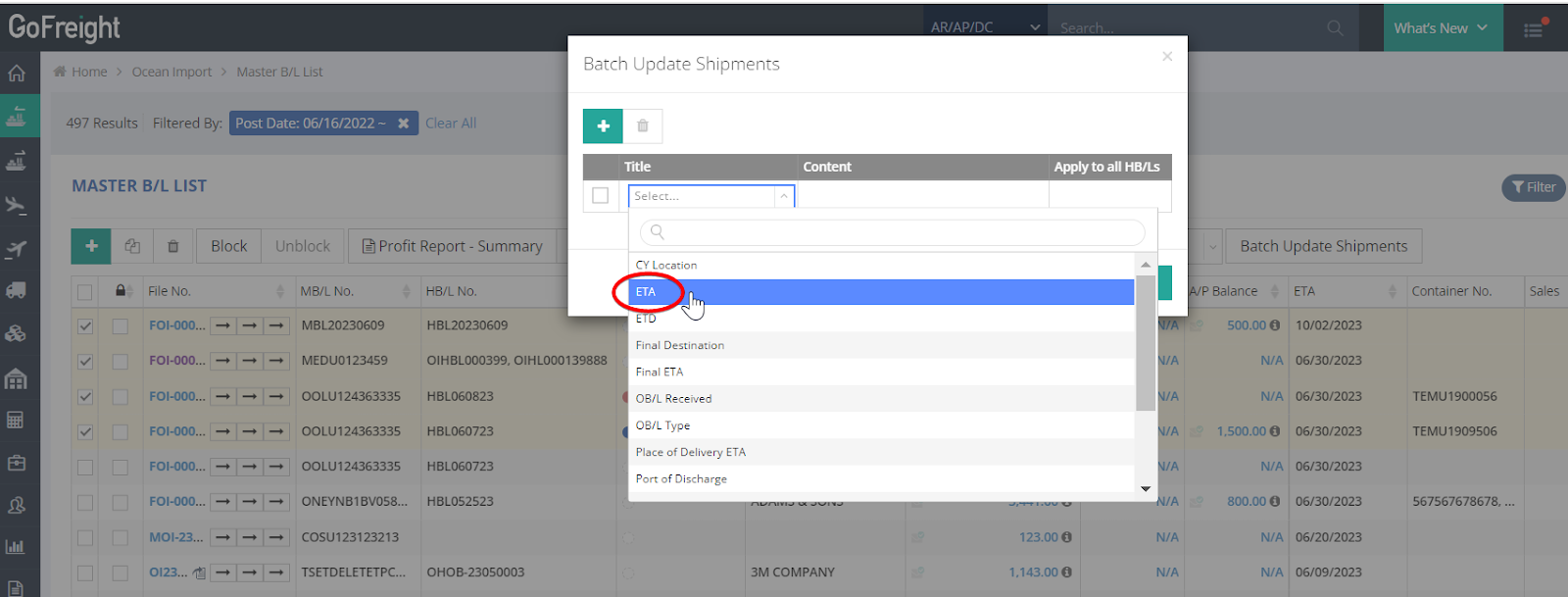
- Choose Item to Update: For example, if you want to batch update the “ETA” for the selected shipments, click “ETA.”
- Enter New Date: Select the date in the “Content” field. If necessary, check the box “Apply all HB/Ls,” then click “Apply.”
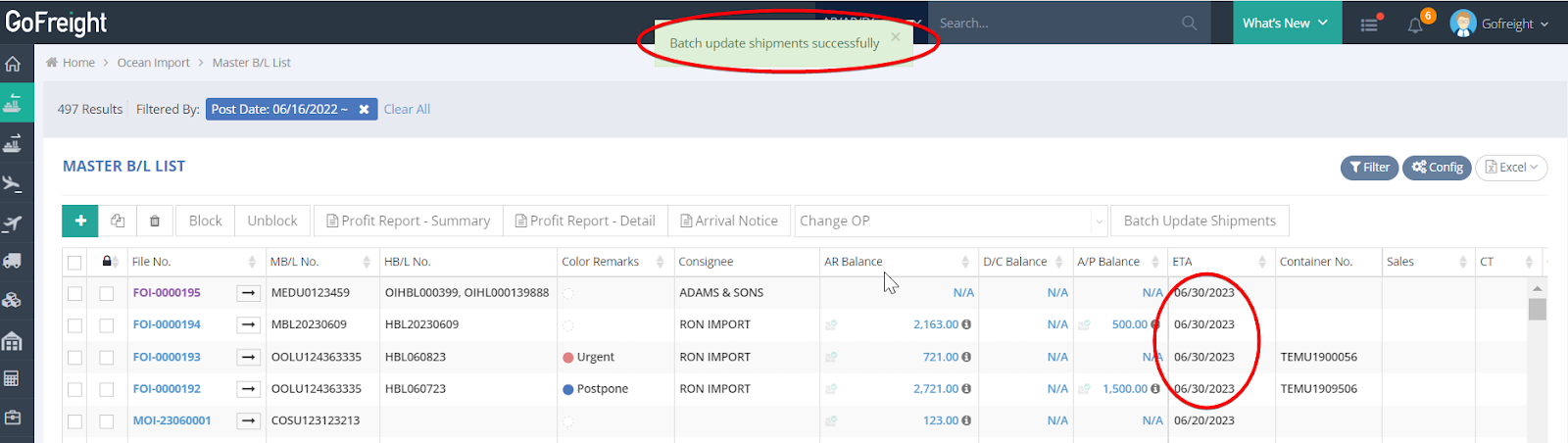
- Confirmation: After clicking “Apply,” a confirmation message will appear stating “Batch update shipments successfully,” and the ETAs will be updated accordingly.
By following these steps, you can efficiently update multiple shipments at once.