
In the agent/local statement, GoFreight allows you to block invoices, please follow the steps below.
Once your customer or agent has confirmed the amount of the statement.
1. Go to "Accounting" > "Report" > "Agent/Local Statement".
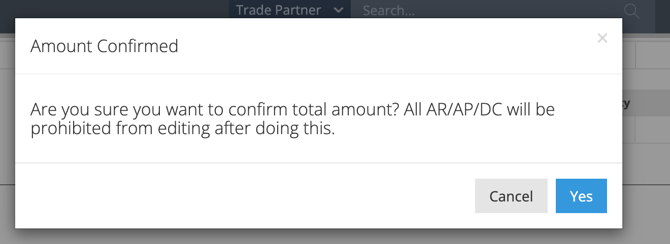
2. Check "Amount Confirmed" for Test-2 in the "Generated Document List" section, and click "Yes" in the pop-up window.
**Note: All AR/AP/DC in the statement will be prohibited from editing after doing this.**
.png?width=670&height=160&name=1%20(image).png)
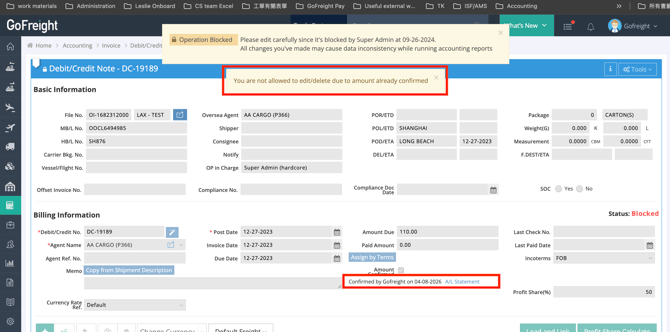
3.Once the invoices have been confirmed by the Agent/Local Statement, they cannot be revised. Additionally, the 'Amount Confirmed' option will be automatically selected on the invoice entry page.
For a visual guide on this feature, please refer to the following video: