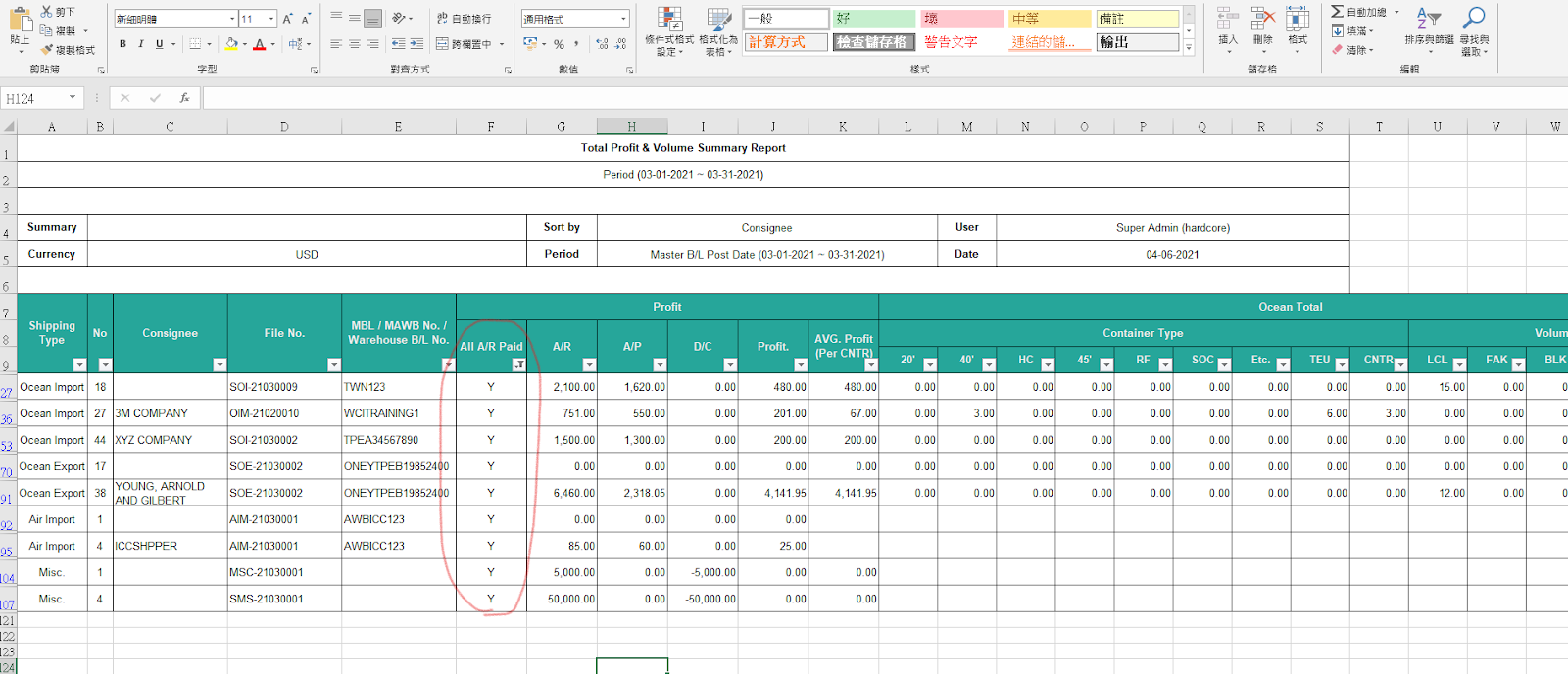
Currently, our system does not have a dedicated function for calculating sales commissions, as each company employs different methods for calculation.
However, you can utilize our Volume Profit Report to assist in calculating commissions.
In the GoFreight system, users with the General Manager or Sales Manager role have full access to the Volume and Profit Report. Users with other roles have restricted access.
Follow the steps below:
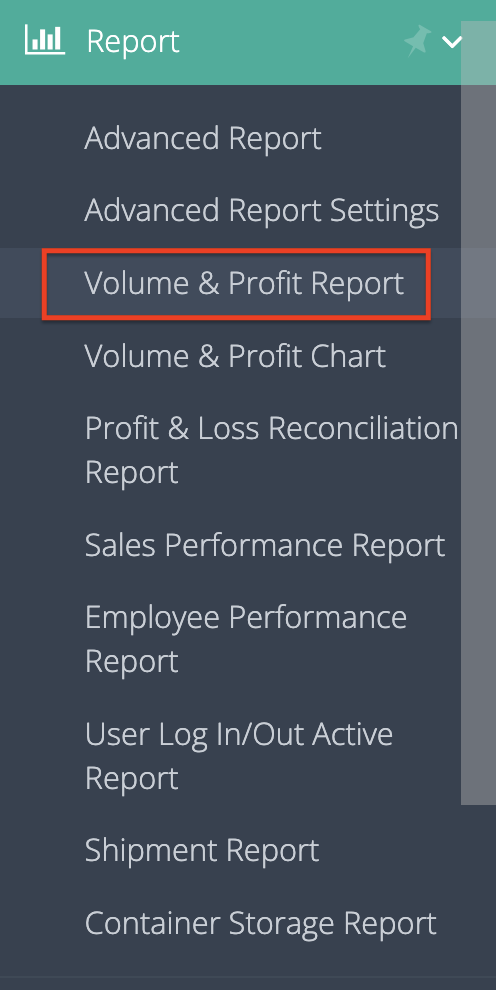
- Navigate to “Home” → "Report" → "Volume Profit Report".
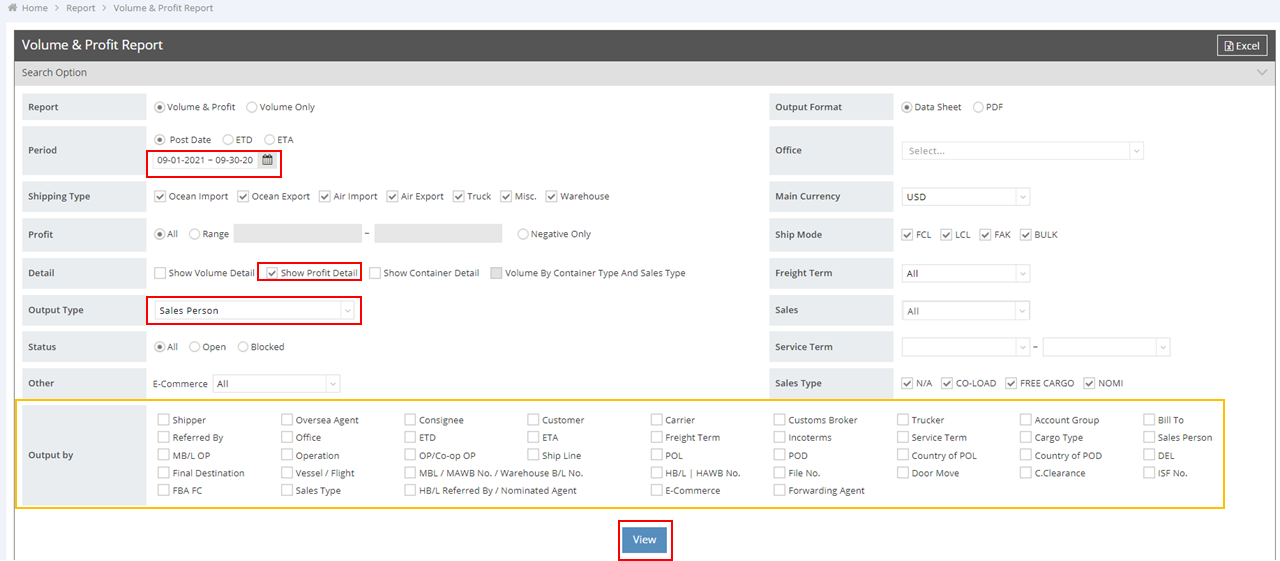
- Set the conditions: specify the "Period" and enable "Show Profit Detail". Note: the Post Date in the Volume & Profit Report is the Shipment Post Date.
- Choose "Sales Person" as the Output Type.
- In the "Output By" section, select the information you want to view.
- Click "View" to check the results.
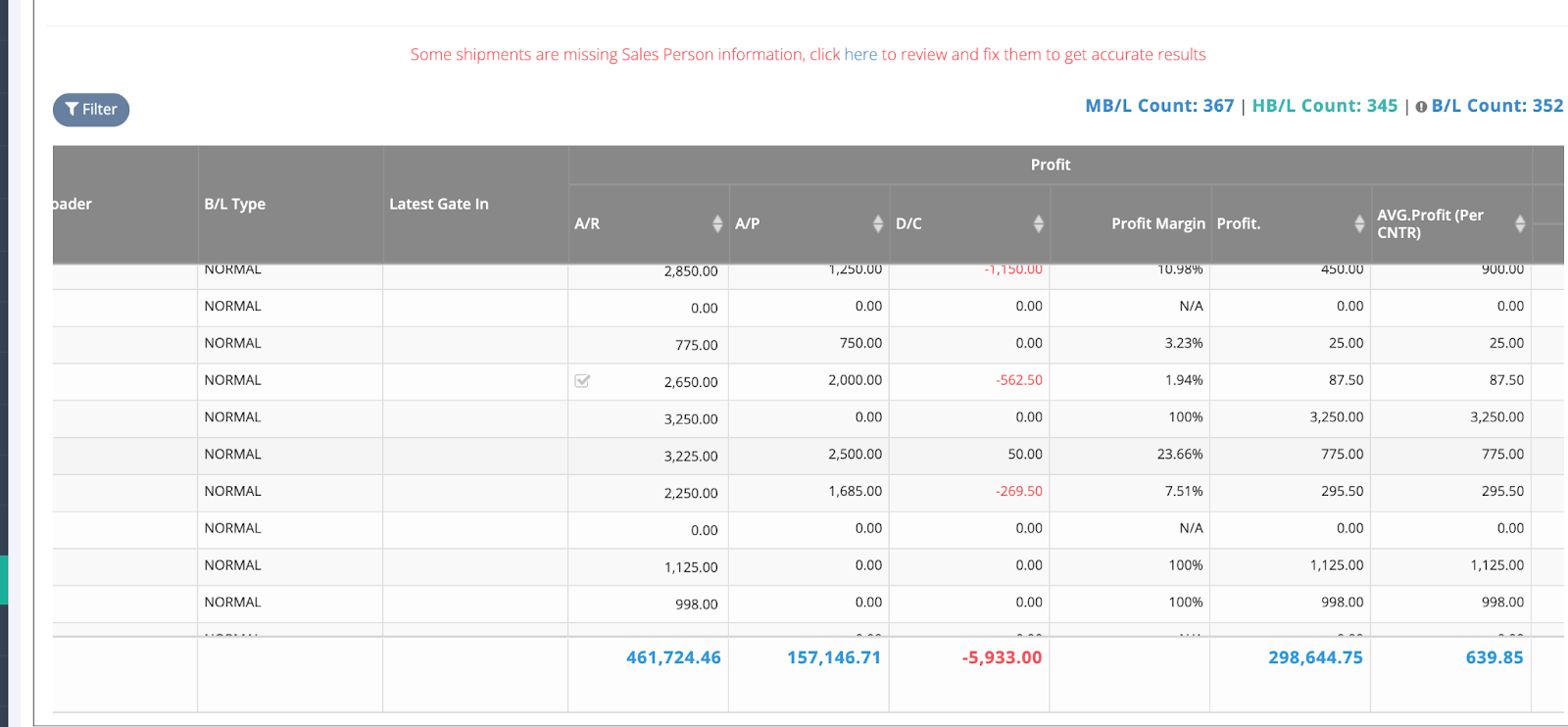
- Click "Excel" in the upper right corner to download the report.
- In Excel, use the filter function on the "All AR Paid" or "All D/C Paid" columns (if available) to count the sales commissions for entries marked as "Y".
- Complete the calculation of sales commissions.