Each vessel must have a corresponding manifest. To change the Bill of Lading vessel, you will need to cancel the original submission, detach the Bill of Lading from the old vessel's manifest, attach it to the new vessel's manifest, and then submit it again.
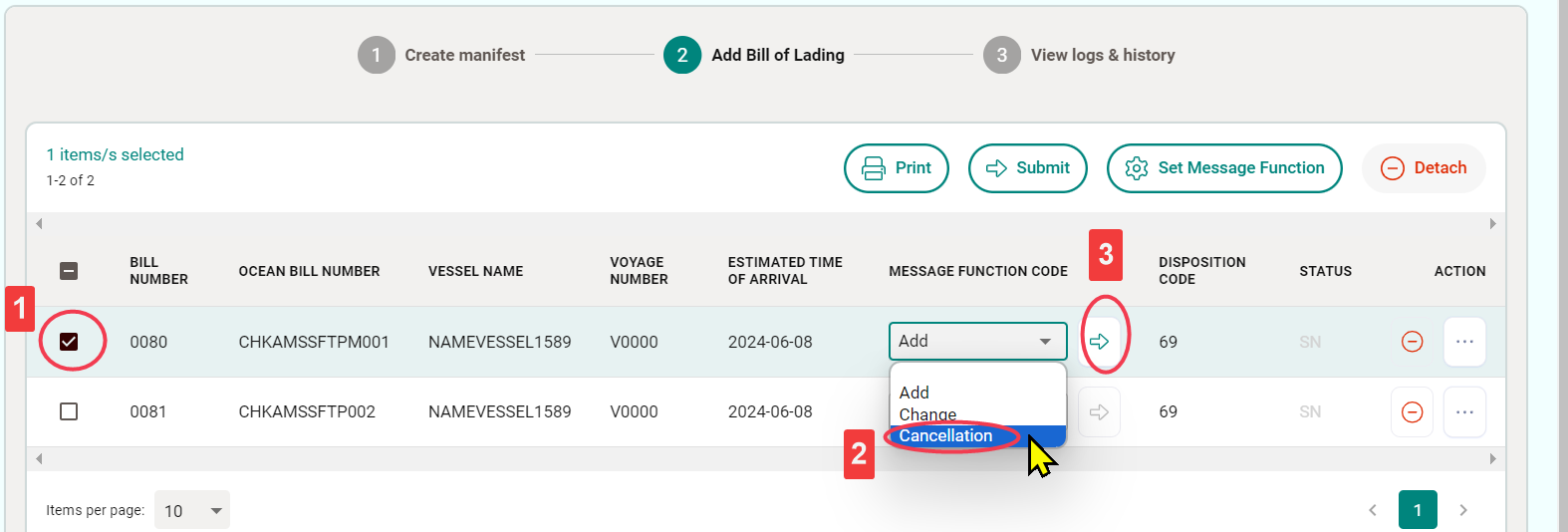
Remove Bill of Lading from a Manifest
- Select the checkbox next to the Bill of Lading to be removed.
- Select “Cancellation” under “MESSAGE FUNCTION CODE.”
- Click “Submit” to complete this action.
If there is no new manifest for the new vessel in the system, you will need to create a new manifest first.
Create a New Manifest
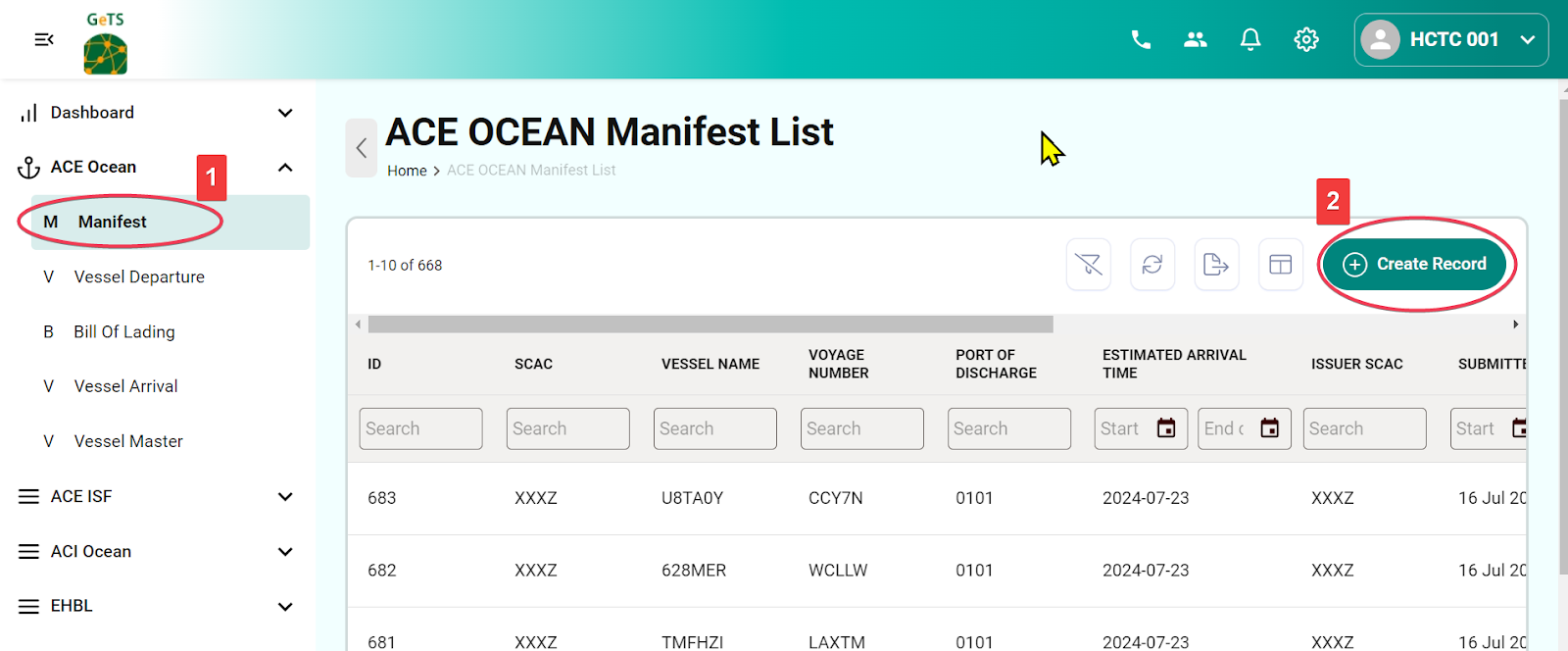
- Click ACE Ocean > Manifest on the menu bar.
- Click “Create Record” to initiate the manifest creation.
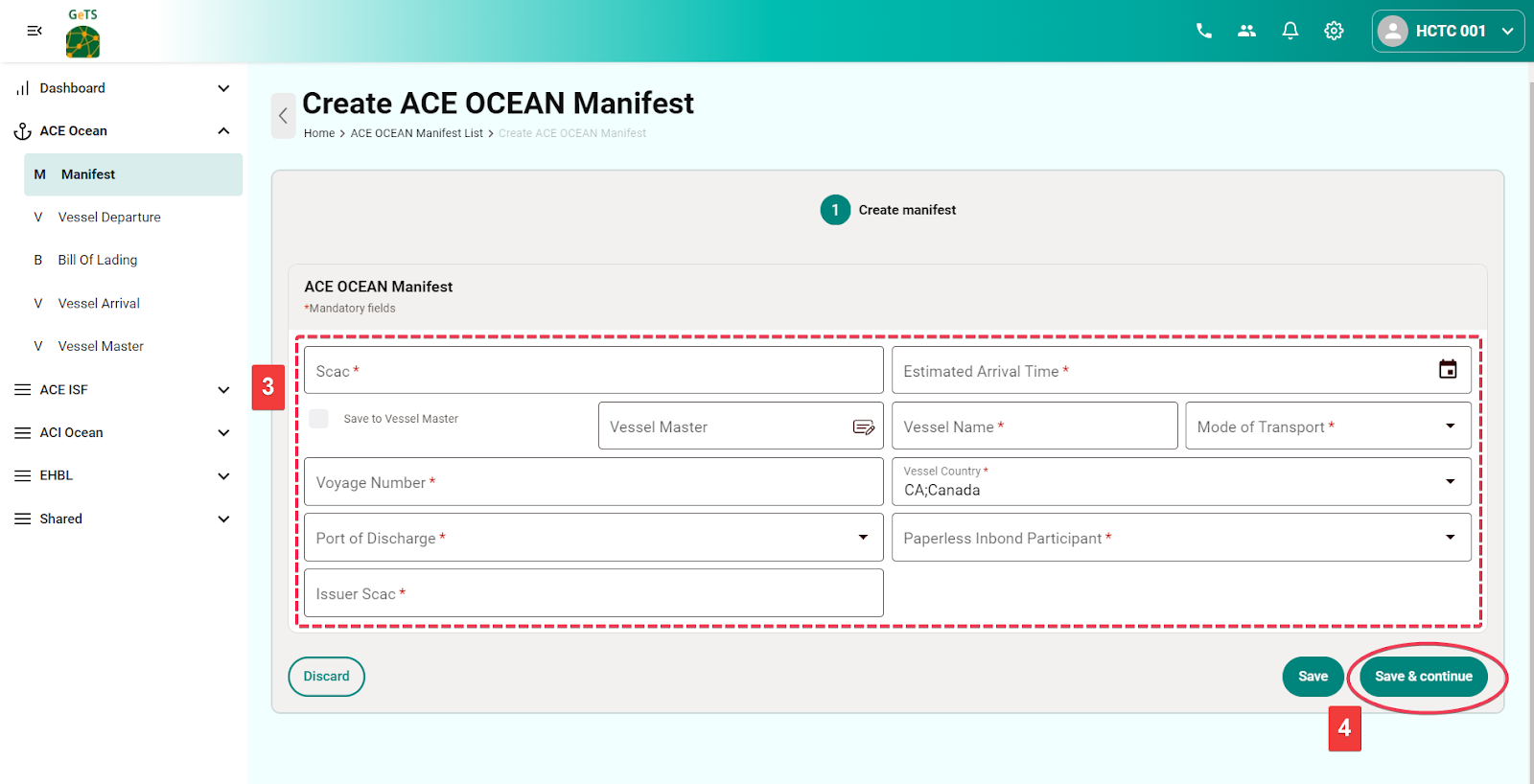
Fill in the Manifest Information
Click “Save & Continue” to complete the manifest creation and proceed to the next step of Bill of Lading creation.
Definition of Columns
- SCAC: Sender’s SCAC code
- Vessel Name: Name of the vessel
- Voyage Number: Voyage number
- Vessel Country Code: Enter the country code; this will save the vessel info into the Vessel Master under the Manifest menu bar for future reference.
- Port of Discharge: Port of Discharge (POD)
- Estimated Arrival Time: Estimated Time of Arrival (ETA)
- Mode of Transport: The typical case is “Vessel Containerized.”
- Paperless In-bond Participant: Use the default value "Yes" unless otherwise specified.
- Issuer SCAC: The SCAC of the party who issued the Bill of Lading, is typically the same as the sender's SCAC.
Add a Bill of Lading to the Manifest
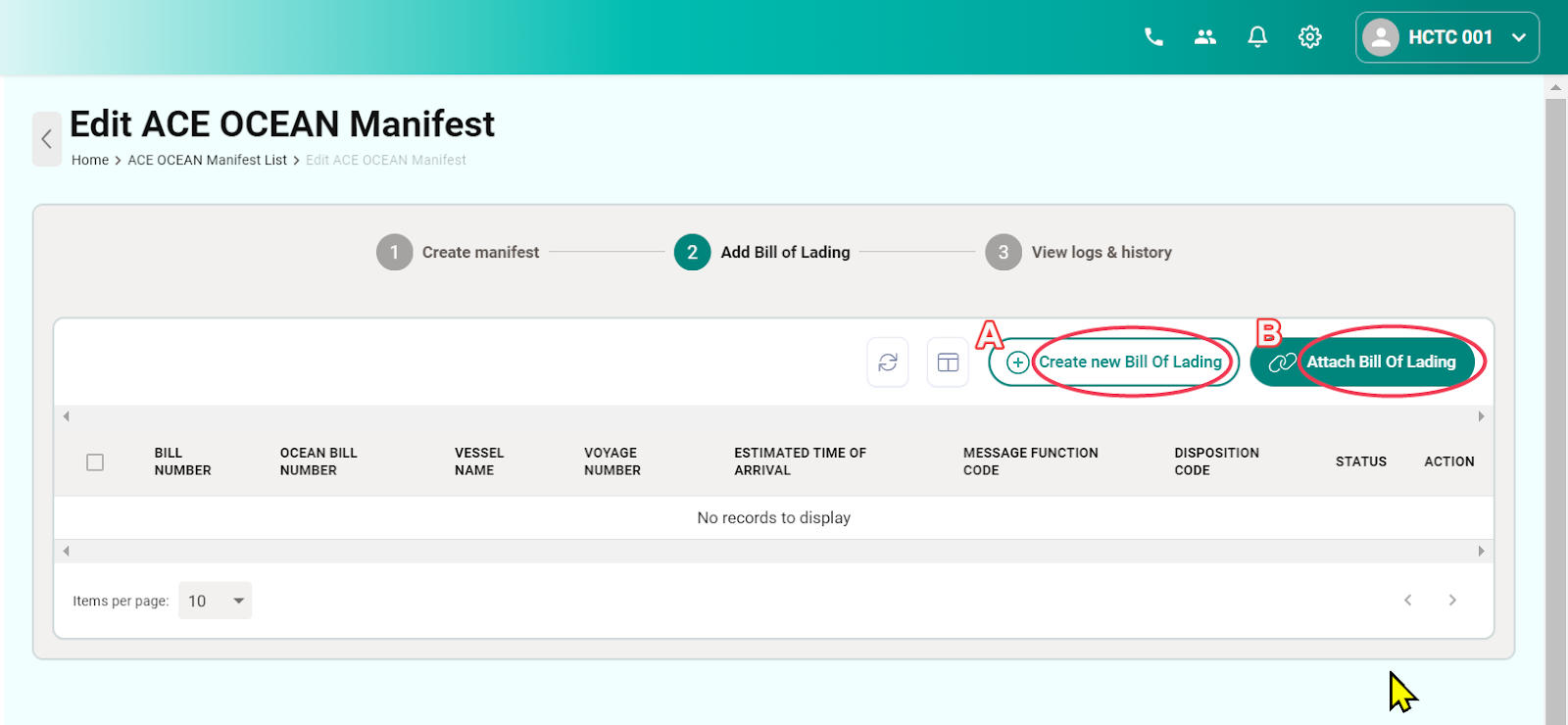
On the ACE Ocean Manifest page, there are two ways to add a Bill of Lading to this manifest:
For the Bill of Lading that requires a vessel change, there is usually an existing Bill of Lading in the system. Please select "Attach Bill of Lading" directly:
- Click “Create New Bill of Lading” to create a new entry.
- Or click “Attach Bill of Lading” if there are existing Bills of Lading already created in the system.
Submit AMS
For the first-time submission or when adding another Bill of Lading to the manifest:
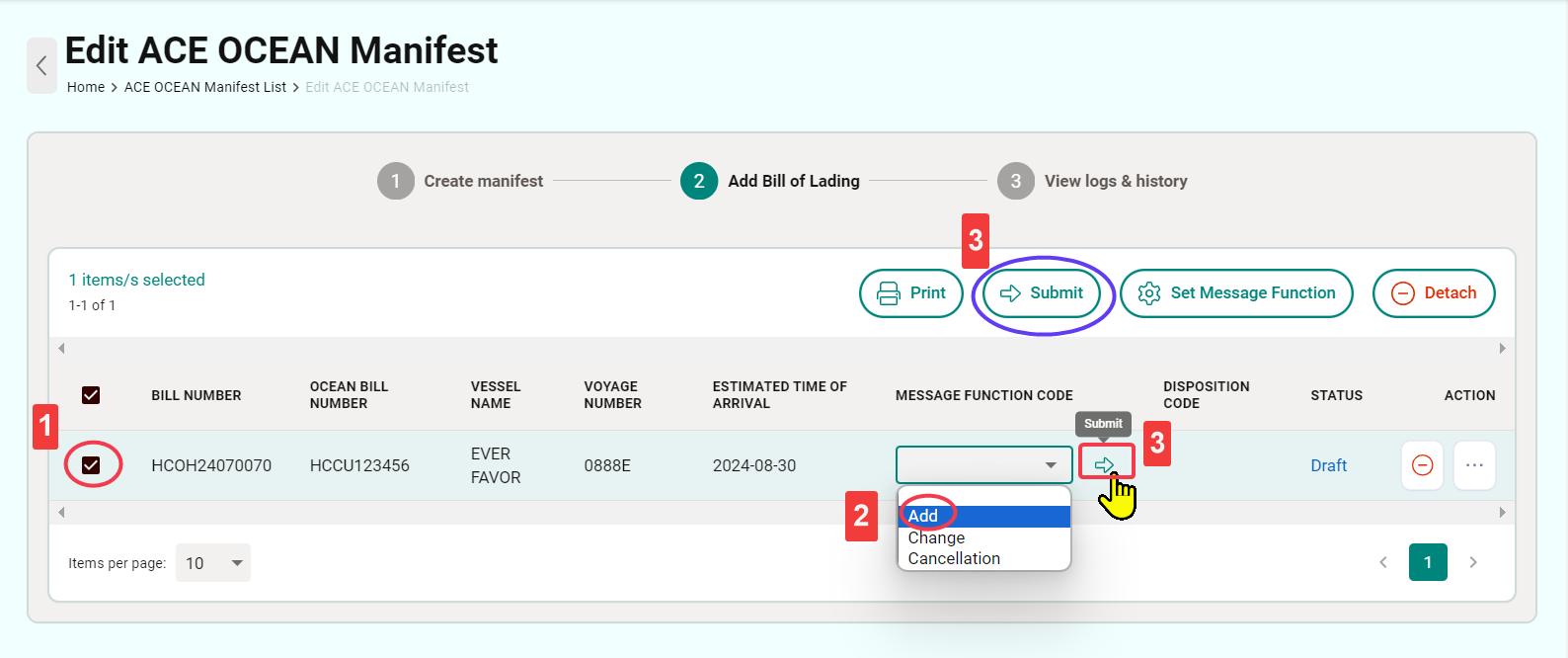
- Select the checkbox of the Bill of Lading to be submitted.
- Select “Add” under “MESSAGE FUNCTION CODE.”
- Click “Submit” to complete the submission. (You can use either of the two submission buttons.)