
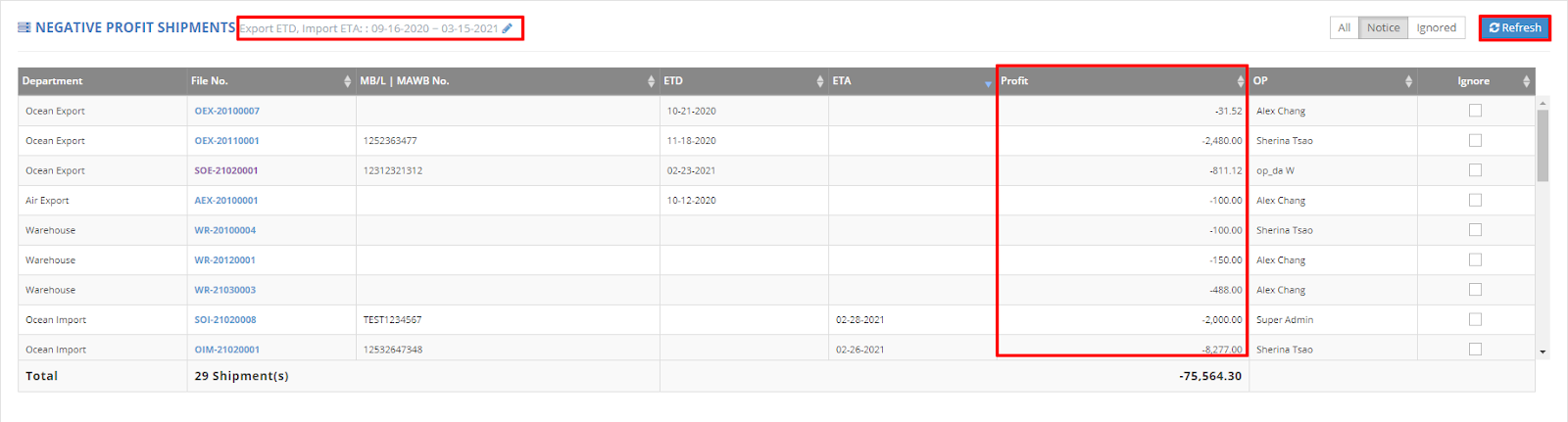
In the Dashboard, navigate to the section labeled "Negative Profit Shipments." This section displays any shipments with a negative profit total for a specified time period.
Intended Audience: This report is primarily designed for General Managers, Sales Managers, and Sales.
You can quickly identify which shipments are generating negative profits and understand the reasons behind them.
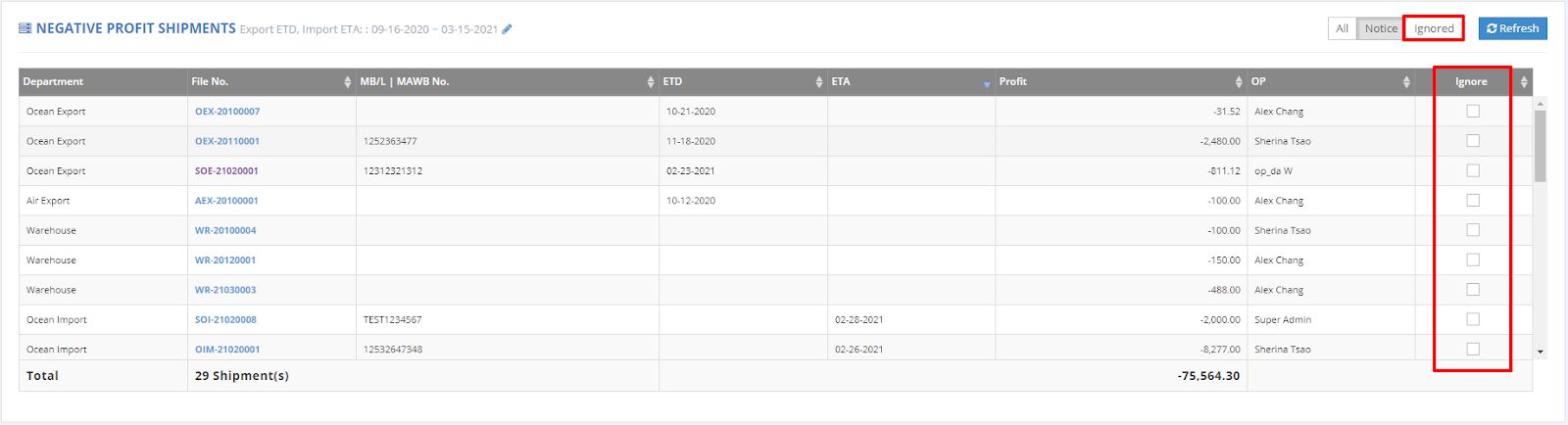
If you prefer not to view negative profit shipments, simply check the 'Ignore' box to exclude them from your report.
For a visual guide on this feature, please refer to the following video: