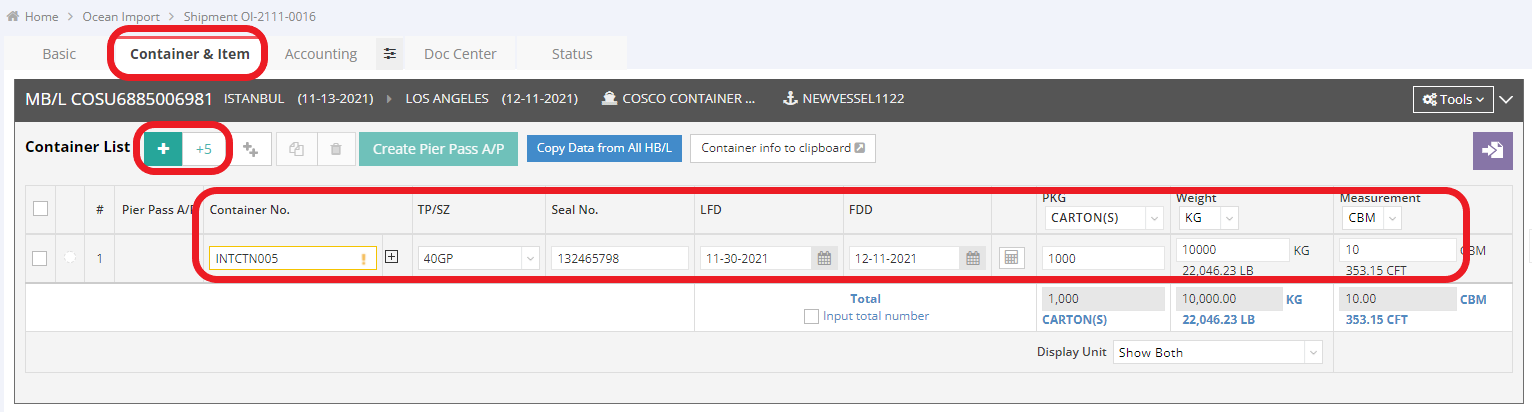
To input container information, please follow the instructions below:
1. Navigate to the tab “Container & Item”. Enter your container information here. If you have more than one container, click the green + button to add another container.
2. If you have more than five containers, click “+5” to add five containers at once. Then, select the Type and Size (TP/SZ) of your container and enter the PKG, Weight, and Measurement accordingly.
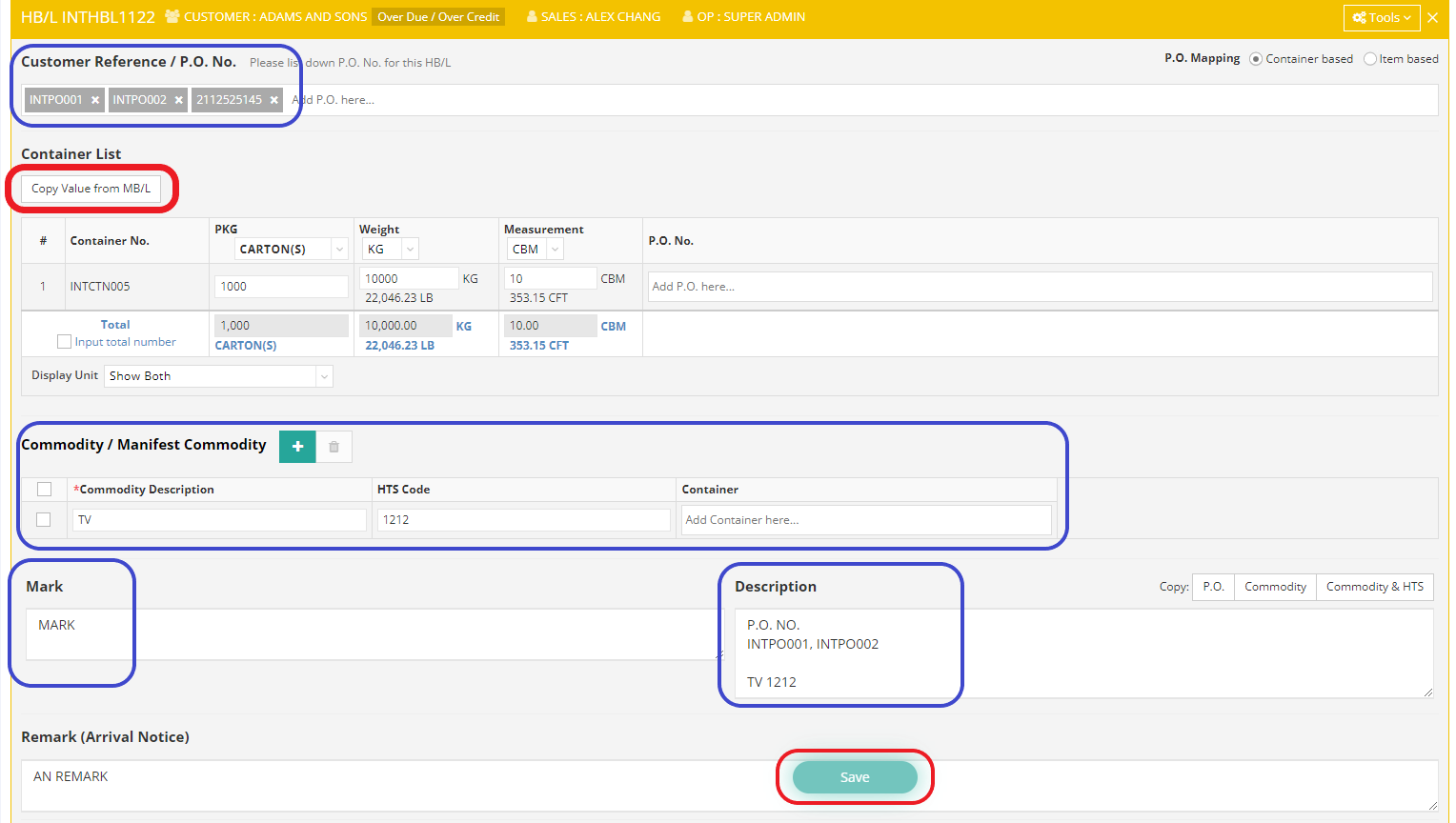
3. After filling in the container information on the MB/L(Master Bill of Lading), scroll down to edit the HB/L (House Bill of Lading). Click “Copy Value from MB/L” to automatically synchronize the data you just entered on the MB/L to the HB/L. Complete the required information, including Commodity/Manifest Commodity, Mark, and Description, and then click “Save”.