Follow the steps below to configure the quotation items:
- Click on Config to open the configuration pop-up screen “Table Column Congifuration”.

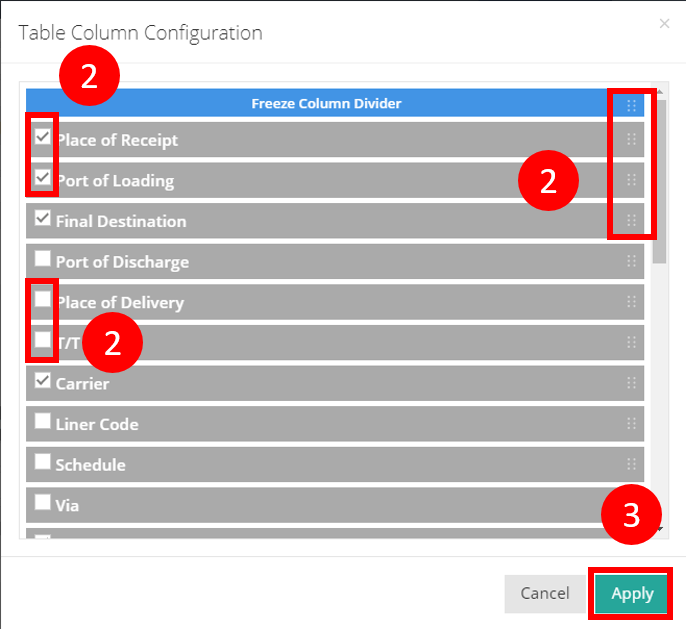
- Check the corresponding boxes to select the items you want to display. Uncheck any items you wish to hide and drag to rearrange them to adjust their display order.
- Click Apply to save your changes.