
When to Issue a Debit or Credit Note
A Debit or Credit Note (DC Note) can be issued to record various types of financial adjustments related to a transaction. Common scenarios include correcting billing errors, recording third-party charges paid on behalf of the customer, applying partial refunds, or accounting for customer prepayments. DC Notes help ensure that your records accurately reflect any changes in the amount owed or paid.
How Debit and Credit Notes Affect Receivables and Revenue
Debit Notes are used to add charges to your trade partners, resulting in an increase in both your receivables and revenue. On the other hand, Credit Notes are issued to reduce the amount your trade partners owe, which decreases both your receivables and revenue. These adjustments ensure that your financial records accurately reflect the amounts due and any changes in the transaction.
Follow the Following Steps to Issue a DC Note
Please follow the steps below to create a DC Note for your shipment.
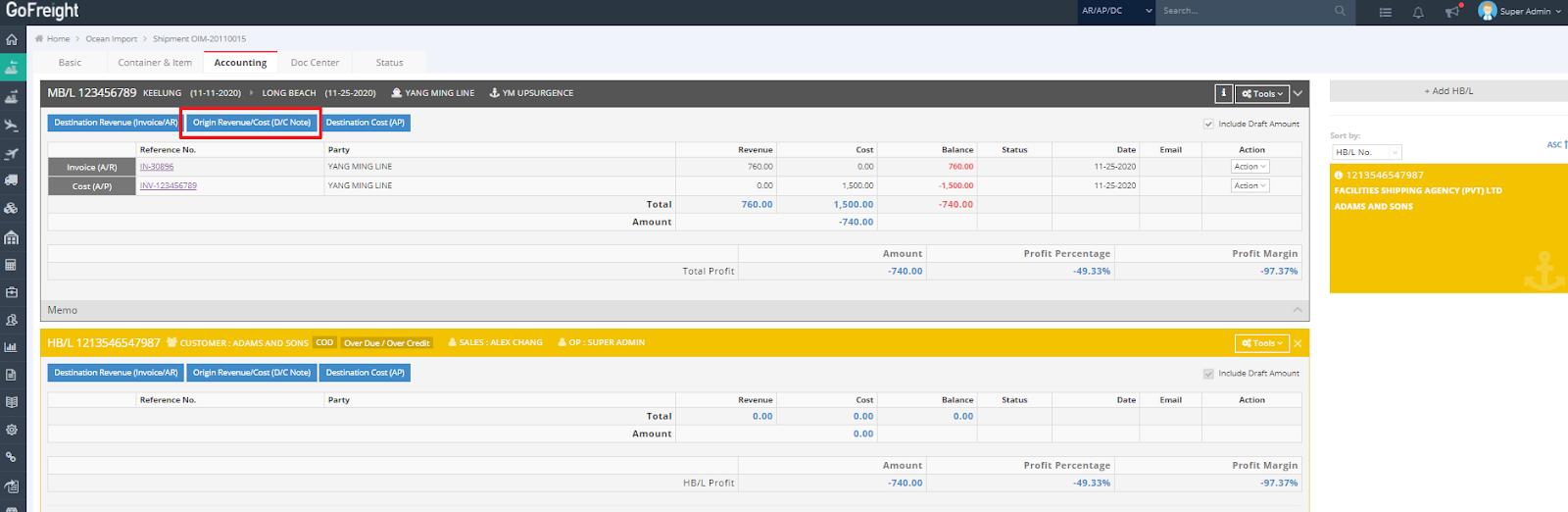
- In the shipment's "Accounting" tab, click on “Origin Revenue/Cost (D/C Note).”
- Ensure that both the “Agent Name” and “Post Date” fields are filled in.
- Click the green “+” button to add a billing item line.
- Select a Freight Code.
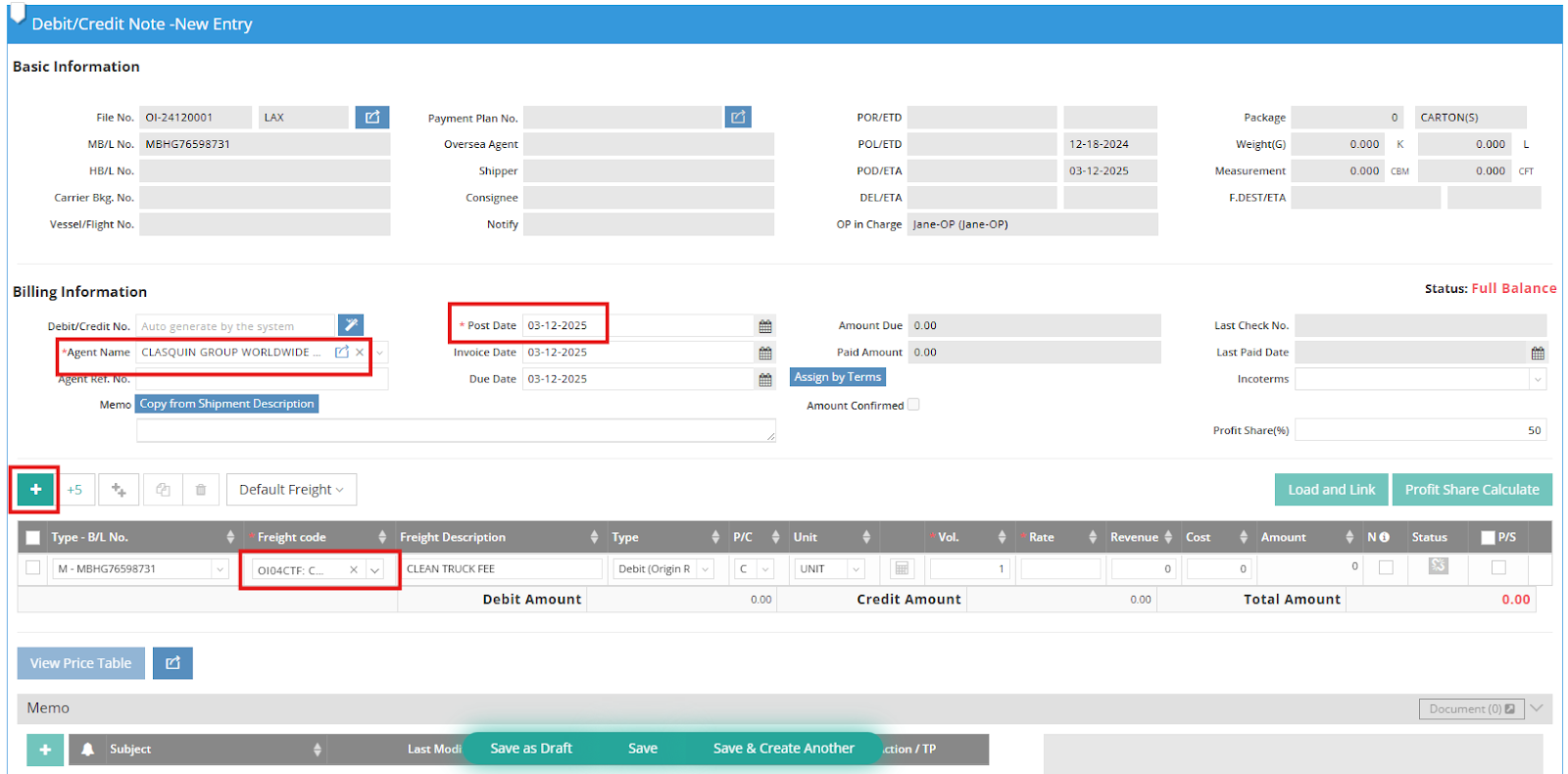
- Decide the type of this DC note.

- Fill in the Rate.
- Save the DC note as a draft or simply click “Save” to finalize the D/C Note.
