This guide explains how to include rail information for ocean import shipments passing through Canadian ports to the USA in the GoFreight system. Customs authorities require rail information and the Import Tracking (IT) Number for each container to be included in the Arrival Notice. Follow the steps below to input this information into the GoFreight system:
Step 1: Configure Rail Settings in the House Bill of Lading (HBL)
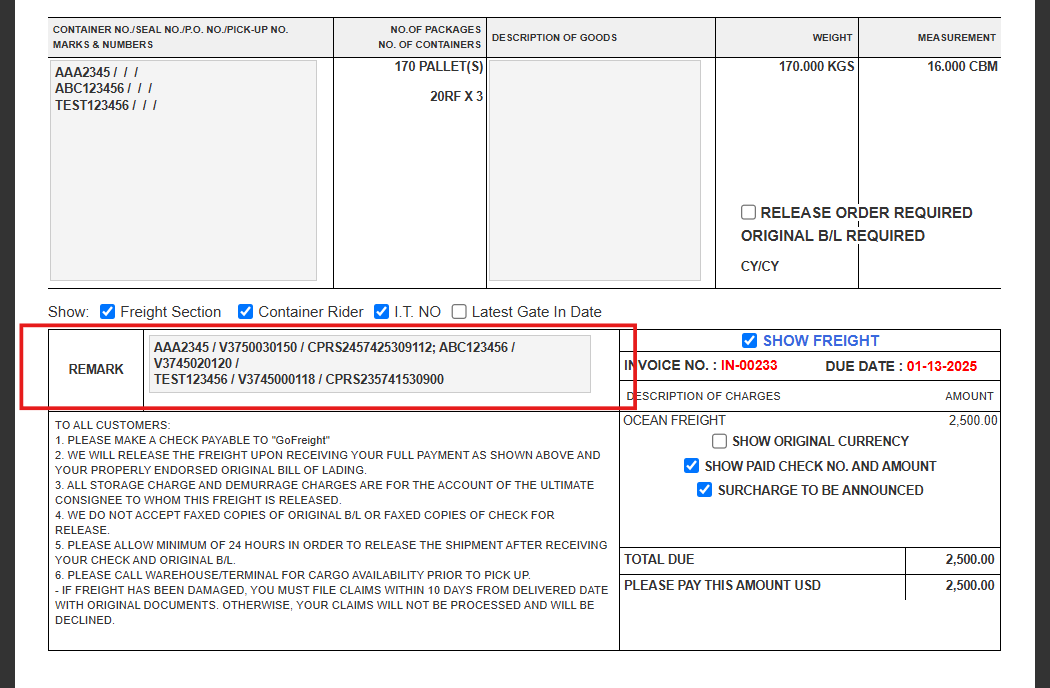
- Navigate to the HBL section in the system.
- Check the box labeled Rail.
- Select the rail carrier: Canadian National (CNRU) or Canadian Pacific (CPRS).
- Click Save to confirm your selection.
Step 2: Input Rail Details and IT Number in the Container & Item Tab
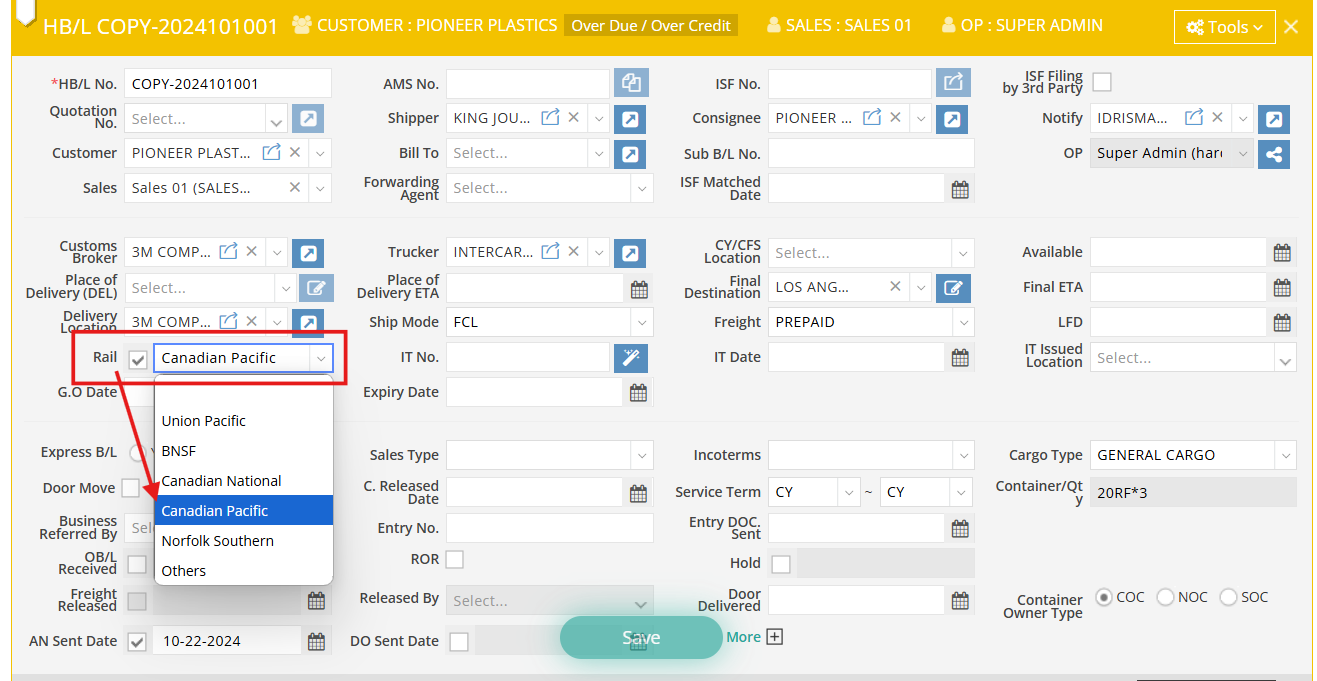
- Go to the Container & Item tab.
- Click the plus (+) button next to the “Container No.” field to expand the section.
- Input the rail number:
- If you selected Canadian Pacific in the HBL, enter the rail information in the CPRS No. column.
- If you selected Canadian National, input the rail information in the CNRU No. column.
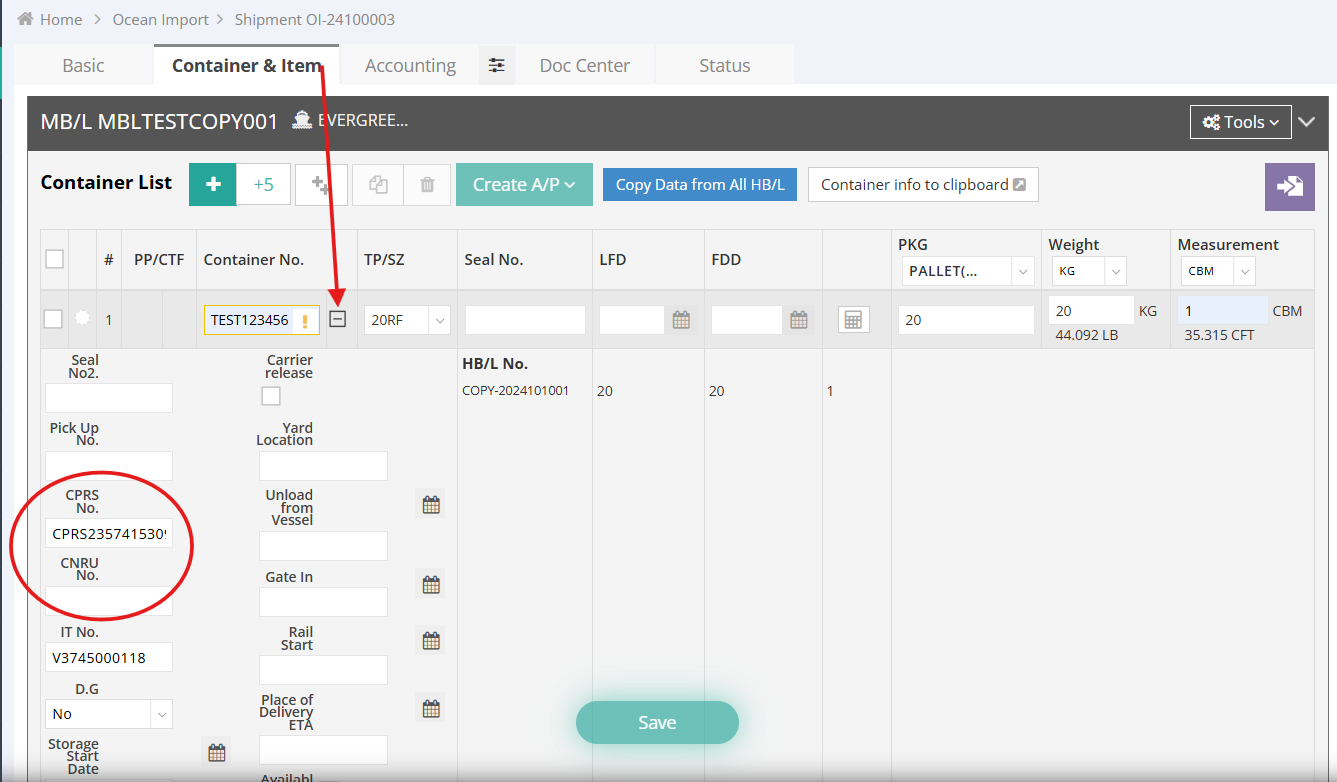
- Input the IT No.
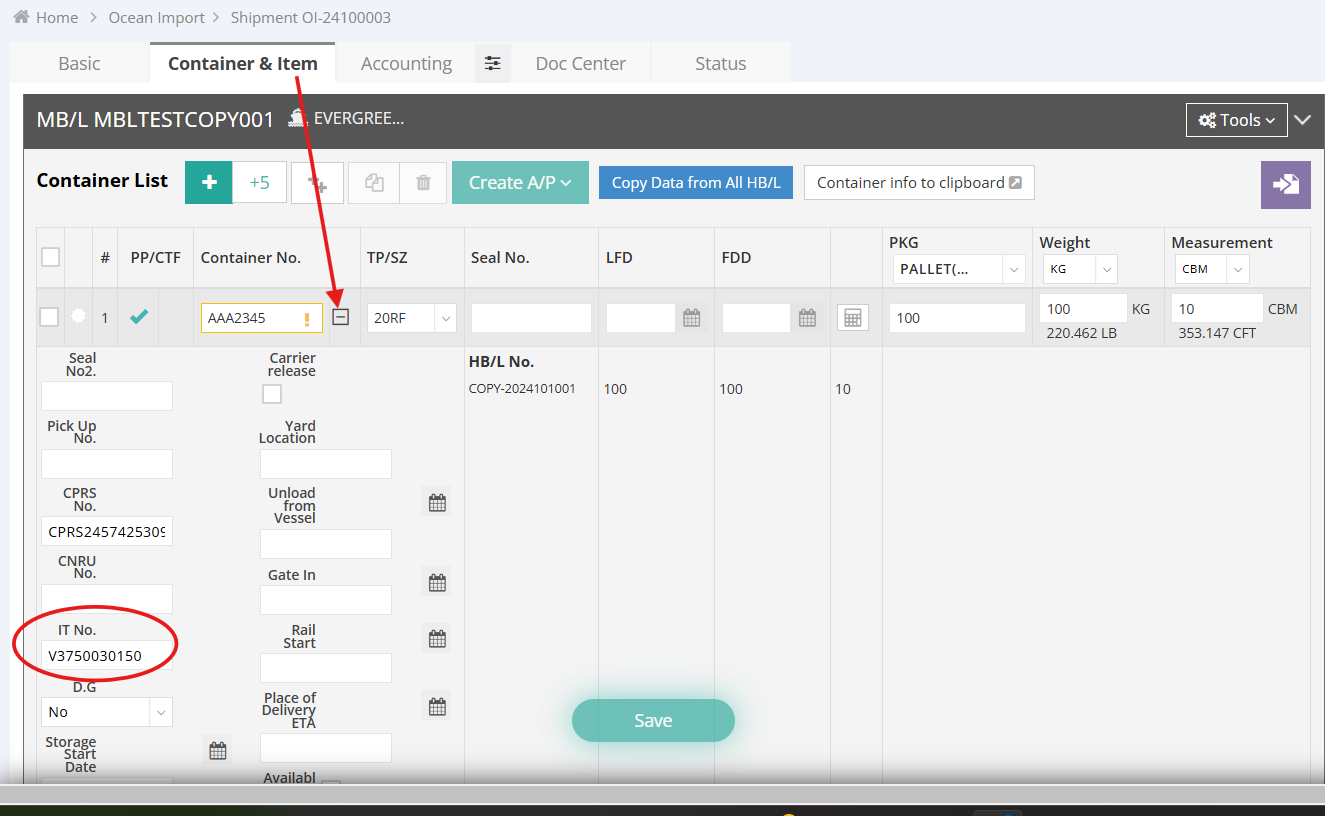
Step 3: Verify Rail Information in the Arrival Notice
- The CPRS No. or CNRU No. will be displayed automatically in the Remarks section of the Arrival Notice.
- To display the Import Tracking (IT) No. in the Arrival Notice, check the corresponding box “I.T.NO” to include it in the Remarks section.