
Once you complete all the necessary information in your quotation files, please refer to the following steps to generate your quotation documents.
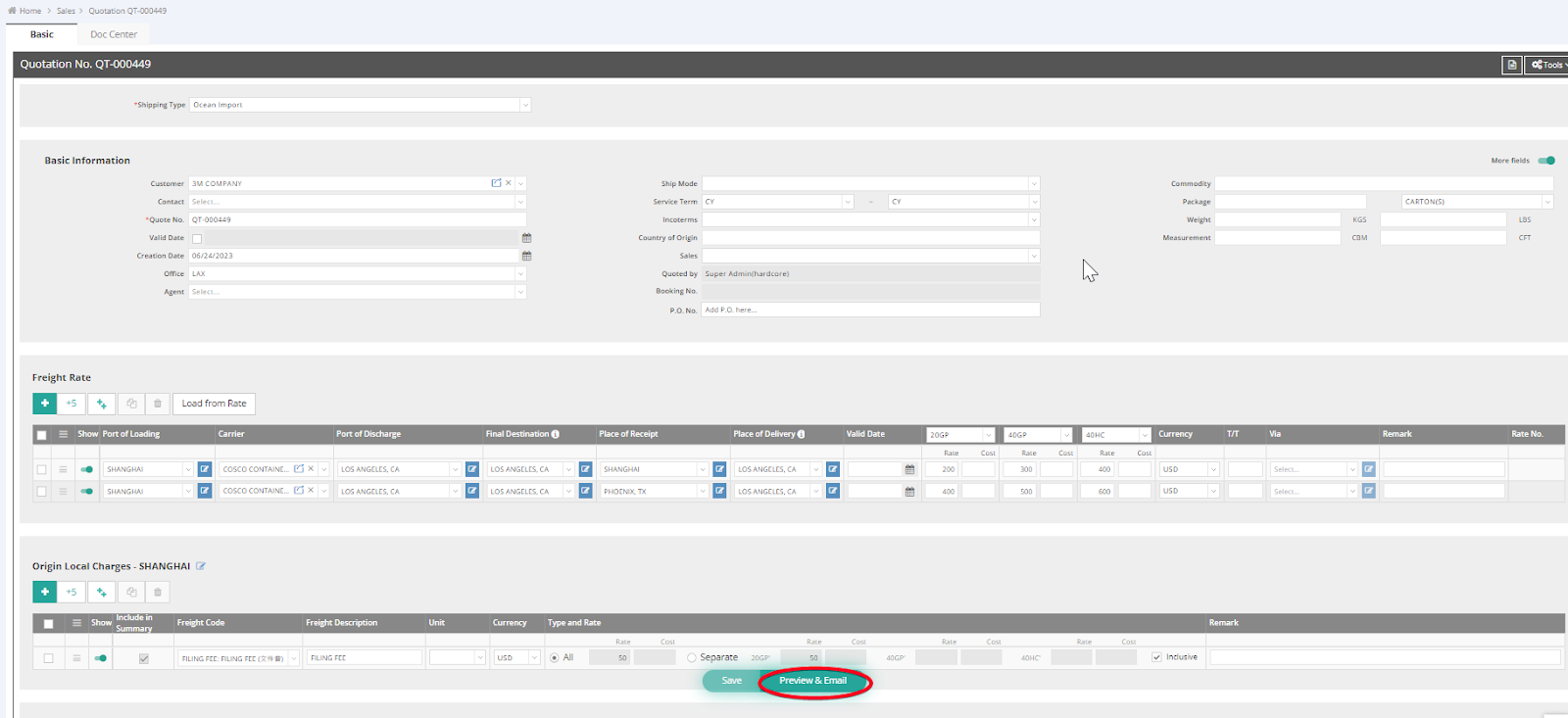
- Click Preview & Email to generate the Quotation document.
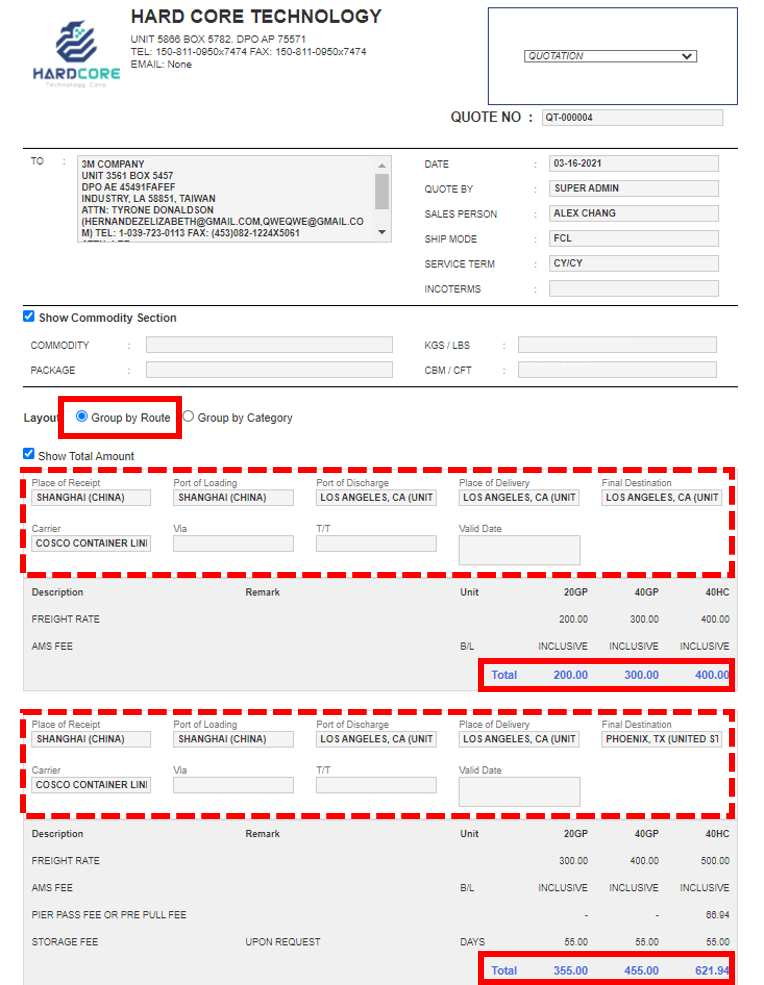
- Select Group by Route to display the Total Amount by different routes.
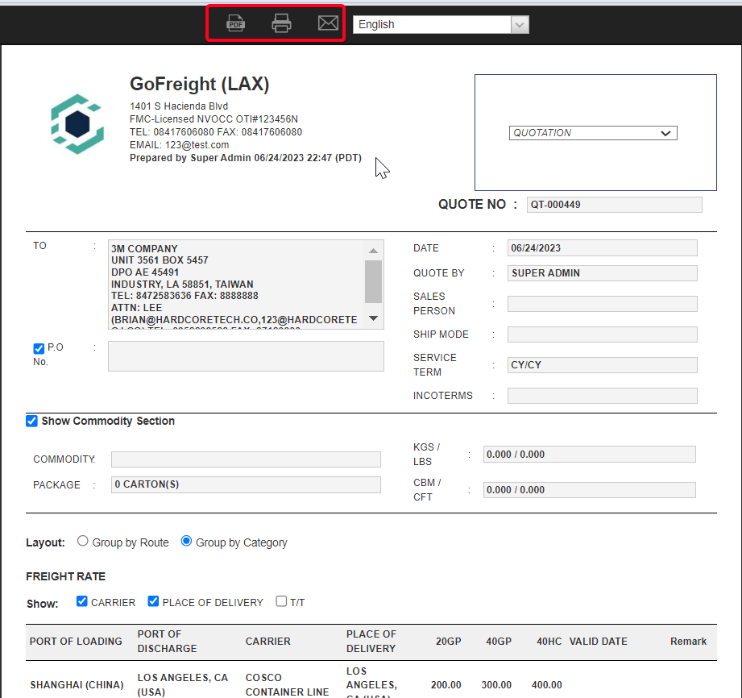
- Select Group by Category to show information by section.

- Click the icons for Download PDF, Print, or Send Email to generate the quotation, print it, or send it via email.
For a visual guide on this feature, please refer to the following videos: