
Only users with the following roles have access to this feature: Operations, Operations Assistant, Operations Manager, Sales, Sales Assistant, and Sales Manager.
1. Accessing Your Profile
- Click your username in the top-right corner of the screen.
- Select My Profile from the dropdown menu.

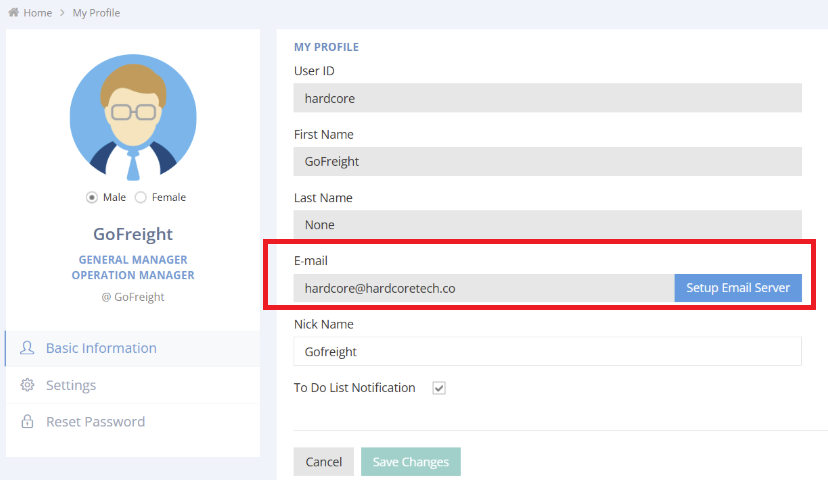
2. Confirm your email address
- To ensure the receipt of shipment tracking email notifications, please make sure your email address is correct.
3. Setting Up Email Notifications
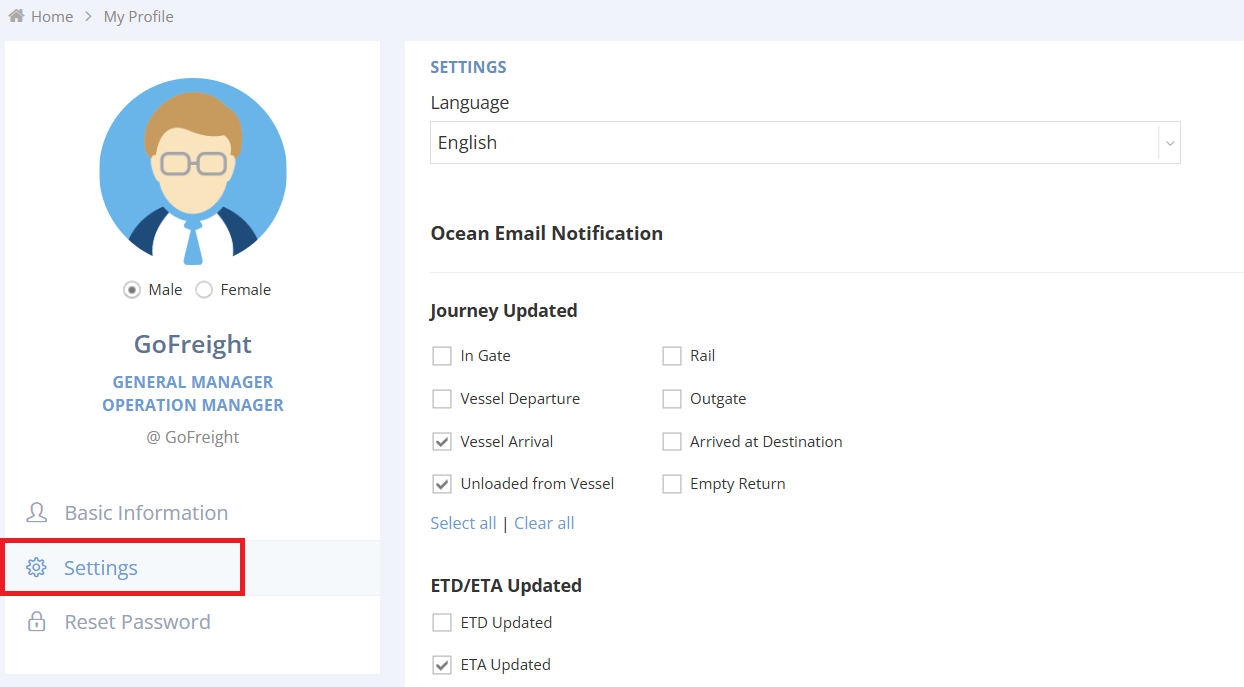
- In My Profile, locate the menu on the left-hand side, click Settings under Basic Information.
- Customize your email notification preferences:
- Journey Updated: Select the shipment stages for which you want to receive notifications.
- ETD/ETA Updates: Choose to be notified when the ETD or ETA is updated.
- Document Status Updates: Opt-in for notifications when document statuses change.
- Periodic Reports: Choose the type of reports you want to receive regularly via email.
- Click Save to apply and store your changes.
5. Additional Notes
- Ensure you click Save after making changes to avoid losing your updates.
For further assistance, please contact Customer Support.
For a visual guide on this feature, please refer to the following videos: