
This article provides instructions on how to modify or remove a Bill of Lading (B/L) that has already been submitted.
Modifying the Bill of Lading
To modify a submitted Bill of Lading, you must first cancel the submitted Manifest associated with the B/L.
Once the Manifest is canceled, you can make the necessary changes and resend the B/L as an "ADD" with the Manifest.
Important: If the update involves changing the quantity of packages in the B/L, cancellation is not required; instead, use the "Change" option on the Manifest.
- Click the three dots (…) next to the Manifest and select Edit.
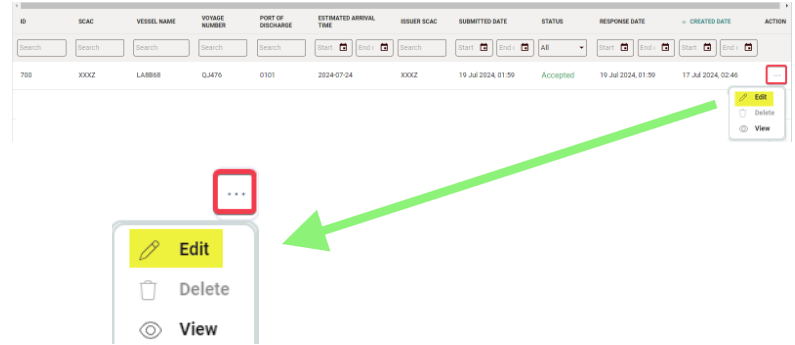
- You will be redirected to the Edit ACE OCEAN Manifest page.
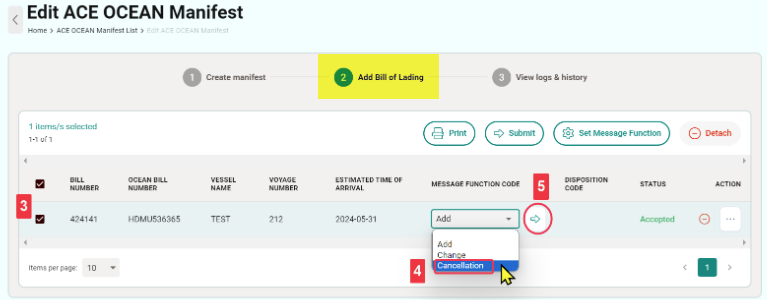
- Click Add Bill of Lading at the top and check the box for the Bill of Lading you wish to modify.
- Select Cancellation under MESSAGE FUNCTION CODE.
- Click Submit to complete the action.
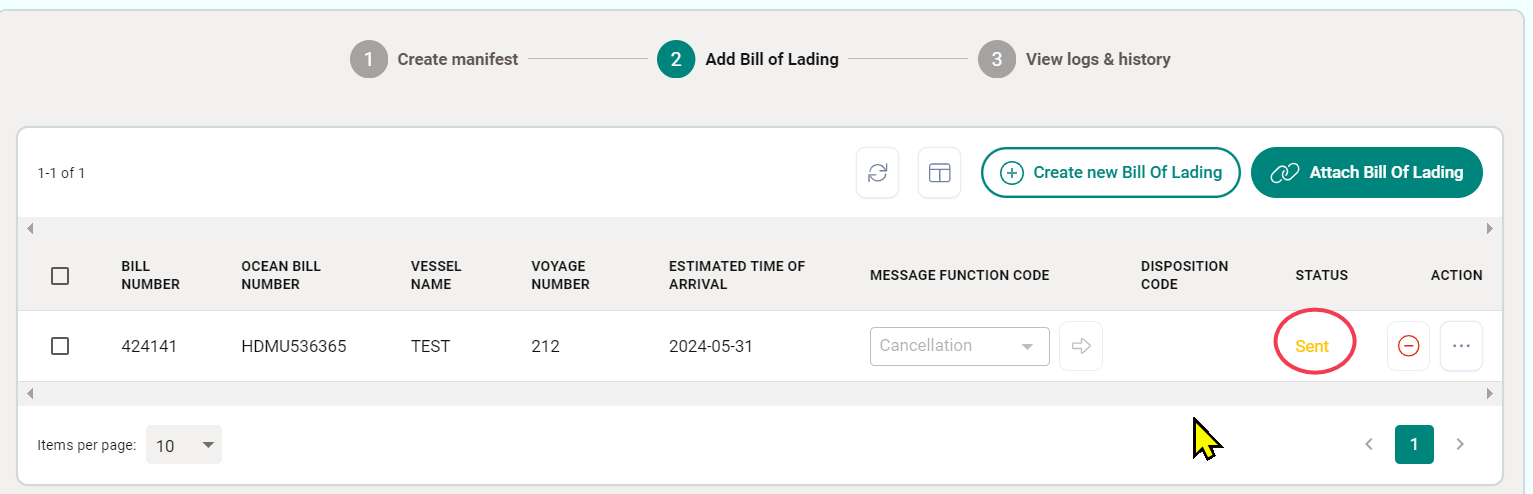
Check for a response from "Sent" to the "CARR BILL DELETE (54)" message.

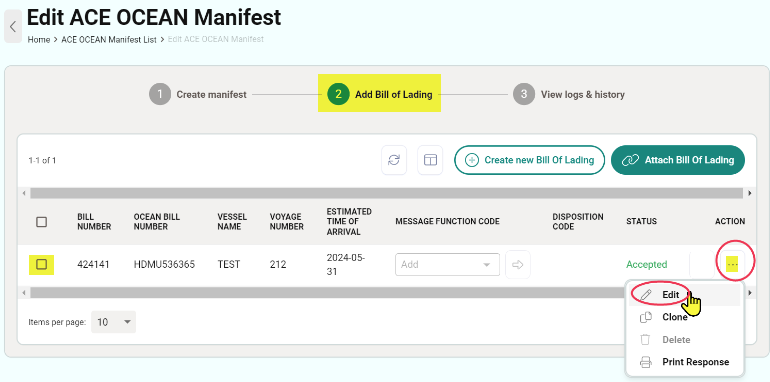
*Once the original Bill of Lading has been canceled, you can begin updating the content of the Bill of Lading and submit it as “Add.”
Check the box for the Bill of Lading, click the three dots (…), select Edit, and navigate to the Bill of Lading page for modifications.
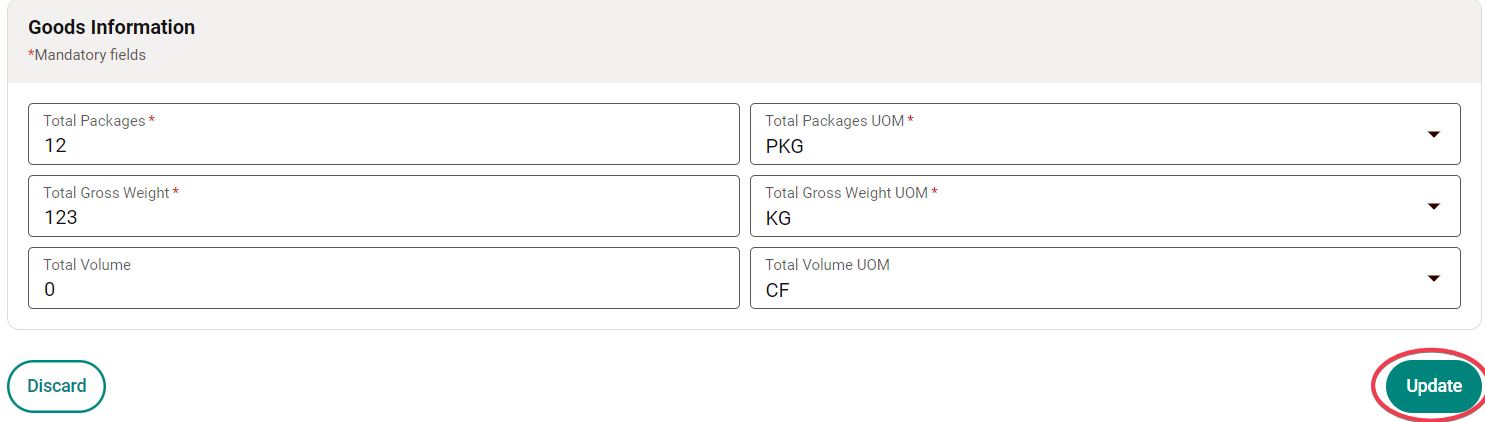
*Click Update to save the changes in the Bill of Lading.
- Select Add under MESSAGE FUNCTION CODE.
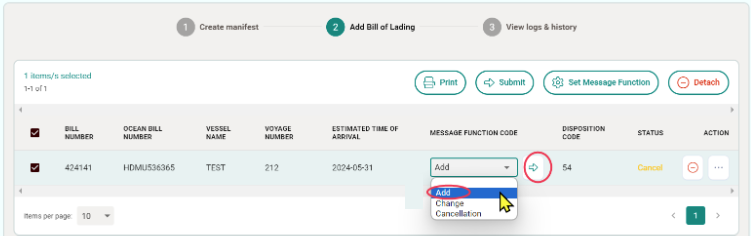
- Click Submit to complete the action.

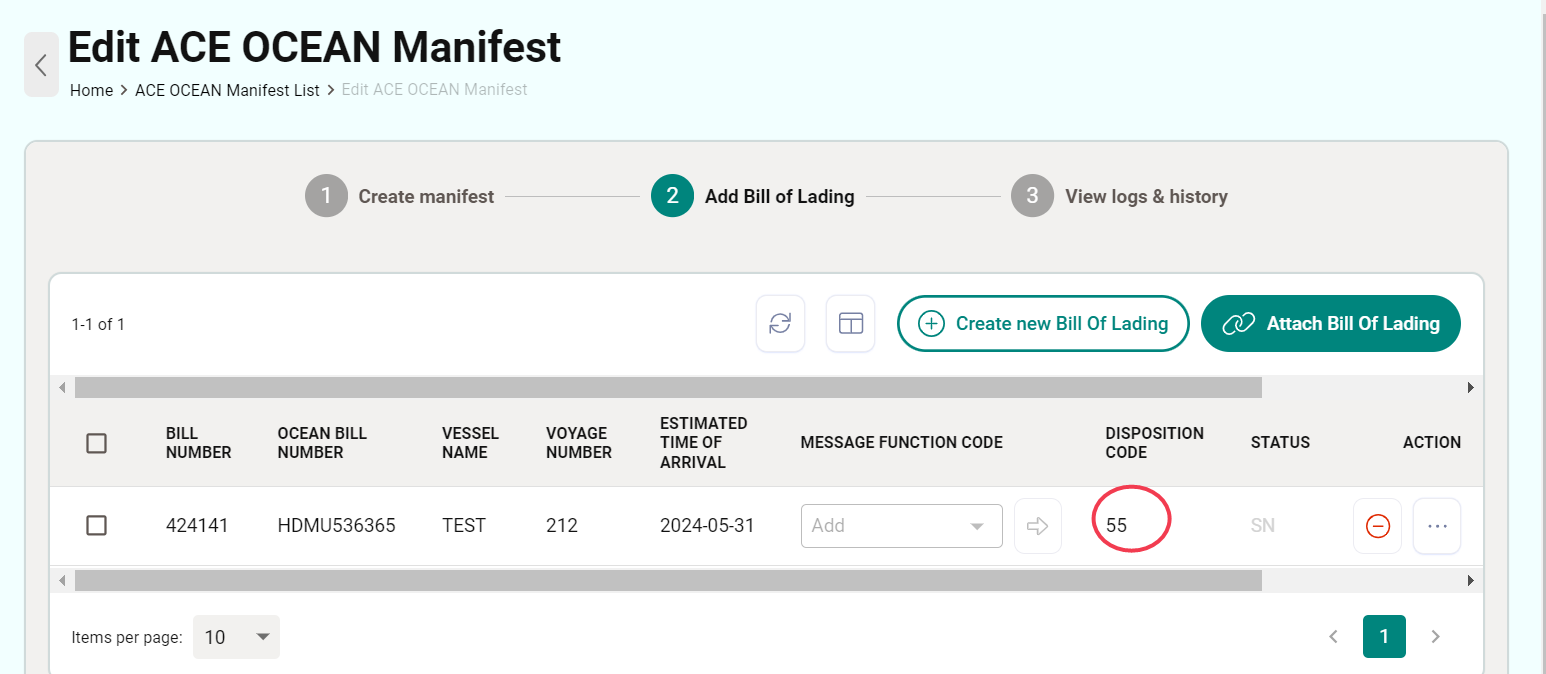
- Wait for the response “DISPOSITION CODE (55)” message => Complete.
Removing a Bill of Lading from a Manifest
If a Bill of Lading has been submitted but needs to be removed, follow these steps:
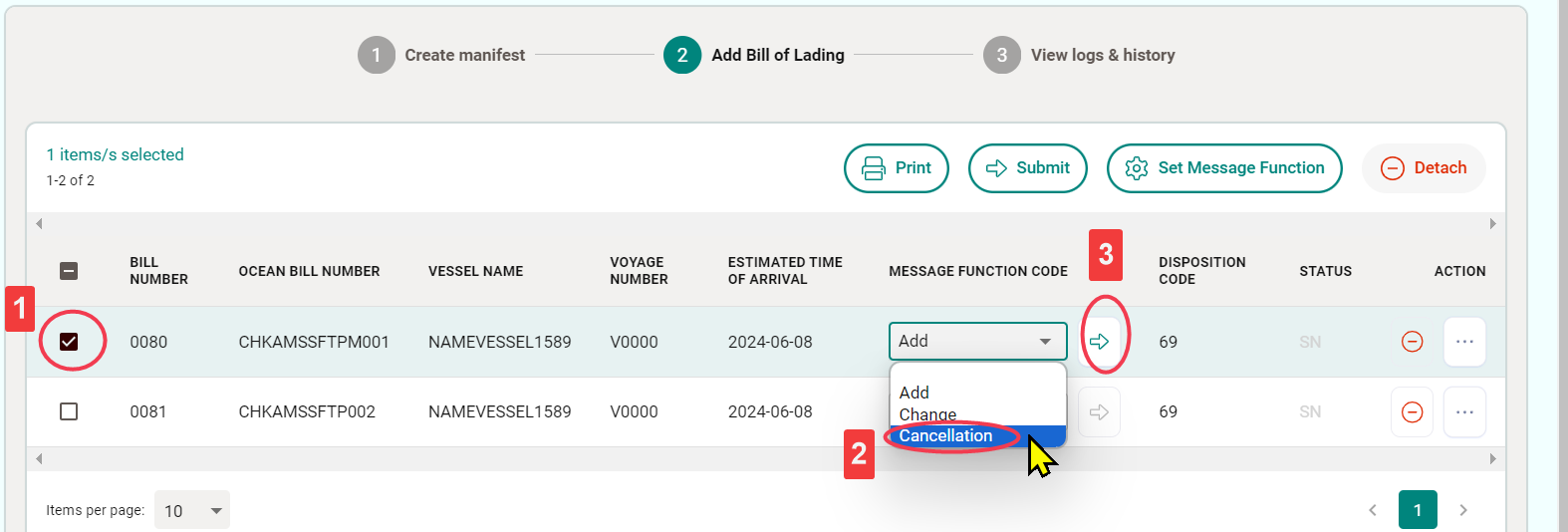
- Select the checkbox for the Bill of Lading you want to remove.
- Select Cancellation under MESSAGE FUNCTION CODE.
- Click Submit to complete the action.
Next, to detach the Bill of Lading from the Manifest:
- Select the checkbox for the Bill of Lading you wish to detach.
- Select Detach to remove the Bill of Lading from this Manifest (there are two buttons available for detaching; either can be used).
