
In the Agent/Local Statement, you could reload/revise the statement, please follow the steps below.
1. Go to "Accounting" > "Report" > "Agent/Local Statement" on the left side navigation bar.
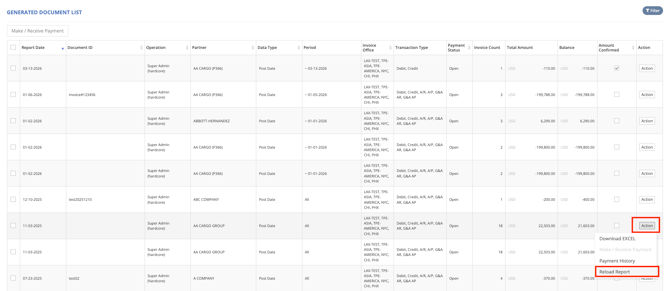
2. If you want to add more invoices to the previous statement, on the target row, click “Action” > “Reload Report” under "Action" column.
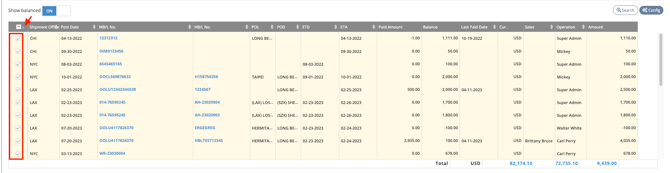
3.Press the blue arrow button to sort the invoice list. The selected invoices in Document will be shown on the upper sheet again in yellow.
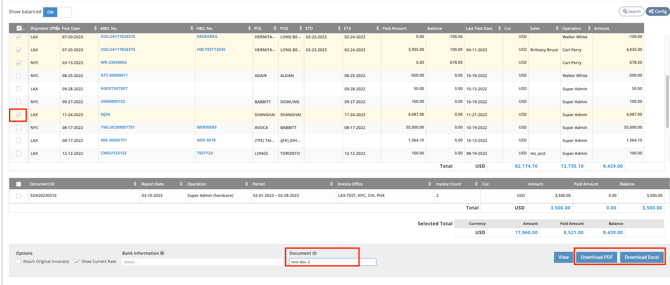
4. Check other invoices you want to add and give it another Document ID (eg. “test-doc-2” in this example ). Then click Download PDF or Download Excel.
5. Document test-doc-2 will be shown on the Generated Document List.

For a visual guide on this feature, please refer to the following video: