
There are two ways to reset the account password. here’s the following:
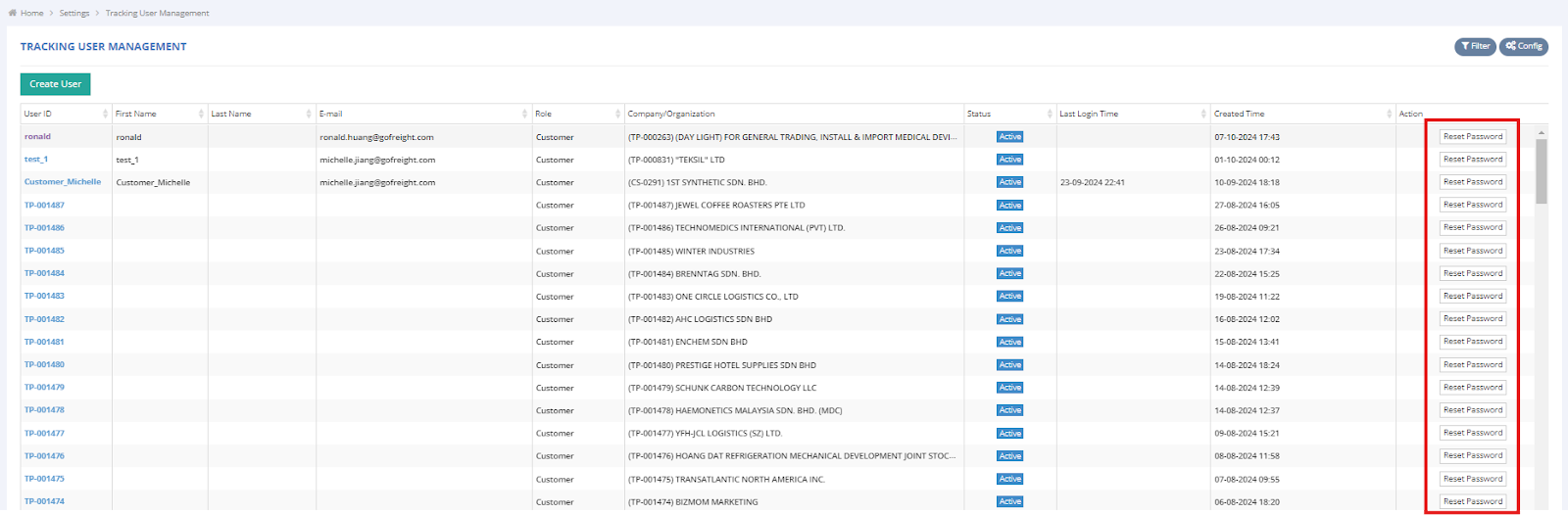
- From Tracking User Management Page
- Click "Reset Password" in the "Action" column (only for active users
- An email will be sent to the Tracking user automatically again
**Note : Link expires after 24 hours. If the link is expired, you must resend it again.**
- Click "Reset Password" in the "Action" column (only for active users
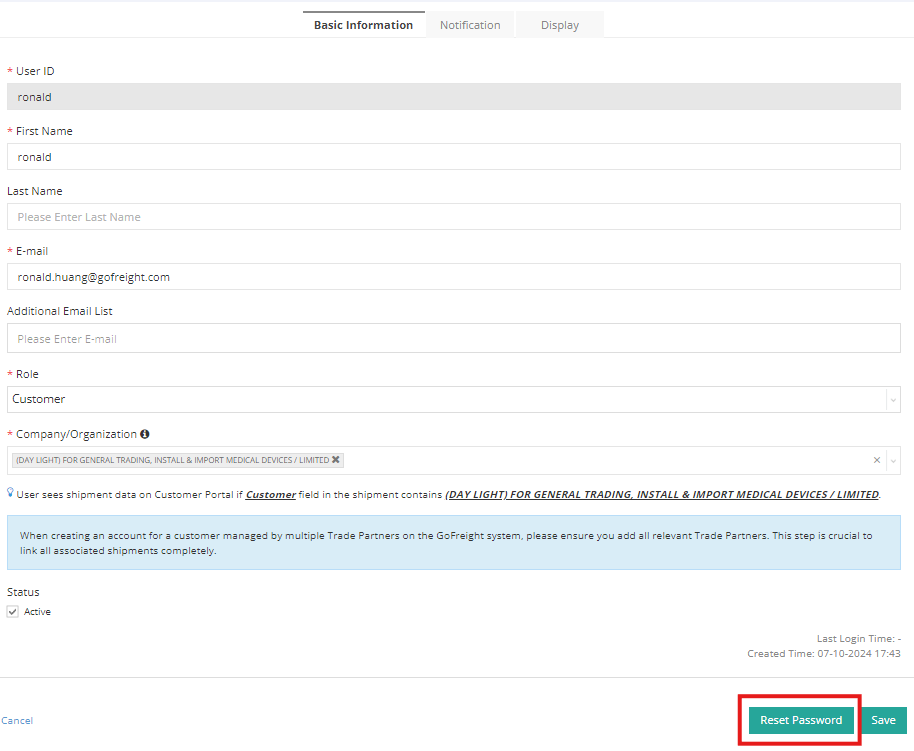
- From Create Tracking User Page
- Click on the "User ID" to access the create user page.
-
Scroll to the bottom and click "Reset Password"
**Note:
- The password must be at least 10 characters long.- The password cannot consist of numbers only.
- An email will be sent to the user automatically again
**Note : Link expires after 24 hours. If the link is expired, you must resend it again.**