
You can search for all invoices (Accounts Receivable, Accounts Payable) and Debit and Credit Notes in the Invoice/Cost List under the Accounting Module by following these instructions:
- Click the “Filter” button on the right side of the screen to expand all search options.
You can search for invoices by entering one of the following in the “Keyword” field: invoice number, Agent/Customer Reference number, or P.O. number. Additional search filters can also be set based on your needs.
- Click "Apply Filters" to retrieve the search results that match the filters you set.

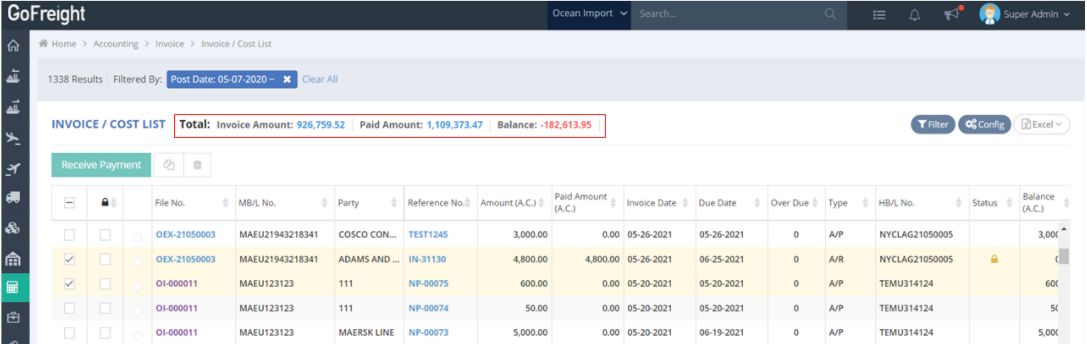
Once you apply the filter, you will see the Total Invoice Amount, Paid Amount, and Balance for the search results displayed at the top of the page.
For more features of the Invoice/Cost List, please refer to this article: How to Use the Invoice / Cost List & G&A Invoice / Expense List in GoFreight