
To search for HB/L (House Bill of Lading) shipments, please follow the steps below:
- Navigate to the "House B/L List" on the left-side navigation bar.
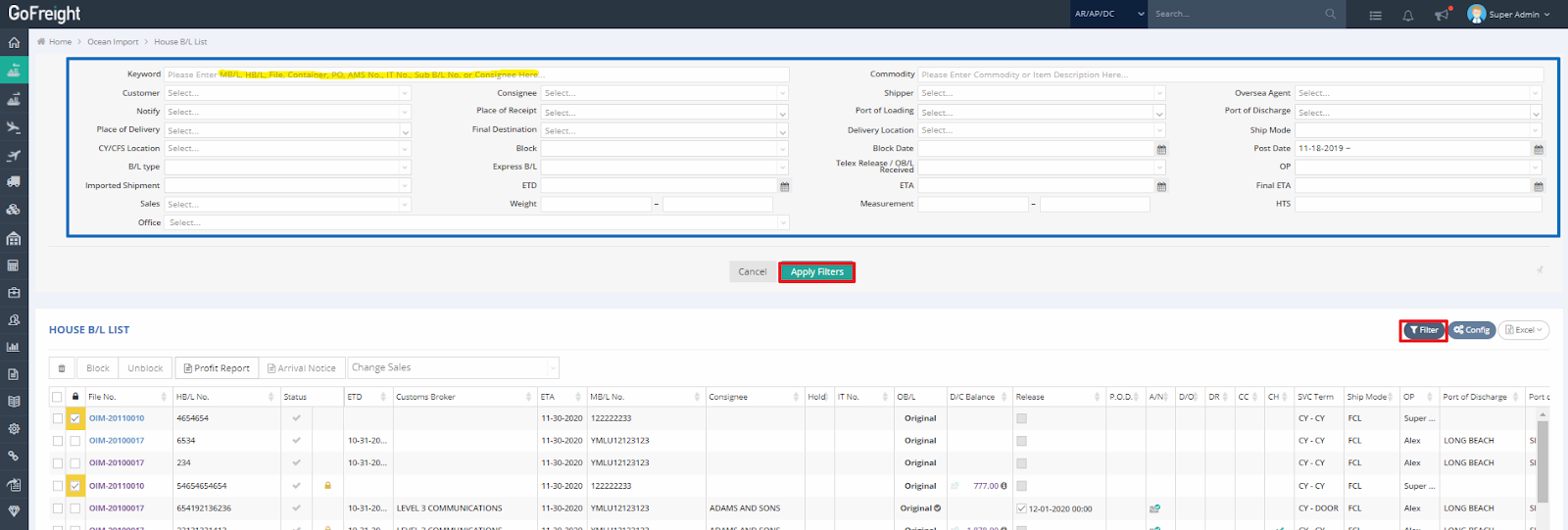
- Click on “Filter”. You can search for the HB/L you're looking for by entering one of the following keywords in the “Keyword” field:
- MB/L number (Master Bill of Lading Number)
- HB/L number (House Bill of Lading Number)
- File number
- PO number
- Agent Reference Number
- Sub B/L number (Sub Bill of Lading Number)
- Click “Apply Filters” to retrieve the desired HB/L shipment.
A friendly reminder: "My Shipment List" displays only the shipments that belong exclusively to you, while "Master B/L List" and “House B/L List” include all shipments, covering those owned by you and other users.