
If your customer has multiple subsidiaries, invoices have to be issued to their headquarters. In GoFreight, you can set up the headquarters and subsidiaries as an “Account Group”.
By default, only users with the roles of General Manager, Operation Manager, Accounting Manager, and Accounting can create and edit Trade Partners in the GoFreight system.
Users in other roles can request this functionality with approval from an Admin or General Manager, after which a GoFreight support agent can grant access.
The account group option is available in the “Aging Report, “Agent/Local Statement” and “Freight Statement”.
To set up an account group for trade partners, please follow the instructions below.
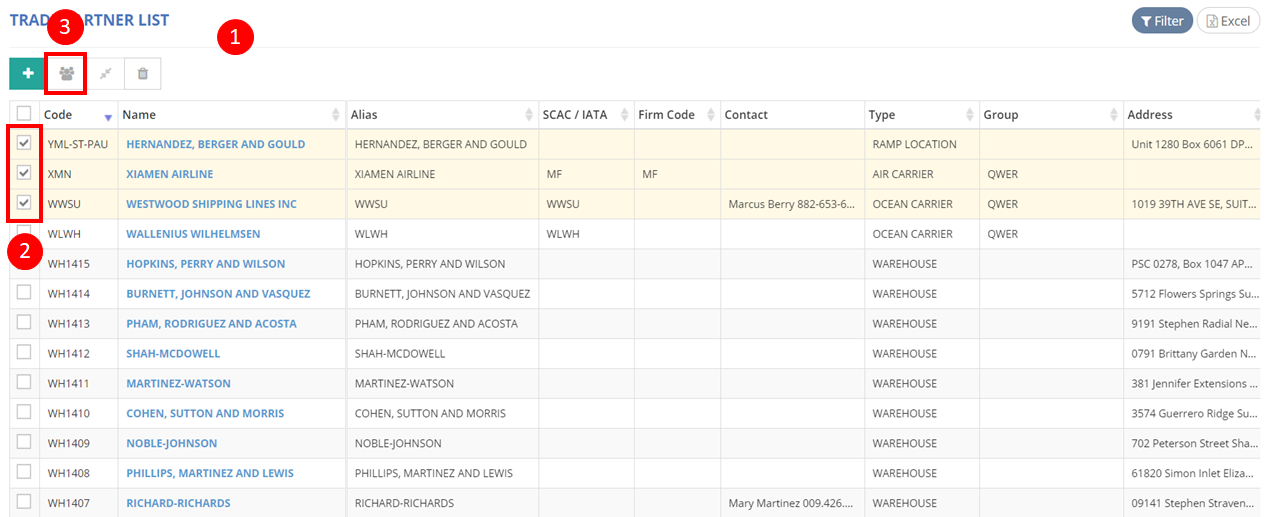
- Click on “Trade Partner” in the menu on your left-hand side and then select “Trade Partner List” to access the interface.
- Select the trade partners for which you want to create an account group.
- Click the “Set Account Group” button.
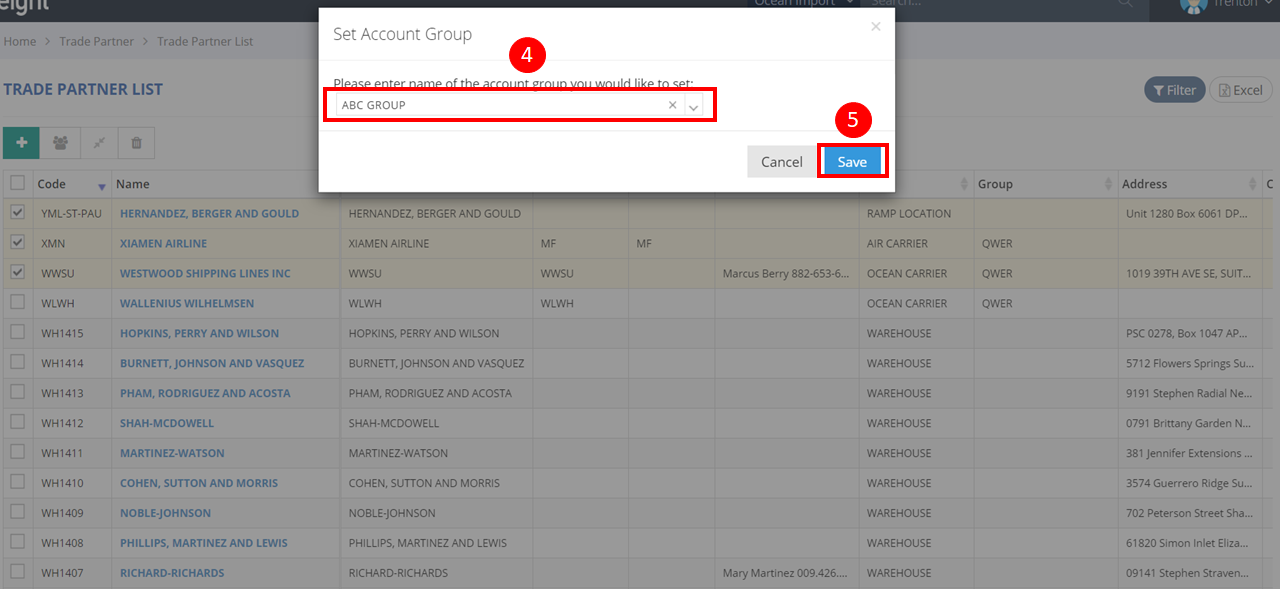
- Enter a name for the account group.
Note: Once an Account Group name has been created, it cannot be modified or deleted. Therefore, please double-check to ensure the name you enter is accurate before finalizing it.
- Click “Save” to confirm your changes.
For a visual guide on this feature, please refer to the following video: