
The carbon footprint feature on the customer portal allows tracking users to track the emissions for each container. To enable this feature, please contact your freight forwarder.
CO2e Emission Status in List View
Once the feature is enabled, the CO2e Emission column will be available on the Customer Portal List View Page, and you can customize your view using the Config button.
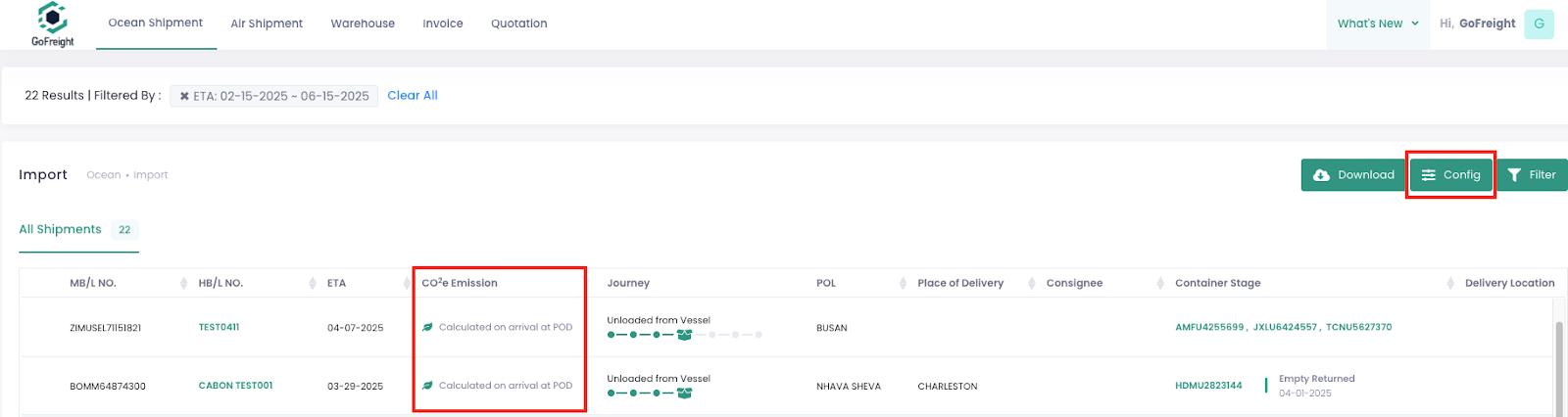
Below are the different statuses displayed and what they mean:
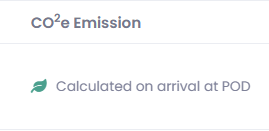
- Calculated on Arrival at POD:
Carbon footprint data is available but will only be calculated once the vessel arrives at the POD. Please allow some time for the data to be updated and displayed.
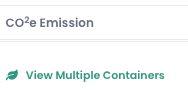
- Carbon Emission Displayed After Containers Are Unloaded from the Vessel:
- For single-container shipments, the total carbon emissions will be displayed.

- For multiple-container shipments, a "View Multiple Containers" option will appear. Click to view the emissions for each container.
- Carbon Emission is blank:
If the CO2e Emission field is blank, it may be due to the following reasons:
- The shipment has no container assigned.
- The system is verifying whether the CO2e Emission feature is enabled for this container.
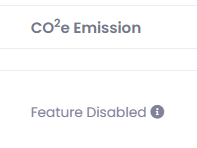
- Feature Disabled:
If the CO2e Emission field shows "Feature Disabled," it may be due to the following reasons:
- The shipement has not been activated. To enable it, please contact your freight forwarder.
- CO2e emission tracking currently supports FCL shipments only, so LCL shipments will display "Feature Disabled."
Viewing Carbon Emission Breakdown
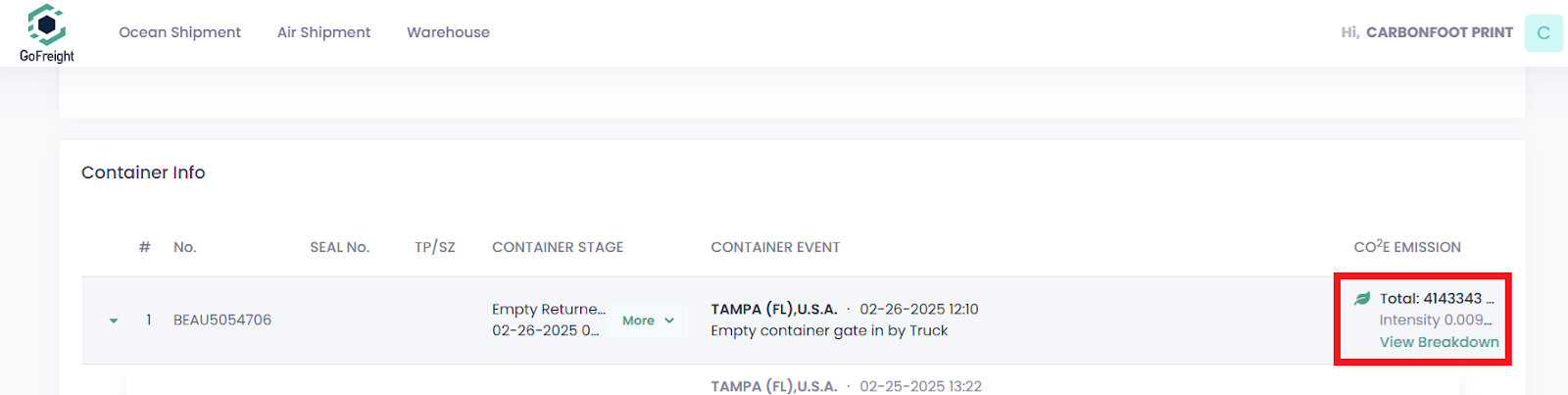
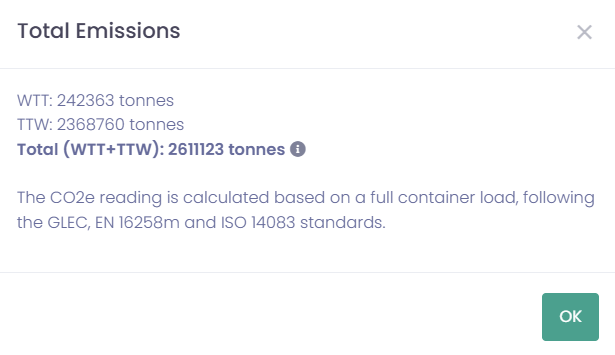
To see a detailed breakdown of the carbon footprint, enter the Shipment Page, scroll down to Container Info, and locate the CO2e Emission section on the right. Click "View Breakdown" to access more details.
The breakdown includes:
- WTT (Well-to-Tank): Emissions generated from resource extraction to fuel delivery (i.e., oil extraction, transportation, and refining processes).
- TTW (Tank-to-Wheel): Emissions produced during actual usage (i.e., vessel operation and transit).
- Total (WTT + TTW): The combined carbon footprint of the shipment.
 Was this