
By default, only users with the roles of General Manager, Operation Manager, Accounting Manager, and Accounting can create and edit Trade Partners in the GoFreight system.
Users in other roles can request this functionality with approval from an Admin or General Manager, after which a GoFreight support agent can grant access.
Once a Trade Partner Account Group is created, it cannot be deleted but can only be updated or removed. Please follow the following steps to update or remove a trade partner’s account group.
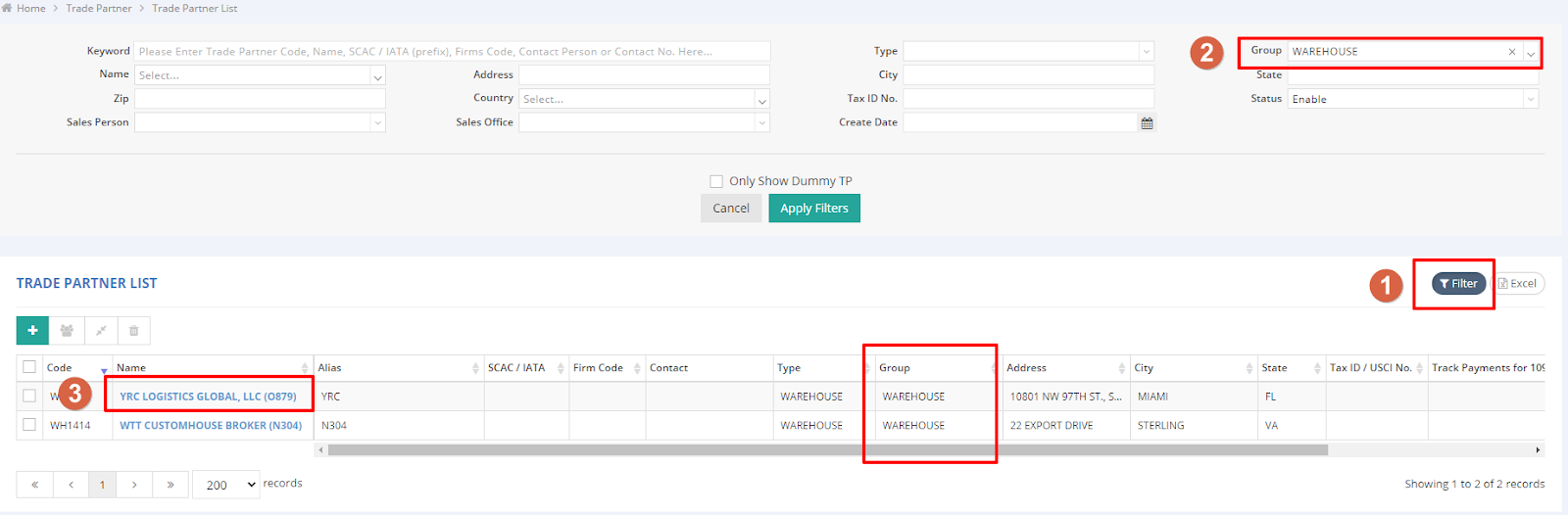
Navigate to the “Trade Partner” in the menu on your left-hand side and then select “Trade Partner List” to access the interface.
- Use the “Filter” option to search for your trade partner group.
- Select or enter the account group name in the search field.
- Select the trade partner you wish to rearrange.
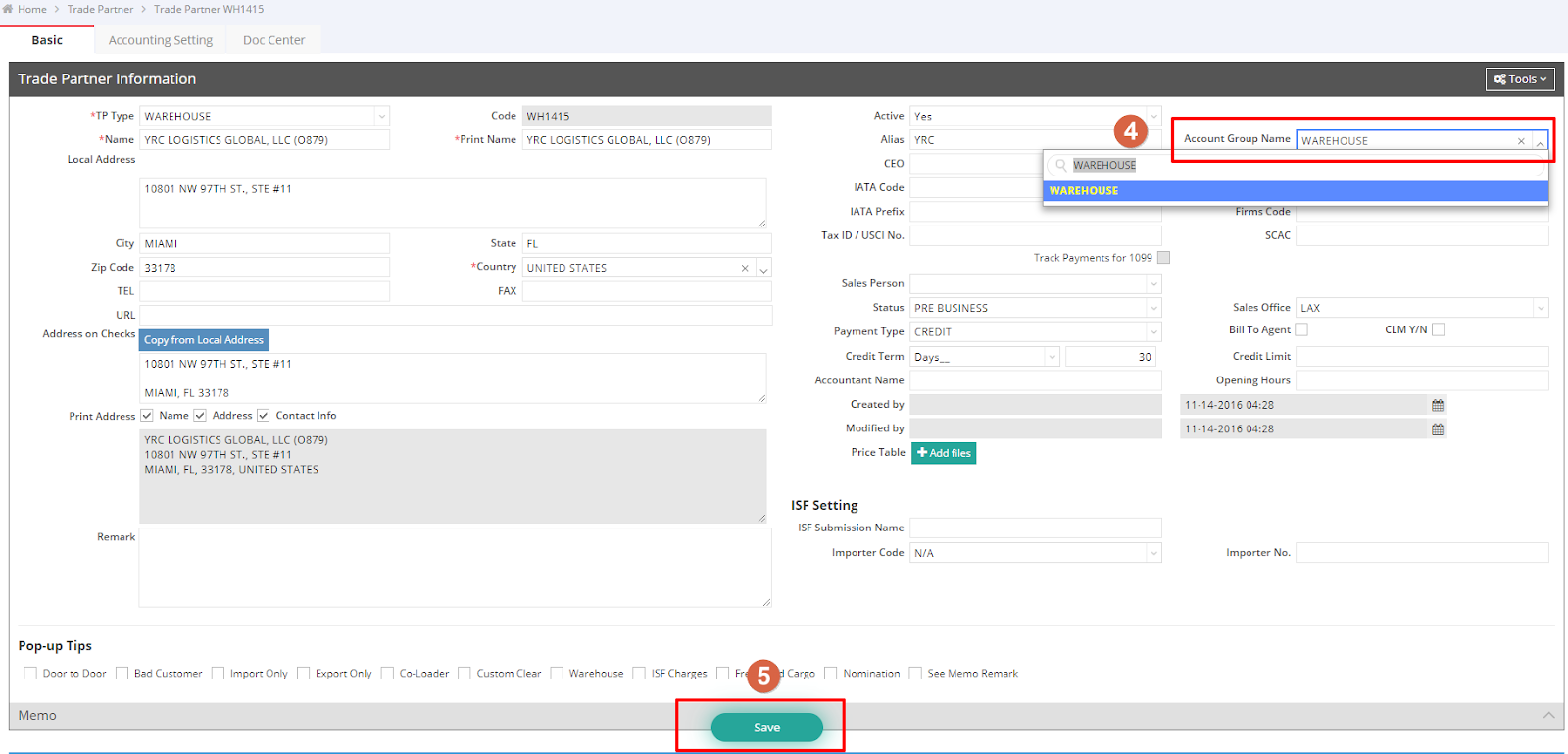
- In the upper right corner, locate the “Account Group Name” column, where you can edit the name to rearrange or remove the account group from this trade partner.
- Click “Save” to apply your changes.
For a visual guide on this feature, please refer to the following video: