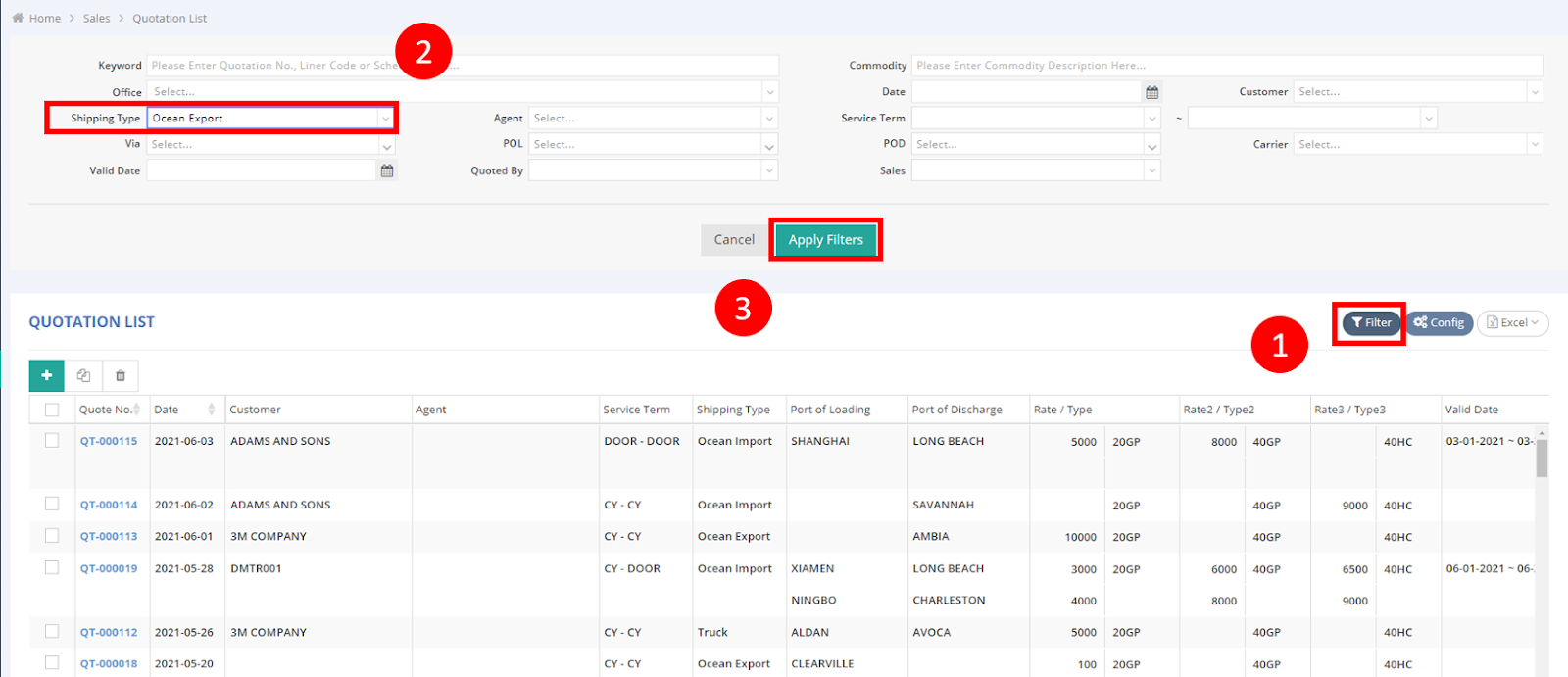
The “Quotation List” can be found under the “Sales” module in the main menu. By default settings, the General Manager, Operation Manager, Operation, Sales Manager, and Sales roles have this function.
- Click on the Filter button.
- Set up your criteria in the filter screen.
For example, select Ocean Export in the Shipping Type column.
- Click on Apply Filters.
Then, you will have all Ocean Export quotation files in the result in this example.