
The To-Do List on the dashboard is a highly useful feature for managing ocean import procedures.
Note: The To-Do List is primarily designed for General Managers, Operation Managers, Operations Staff, and Operation Assistants.
- General Managers and Operation Managers can view all tasks assigned within the team.
- Operations Staff and Operation Assistants can only view tasks assigned to their own names.
The system is divided into a total of seven key milestones:
- ISF
- Pre-Alert
- Arrival Notice
- Original B/L
- Invoice
- Pick Up No.
- Delivery Order
When you log in to GoFreight each day, you can check all the tasks assigned to you for your shipments.
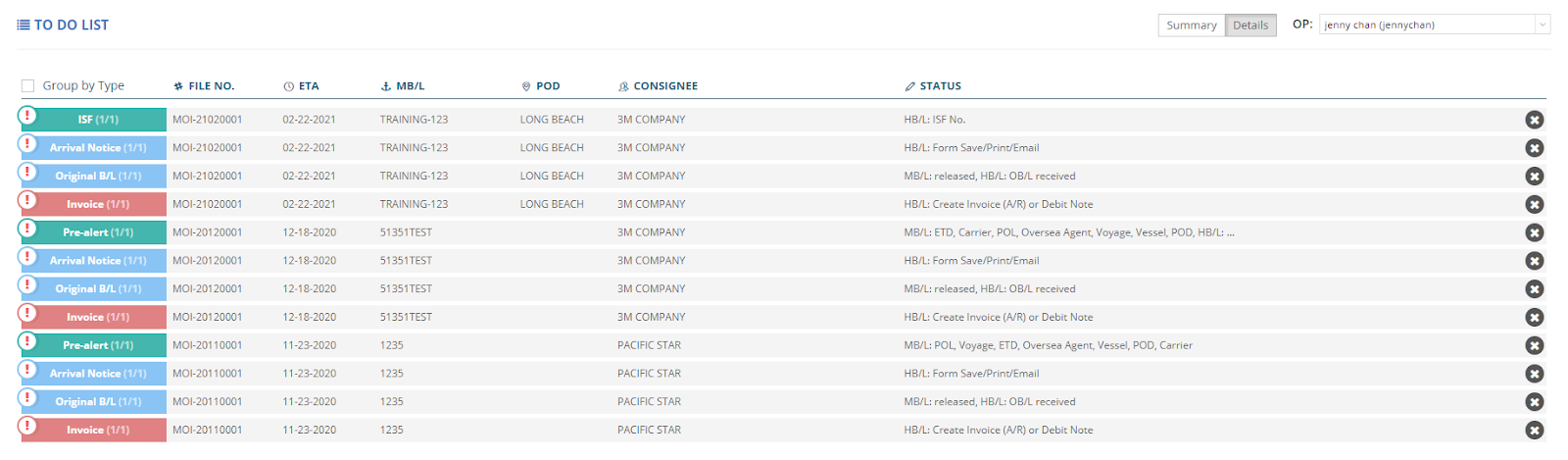
The To-Do List not only lists these tasks but also prioritizes them based on urgency.
If a task is marked with an alert sign as a red exclamation mark, it means the deadline is today, and you must complete it by the end of the day.

Conversely, if you see a bell icon, it indicates that the task is upcoming, and you still have time to complete it later.

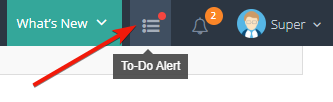
For your reference, you can access these alerts and notifications through the “To-Do Alert” button located next to the global search bar.

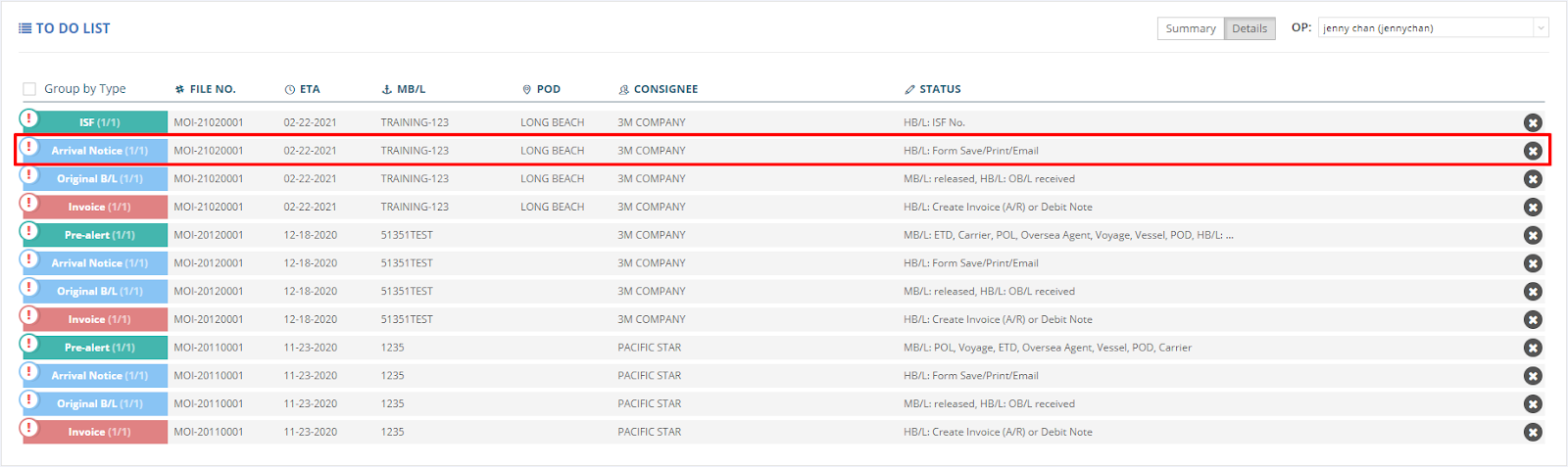
For instance, if the system reminds you to send out an arrival notice by today, you can click on the shipment alert listed either under the “To-Do Alert” section or from the dashboard list view, and it will directly navigate you to the corresponding shipment entry.
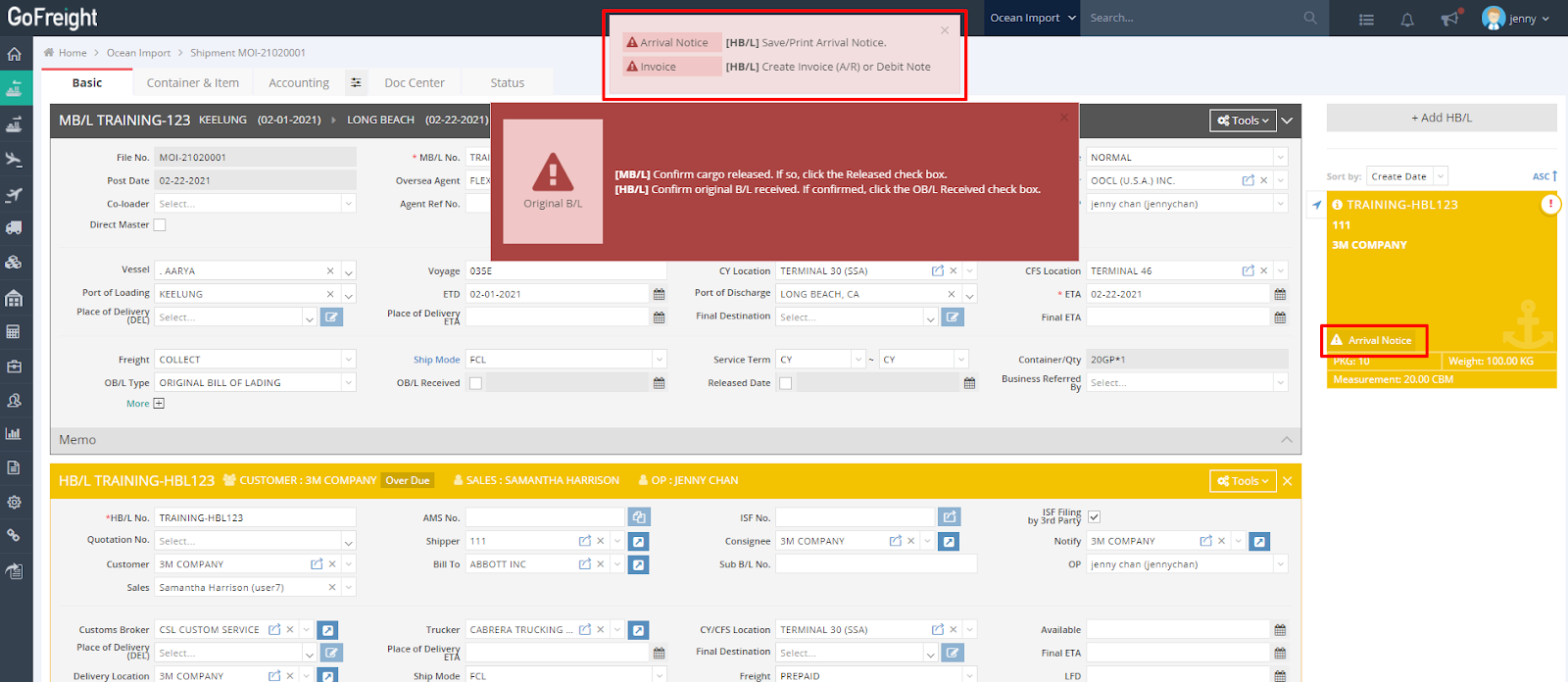
Anyone with access to the shipment will see task alerts for the House Bill of Lading.
These alerts are displayed on the main screen under the Basic tab with a reminder action. Additionally, a triangular task alert icon will appear next to each House Bill of Lading listed on the right-hand side of the page.
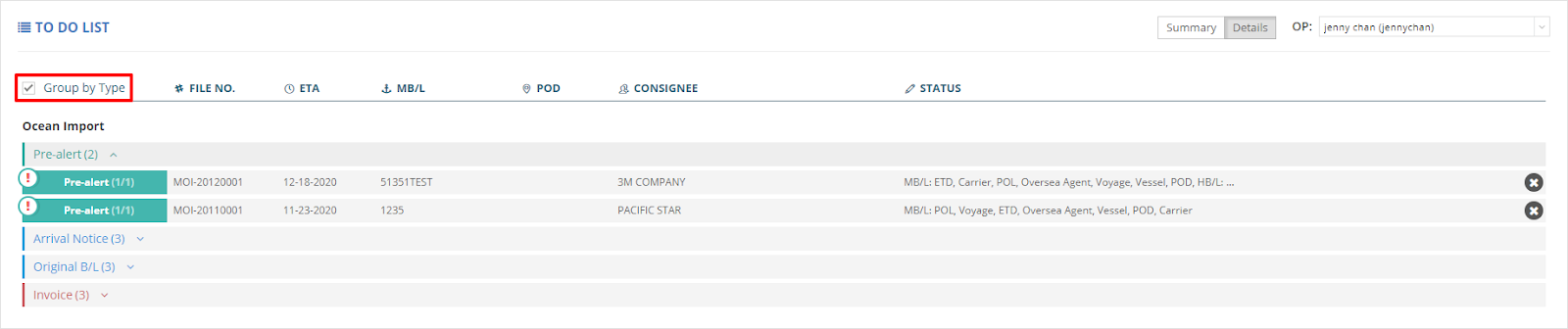
Back to the To-Do List on the dashboard, you can also choose to group tasks by type for easier management.
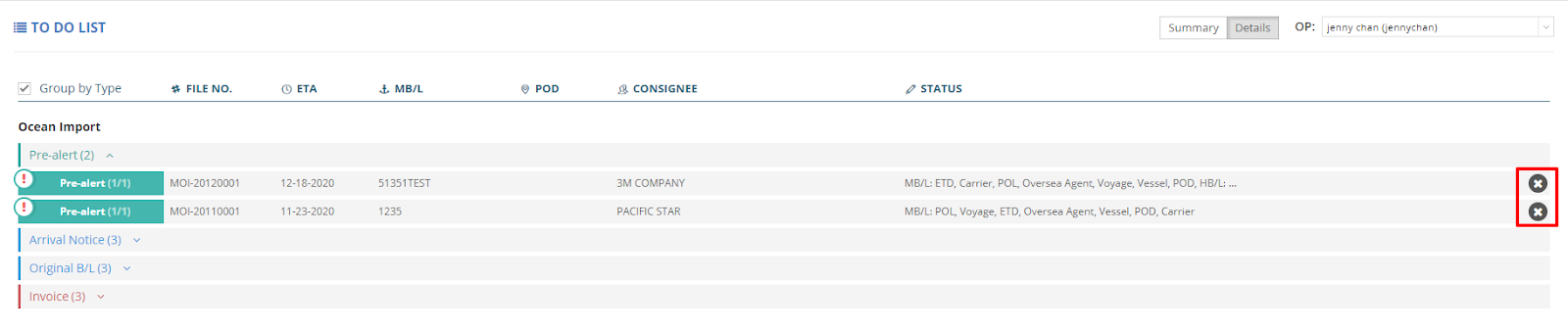
Additionally, if you do not wish to complete a task or see a reminder, you can simply click “X” on the right-hand side to dismiss it.
Note: The alerts generated in the To-Do List for ocean import shipments are based on specific criteria below.
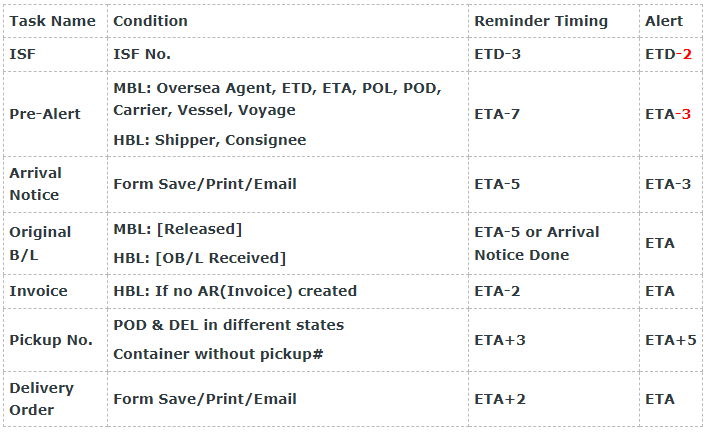
- ISF:
- Record the ISF number.
- Reminder: 3 days before ETD
- Warning: 2 days before ETD.
- Pre-Alert:
- MBL: Include the following information: Oversea Agent, ETD, ETA, POL, POD, Carrier, Vessel, Voyage.
- HBL: Include Shipper and Consignee information.
- Reminder: 7 days before ETA.
- Warning: 3 days before ETA.
- Arrival Notice:
- Action: Save, print, or email the form.
- Reminder: 5 days before ETA.
- Warning: 3 days before ETA.
- Original B/L:
- MBL: Confirm status as "Released."
- HBL: Confirm "OB/L Received."
- Timing: Complete 5 days before ETA or upon finalization of the Arrival Notice.
- Warning: On ETA date.
- Invoice:
- HBL: Verify if AR (Invoice) has been created.
- If not, address 2 days before ETA.
- Warning: On ETA date.
- Pickup Number:
- For POD and DEL in different states, ensure pickup arrangements are made.
- Timing: 3 days after ETA.
- Warning: 5 days after ETA.
- Note: Containers without a pickup number should also be flagged.
- Delivery Order:
- Action: Save, print, or email the form.
- Reminder: 2 days after ETA.
- Warning: On ETA date.
Note:
ETD: Estimated Time of Departure
ETA: Estimated Time of Arrival
POL: Port of Loading
POD: Port of Discharge
If you are a General Manager or Operation Manager, you can view both summaries and detailed task lists.
You will be able to see all alerts and warning tasks associated with each operator daily.
You can review and manage daily tasks for your team members effectively.
