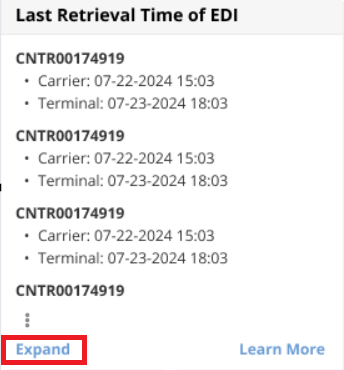
We’re pleased to introduce a new feature designed to enhance your tracking experience: Latest Retrieval Time of Tracking EDI. This feature allows you to see exactly when your shipment status was last updated, giving you clearer visibility into the freshness of your tracking data. In this article, we’ll walk you through how this feature works and show you where to find it in the platform for quick, up-to-date tracking insights.
Where You can find the Latest Retrieval Time:
In Ocean Import's “My Containers” and “House B/L List”
The Latest Retrieval Time will display in the time zone set when you initially enabled GoFreight's request.
And you can control them through “config” to decide whether to have it shown on the list view.
The data displays in two ways:
1. Time: It shows the latest time of EDI update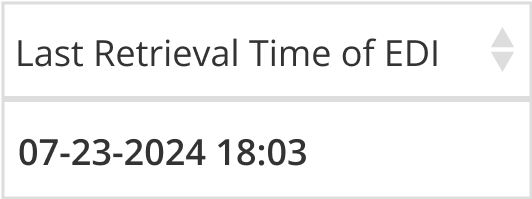
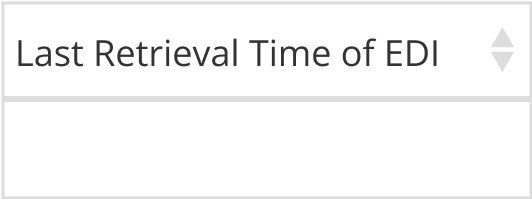
2. Empty: Upon creating a new shipment, the system will need time to load EDI data. During this period, the Last Retrieval time will be empty.
Additional Information:
1. When hovering over “Last Retrieval Time of EDI” you will find last EDI update time from different sources - carrier, rail, or terminal.

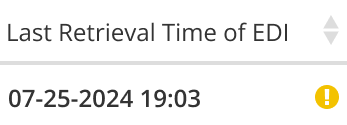
2. If an exclamation mark shows on the right side of your latest retrieval time, it means the system is unable to retrieve data from EDI source based on your container entry.
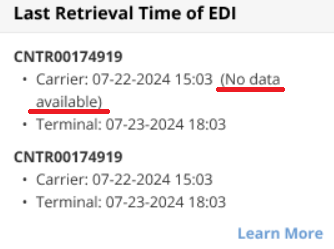
3. If you have more than three containers in one shipment, you will find an “Expand” button in the lower left side in the Last Retrieval Time of EDI section.