
The Batch Generate Documents feature in GoFreight enables users to efficiently generate and send multiple House Bill of Lading (HBLs), Booking Confirmations, and Pickup/Delivery Orders simultaneously. This saves time and minimizes manual effort.
Step 1: Access the HBL List and Filter Customers
- Navigate to your Ocean Export shipment.
- Open the HBL List, which displays all related HBLs.
- Utilize filters to input the Customer Name and other parameters (e.g., ETD, ETA) to quickly locate the desired customers and their associated HBLs.
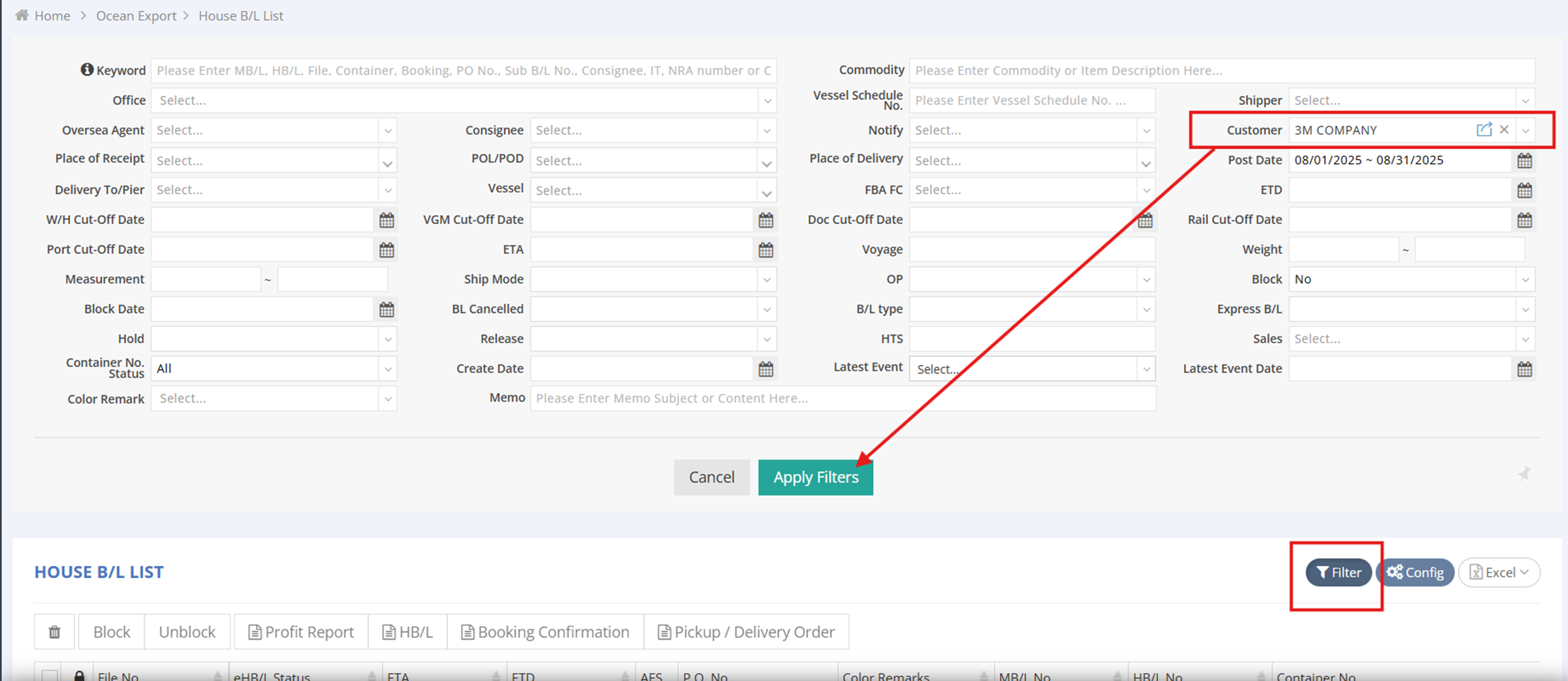
Step 2: Select HBLs for Batch Processing
- Select the HBL file numbers you wish to include in the batch from the HBL List.
- Click on HBL, Booking Confirmation, or Pickup/Delivery Order at the top of the list view to proceed.

Step 3: Preview Documents
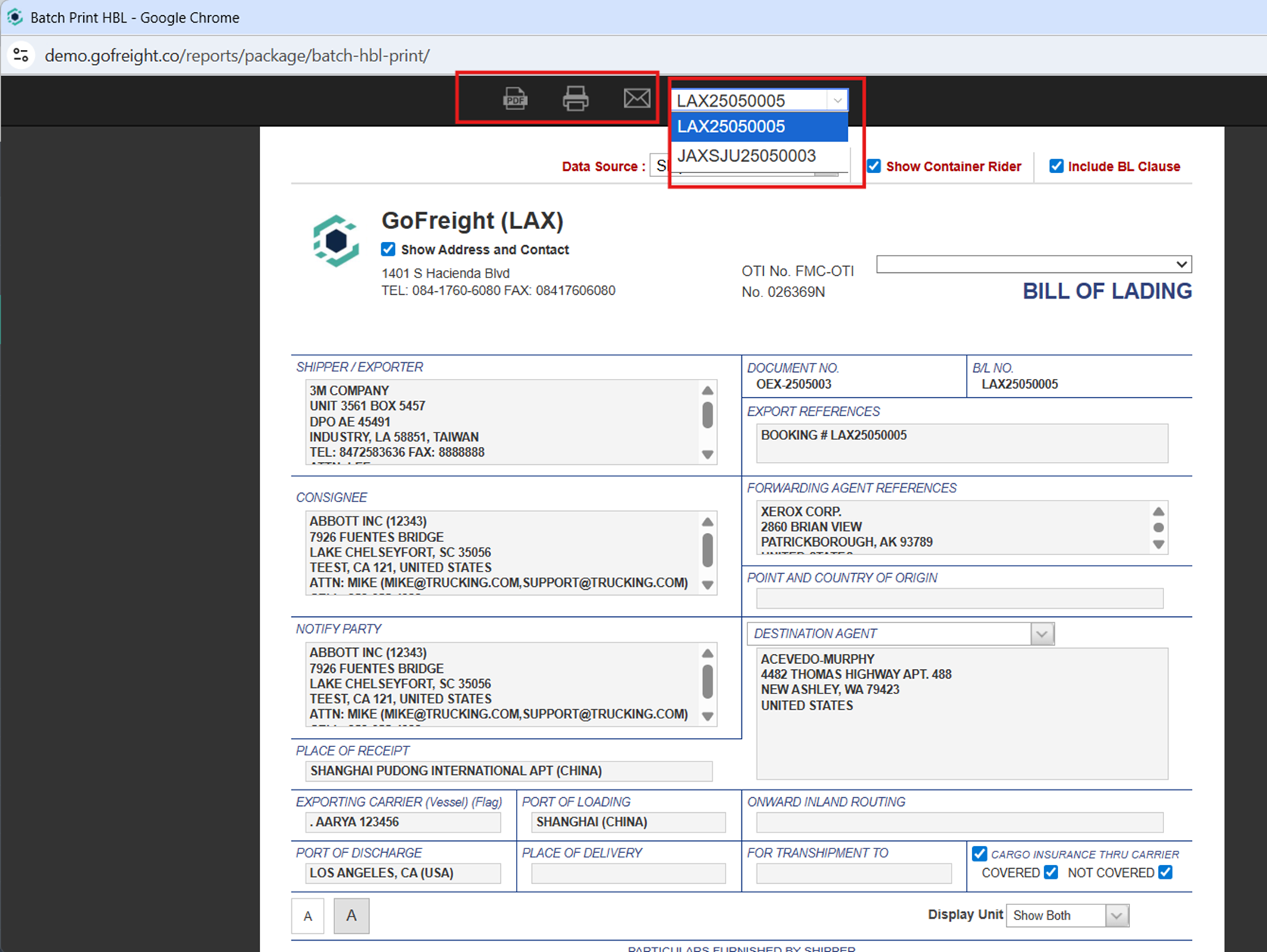
- You will be redirected to the Preview Page.
- The top of the page features a dropdown menu displaying all selected HBL numbers.
- Choose PDF to download the file, Print to print the documents, or Email to send the documents to the customer in batches.
Send HBLs via Email
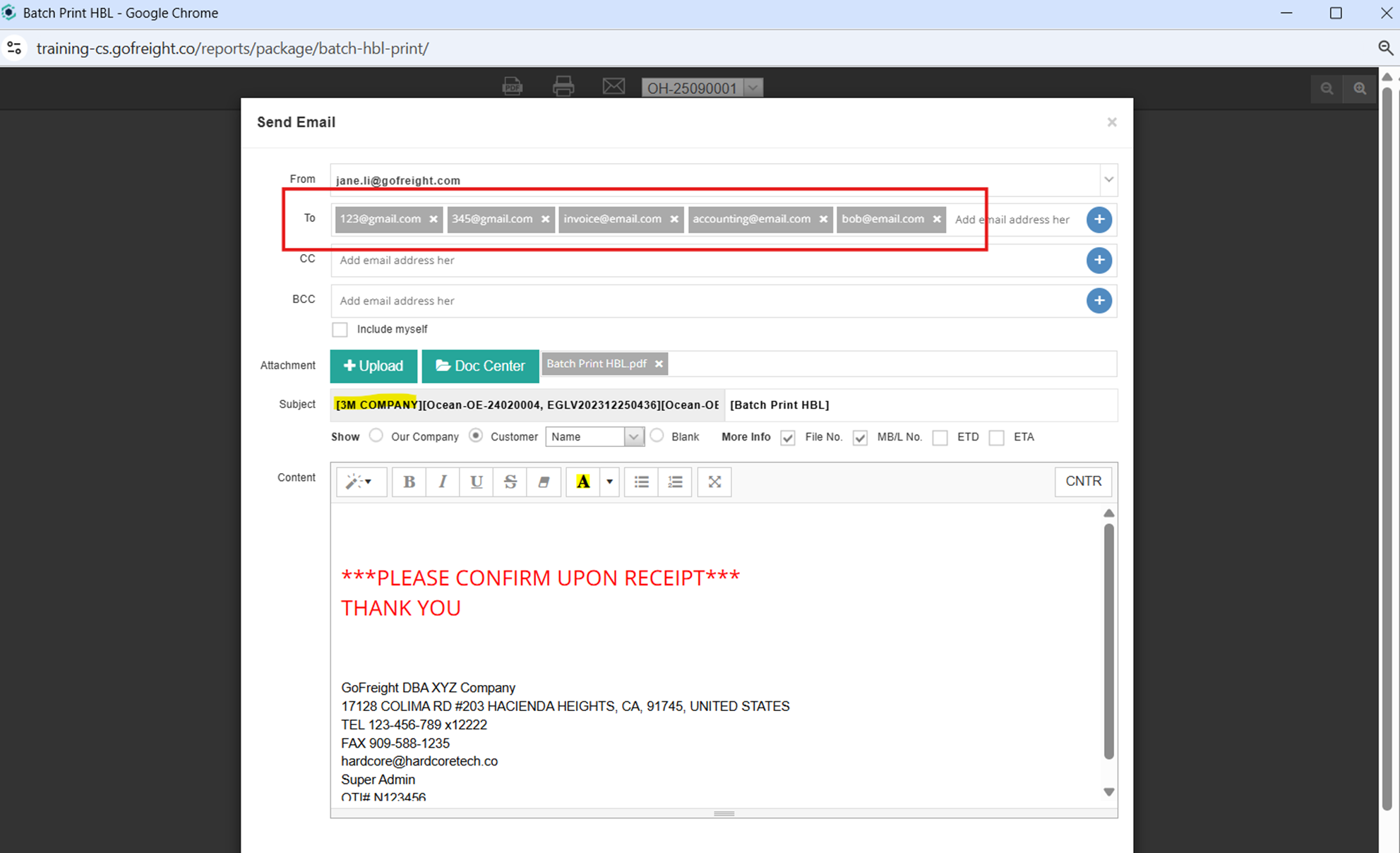
- Click the Email Icon on the preview page.
- GoFreight will automatically:
- Populate the recipient list with email addresses of the contact persons from the corresponding Trade Partner page.
- Add the customer name to the email subject line.
- Review the email and send it as usual.
Important Notes & Warnings
Sending HBLs to different customers in a single batch may lead to confusion or miscommunication.
Before batch sending HBLs, ensure you perform the following checks:
- Filter by Customer
- Confirm that all HBLs in the batch belong to the same customer.
- Check the Email Subject Line
- Ensure the subject line does not contain multiple customer names.
Verify that all recipients are from the same company.