
General Questions:
Q: How do I tell whether I'm using QuickBooks Desktop or QuickBooks Online?
A: The GoFreight QBO Adapter is only compatible with QuickBooks Online.
If you access QuickBooks through the URL https://quickbooks.intuit.com/ and typically use it via a web browser, then you are using the QuickBooks Online version.
Q: What happens when I unblock invoices or payments in GoFreight?
A: When you unblock an invoice or payment in GoFreight, an "Unblock" record will be logged in the QBOI Adapter. This action will not affect any invoices or payments that have already been uploaded to QuickBooks.
Q: How can I modify invoices or payments that have already been uploaded to QuickBooks?
A:
- Unblock the invoice or payment in GoFreight.
- Make the necessary changes.
- Re-block the invoice or payment.
The QBOI Adapter will then update the existing invoice or payment in QuickBooks Online with the modified data—no duplicate entries will be created.
Q: What happens if I delete data in GoFreight?
A: Since GoFreight uploads data to QuickBooks through the "Block" action, deleting invoices or payments in GoFreight will not delete the corresponding records in QuickBooks.
Q: What happens if I delete data in QuickBooks?
A: Deleting an uploaded invoice in QuickBooks will not affect the corresponding invoice in GoFreight.
Q: Why doesn’t GoFreight support uploading Debit/Credit Notes to QuickBooks?
A: In QuickBooks, Debit/Credit (DC) notes cannot be used directly for payments or receipts. Instead, a DC note must be applied against an invoice or a payable to offset the balance. GoFreight does not have this limitation, so a one-to-one mapping between the two systems is not possible.
QuickBooks treats DC notes as adjustments to outstanding balances and requires them to be linked to invoices for payment processing. They cannot be used independently to receive or make payments.
In contrast, GoFreight’s DC notes function as bookkeeping entries where the final impact is reflected in accounts receivable (AR) or accounts payable (AP).
Because of this fundamental difference, GoFreight does not support syncing DC notes to QuickBooks.
Q: Why does the payment amount sometimes get posted to Unapplied Cash Payment Income even though the invoice has been paid?
A: When the invoice post date is set to a future date, QuickBooks treats the received payment as “Unapplied” because the invoice has not yet occurred (it’s dated in the future), but the payment has already been received. As a result, the payment is recorded as Unapplied Cash Payment Income.
Q: Why am I unable to integrate the freight code/freight description from AP invoices into QuickBooks Online (QBO)?
A: We are unable to integrate the freight description from AP invoices due to a limitation in QuickBooks Online (QBO): QBO does not support the concept of billing items within expenses.
Q: What should I do when invoice or payment integration fails?
A:
- Navigate to the list view, then click on Config.
- Accounting > Invoice/Cost > Invoice/Cost List
- Accounting > Payment > Payment Received List
- Accounting > Payment > Payment Made List
- Enable the columns QBO SYNC Status and QBO SYNC Info, and move them to your preferred display position.
- Click Apply to save the changes.
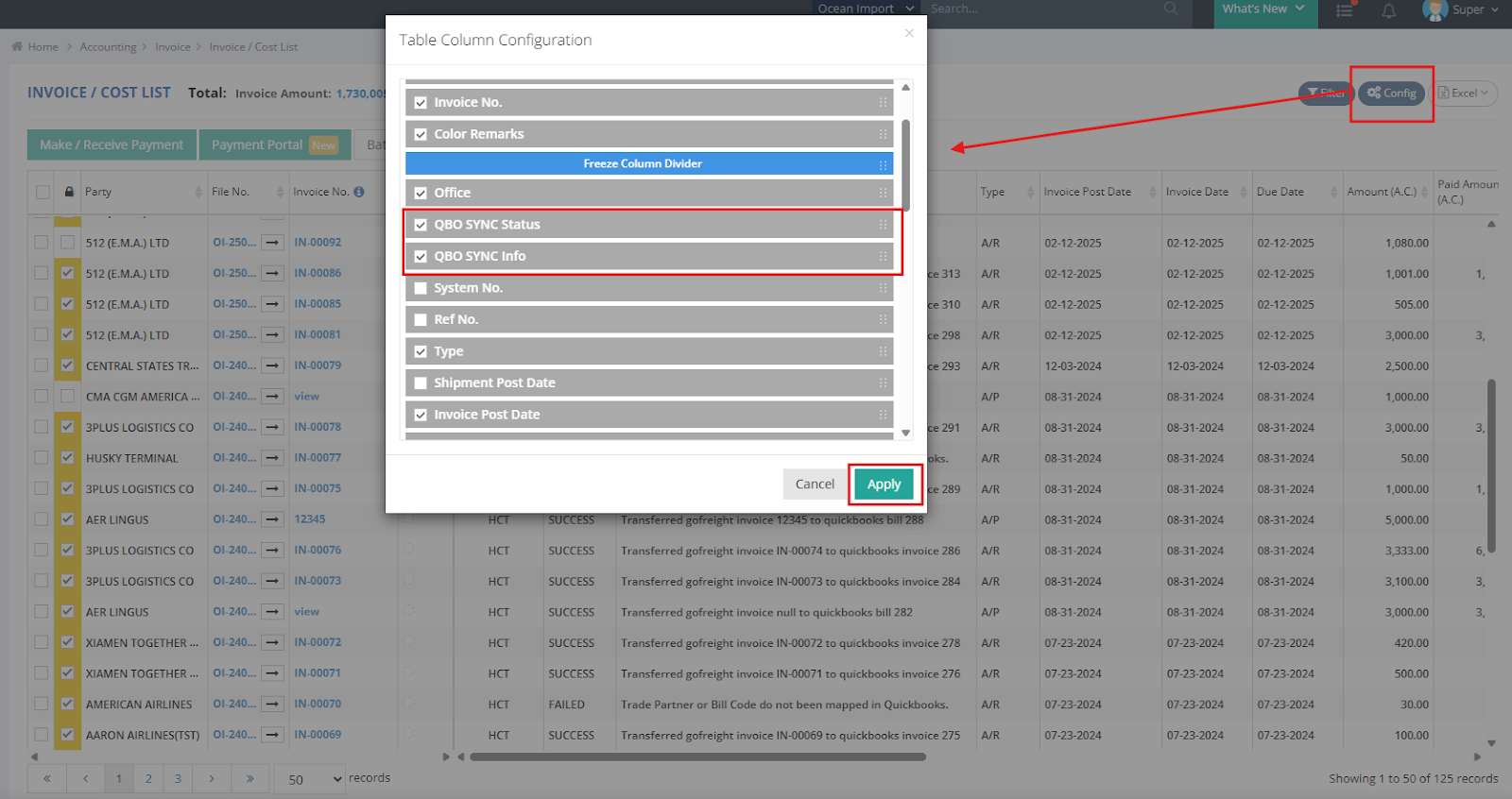
You will now be able to view the integration status directly in the list view.
- If the QBO SYNC Status shows as FAILED, refer to the QBO SYNC Info column for error details.

- If the sync information is unclear or difficult to interpret, please contact our support team at support@gofreight.com for assistance.
Common Errors in Payment Syncing:
❌ The bank's GL code in GoFreight is not mapped to the corresponding account in the QuickBooks chart of accounts.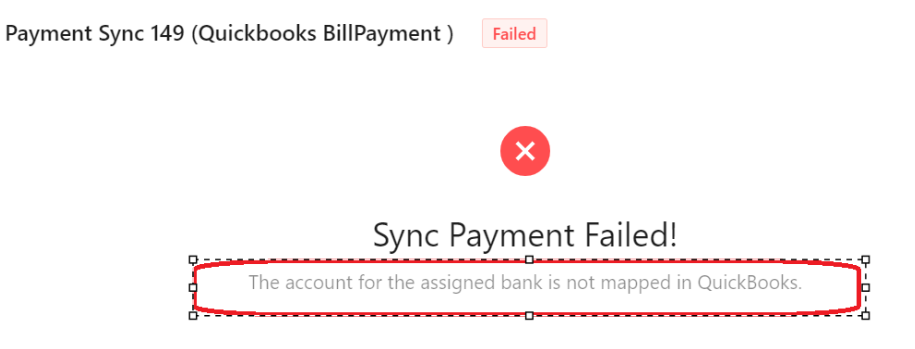
Solution:
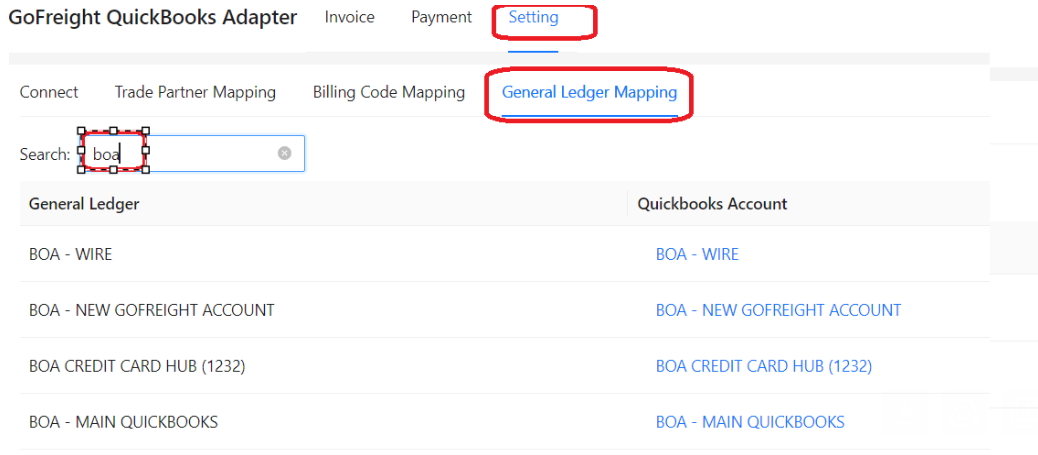
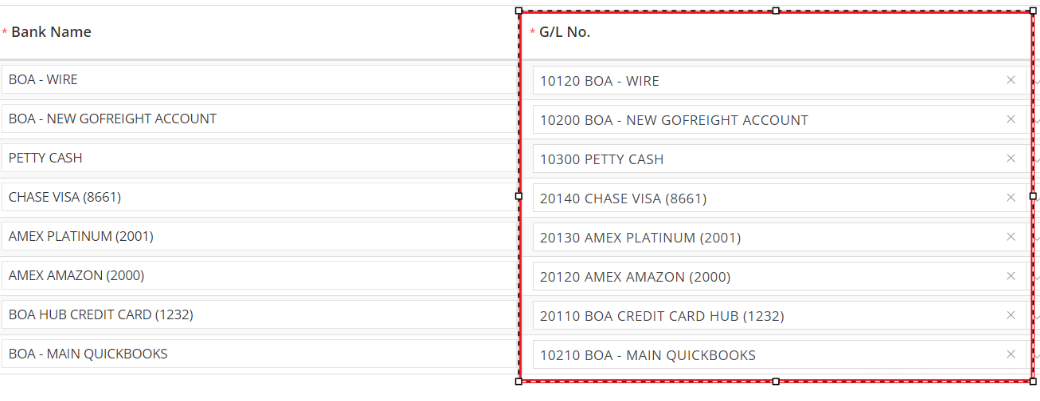
- Please navigate to Settings > General Ledger Mapping.
- Ensure that the bank GL codes in GoFreight are correctly mapped to the corresponding accounts in the QuickBooks chart of accounts.
❌ The invoices referenced in the payments do not exist in QuickBooks.

Solution:
Take this error for example,
- Please locate invoice "103" in GoFreight
- Unblock it.
- Then re-block it to initiate the upload to QuickBooks.
- Unblock and re-block the targeted payment to initiate the upload to QuickBooks.
Limitations in Payment Syncing:
❌ The QBO Adapter currently does not support uploading:
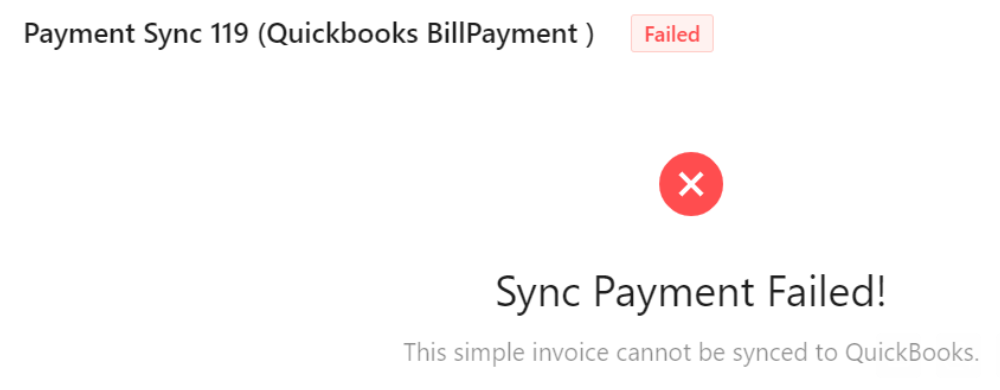
- debit or credit notes
- simple invoices.
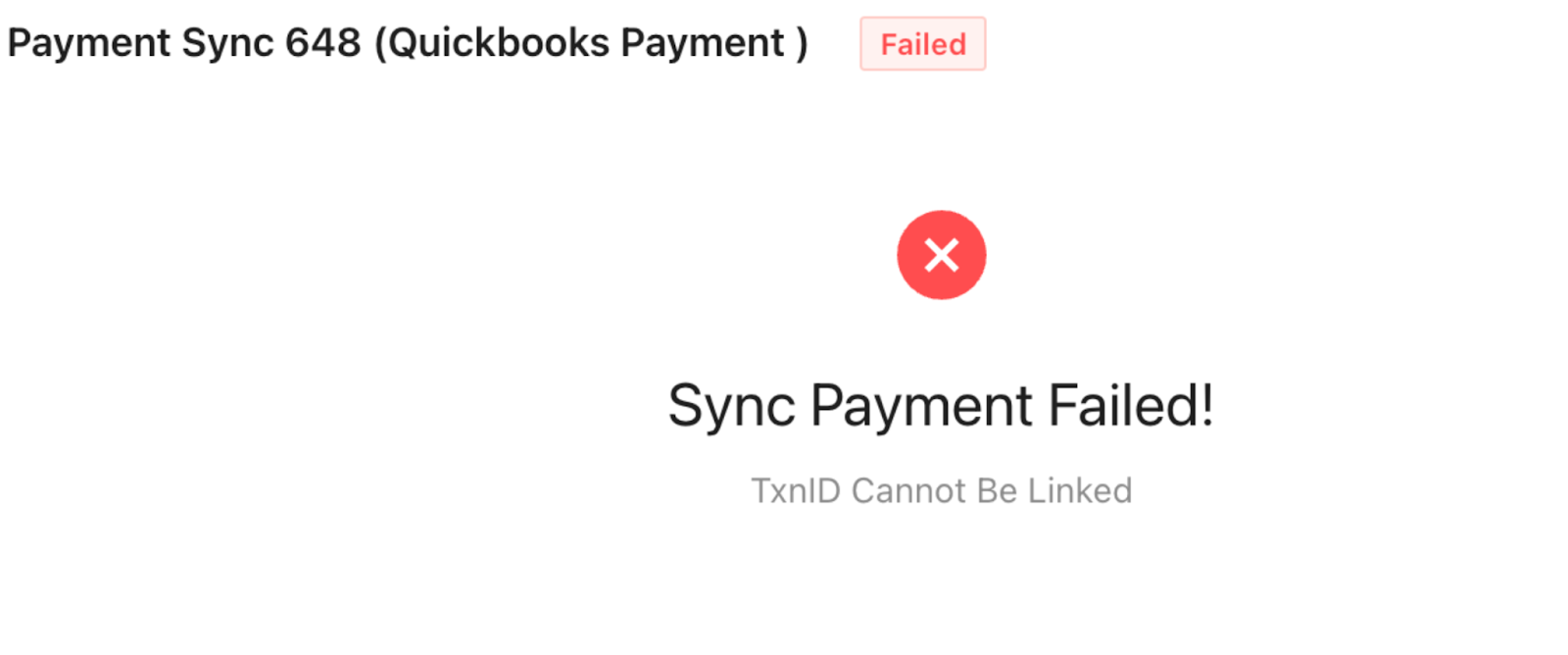
❌ QuickBooks Online Payments does not support applying a single payment to invoices from multiple customers. All invoices linked to one payment must belong to the same customer or vendor. However, GoFreight (FMS) does not impose this restriction, which may lead to syncing conflicts.
What does the adapter error “Payment does not contain invoice, sync is ignored” mean?
❌ This error indicates that the payment cannot be synced because it is not linked to any invoice. In order to sync a payment to QuickBooks Online (QBO), the corresponding invoice must first be successfully synced from the system. Payments in QBO are always applied against existing invoices, so a payment without an associated invoice cannot be processed.
As a result, standalone (simple) payments that are not tied to an invoice are not supported for sync.