
This guide walks you through the Ocean Shipment Entry Page on the GoFreight Customer Portal and shows how the information appears on your portal view.
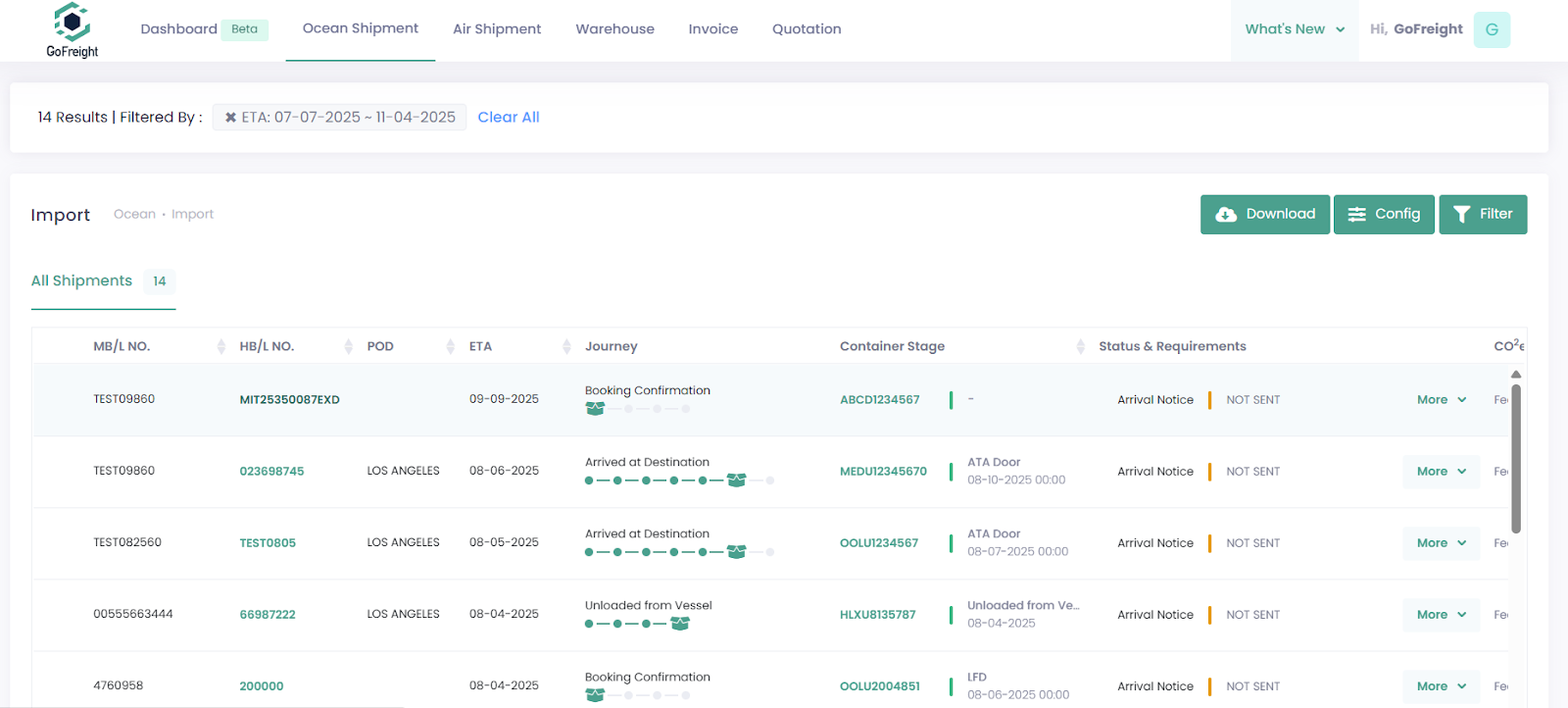
1. Shipment Overview
When you go to ocean shipment and click on HBL to open the Shipment Entry Page in the customer portal, you will see shipment details of your HBL displayed at the top left corner.

2. Status & Requirements
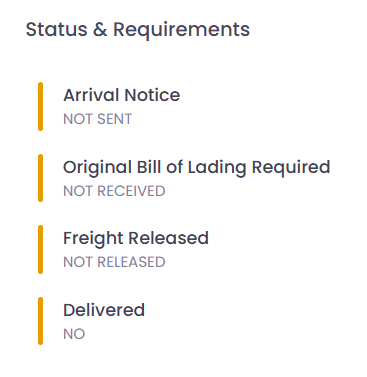
On the right side of the Shipment Entry Page, you’ll see the Status & Requirements section. This area provides four key indicators to help you understand the current freight status:
- Arrival Notice
- Original Bill of Lading Required
- If Original Bill of Lading Required shows Not Required, it means the shipment is under an Express B/L, so no original B/L is needed.
- Freight Released
- Delivered
- If Delivered shows Not Applicable, it means the service term is CY to CY, and door delivery does not apply.
***Notes: The statuses shown here may vary depending on updates made by the operations team.
3. Shipment Journey
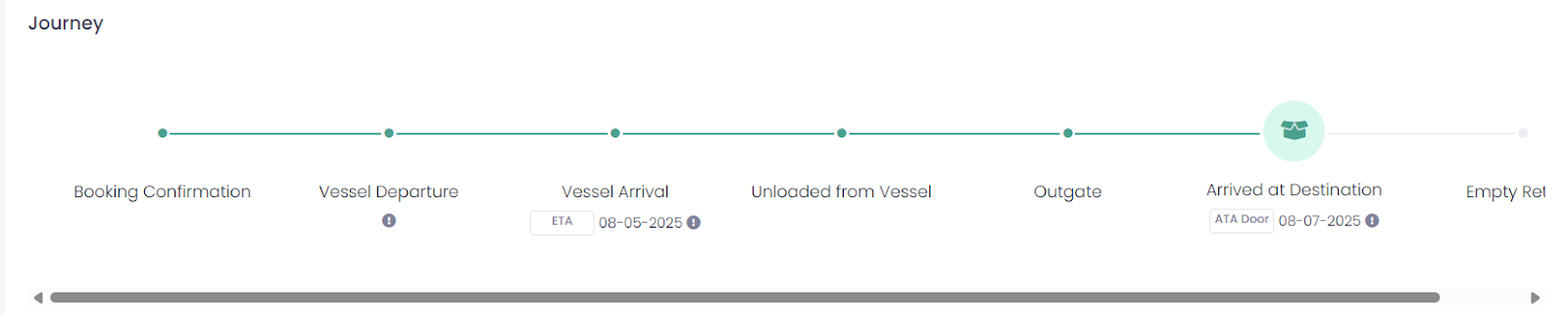
Below the shipment overview is the Journey section, which visually shows the shipment’s progress through various stages.
If the service term on your HBL is CY-DOOR and your freight forwarder inputs the ETA Door or ATA Door, this data will appear in the Arrived at Destination stage. The date will be shown, but the stage will not advance until the shipment actually arrives. This helps you easily understand the latest milestone for your shipment.
4. Shipment Details
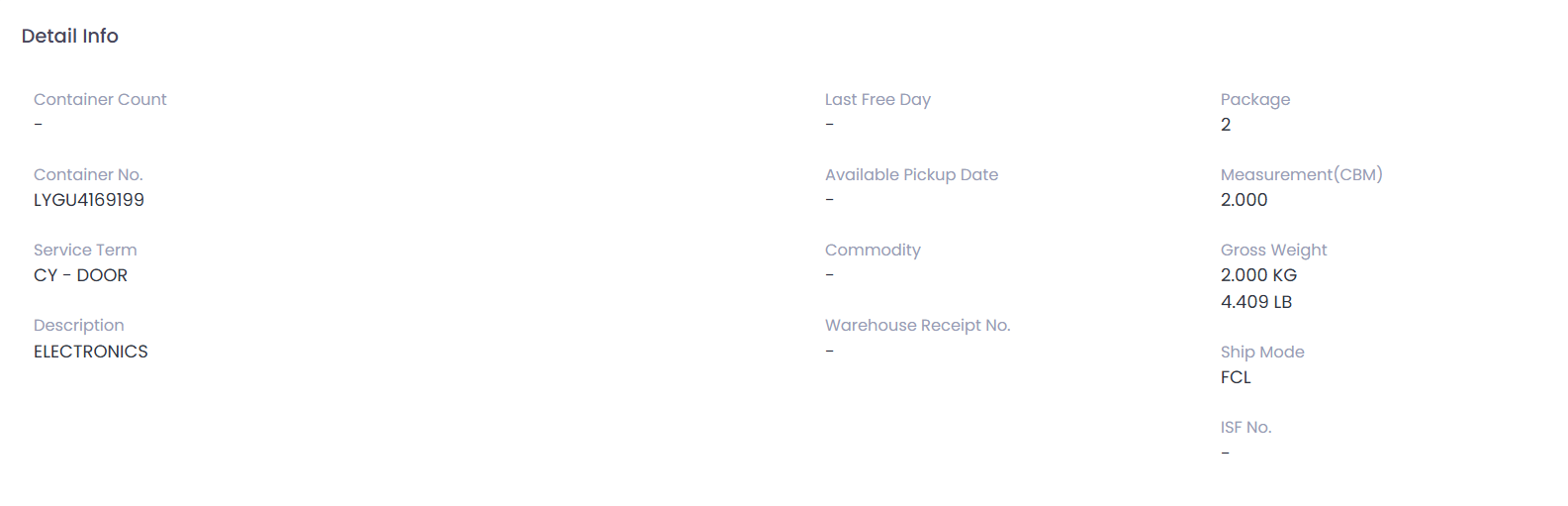
Scrolling further down the page, you’ll find more detailed shipment information. This information is provided by the operations team. If there are any issues with the information, it is recommended to contact your assigned operations team directly.
5. Container Information
Below the shipment details, you’ll find the Container Information along with its events, updated via tracking EDI.
This section provides:
- A full record of container events, including history and timestamps.
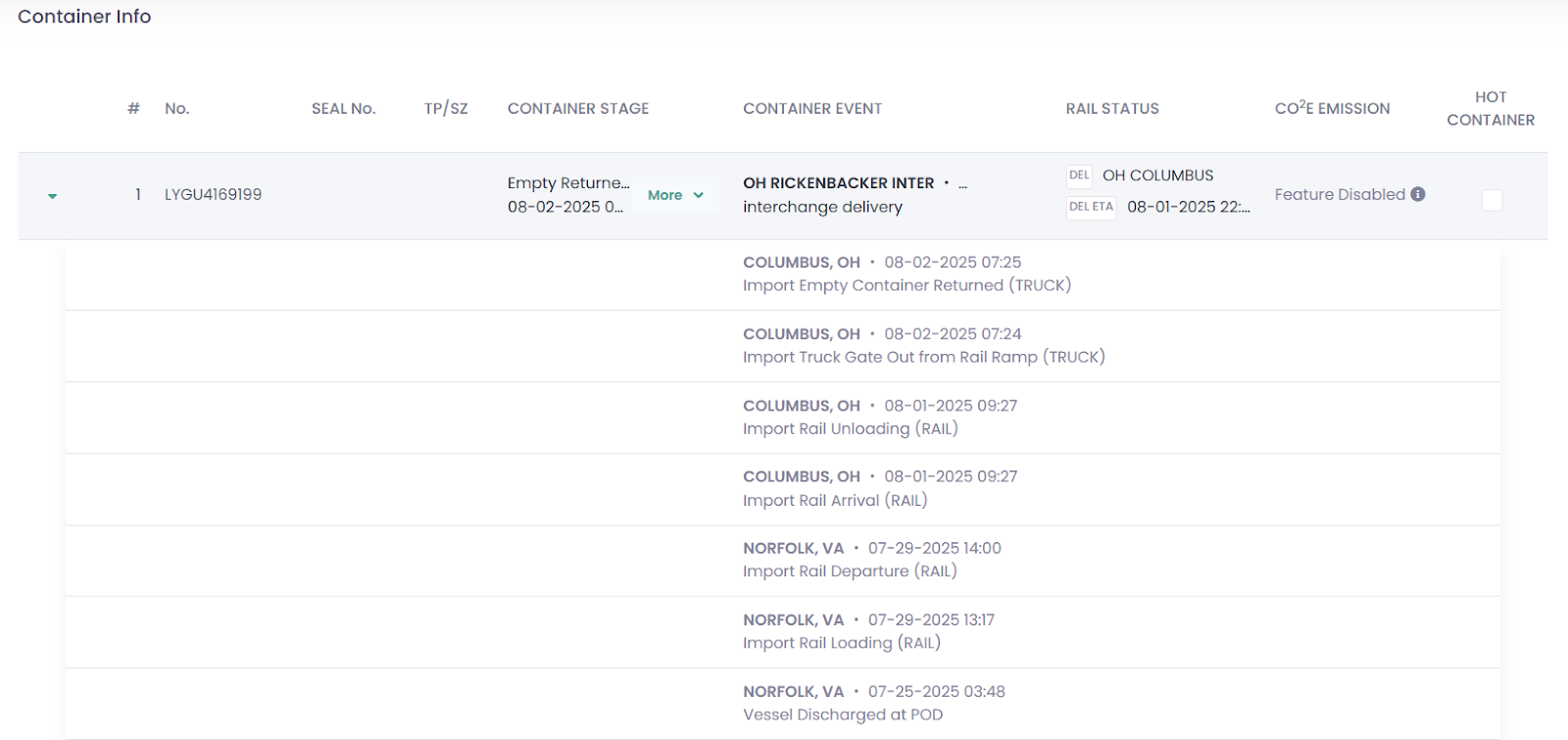
- The “More” button reveals additional data, which includes important milestones of the shipment:

This gives you full visibility into the container journey.
6. Document Storage
At the bottom of the Shipment Entry Page, the customer portal provides access to shipment-related documents uploaded by your freight forwarder.
- Documents linked to each House B/L can be viewed or downloaded directly.

If you have any further questions or need assistance configuring your system, please feel free to reach out to your freight forwarder.