
This guide explains the automatic updating feature for Locations, Terminals, and Rail information in the GoFreight Tracking service.
This feature is essential to ensure accurate and real-time shipment status updates. Incorrect data may lead to inaccurate tracking information and delays in status updates. Follow the below guide to effectively utilize this feature.
How the Automatic Updating Feature Works
1. Error Correction
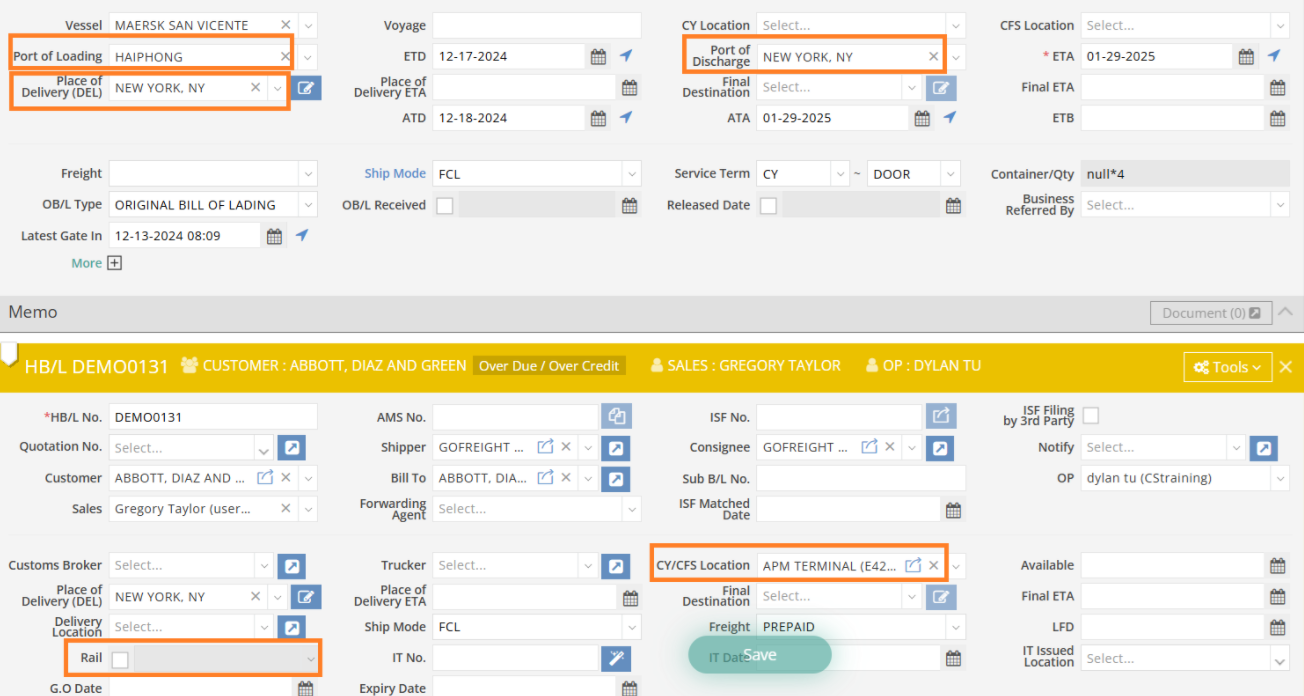
The Tracking EDI system automatically updates shipment details in GoFreight to correct inaccurate entries in the following fields:
-
- POL – Incorrect entries prevent accurate ATD updates.
- POD – Inaccurate data affects ATA and events like Unload from Vessel and Gate Out.
- DEL – Errors here impact Gate Out updates, especially for rail shipments.
- CY/CFS Location – If incorrect, the system cannot update key events such as LFD, Appointment Time, Gate Out, Carrier Release, Customs Release, Available for Pickup, and Yard Location, when not supported by the carrier.
- Rail Fields – Inaccuracies can disrupt updates for DEL ETA, DEL ATA, LFD, and Gate Out, particularly when carriers do not provide this data.
This feature ensures shipment details remain accurate and up-to-date, even when errors occur during data entry.
2. Visual Indicator
-
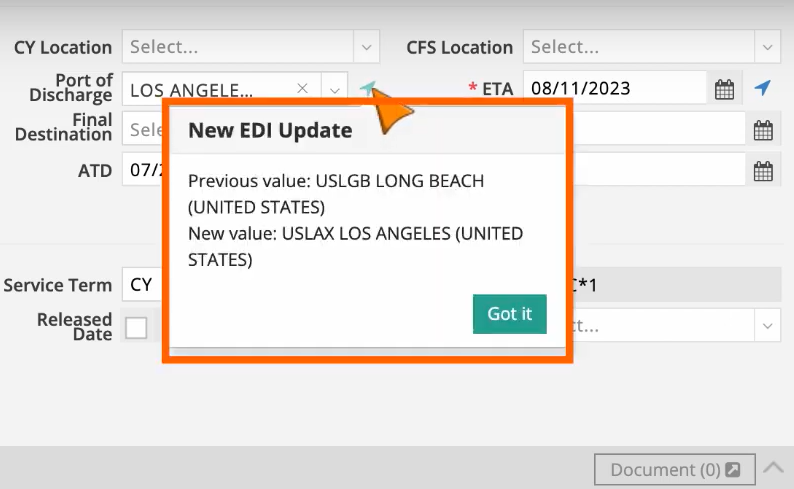
- When the system updates a field, a blue arrow appears on the right side of the field.
- Click the blue arrow to view the Previous Value and New Value.
- This feature allows for cross-checking and verification of the updated information.
3. Manual Override
-
- If the system’s updated information is incorrect, you can manually revert to the Previous Value.
- Once reverted, the system will no longer attempt to update that field automatically.
Notification Setting for Automatic Updates
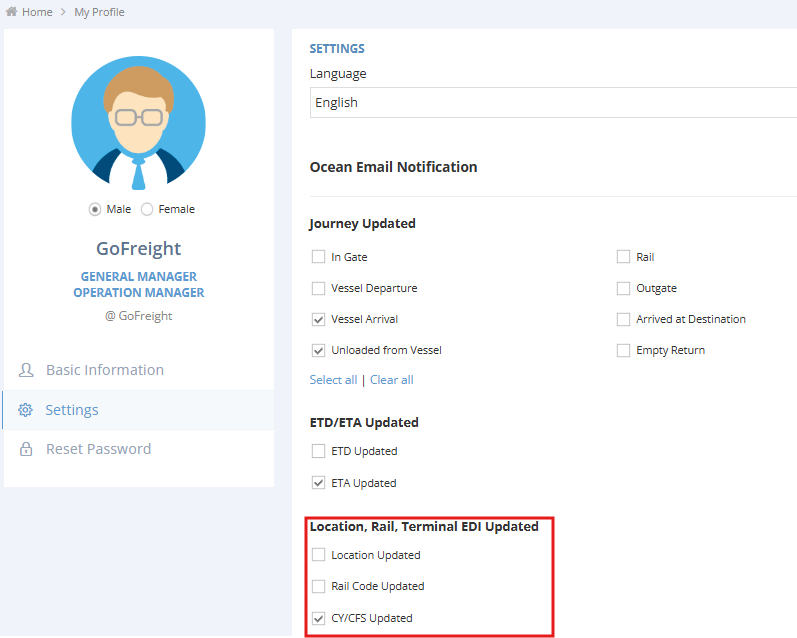
Enable this feature to receive alerts whenever the system modifies shipment data, this allows you to stay informed and maintain control over any updates. Once enabled, you will receive notifications whenever a shipment you are assigned to is updated.
To enable this feature, go to My Profile > Settings, where you can select the Location, Rail, Terminal EDI Updated Notification.

Key Clarifications
- Best Practice: This feature is not available for all carriers. The automatic updating feature serves only as a supplementary tool and does not guarantee complete accuracy. It is strongly recommended to always input known information when filling out shipment details to ensure data correctness.
- Enable/Disable: To enable or disable this feature, please contact Customer Support.
For a visual guide on this feature, please refer to the following videos: