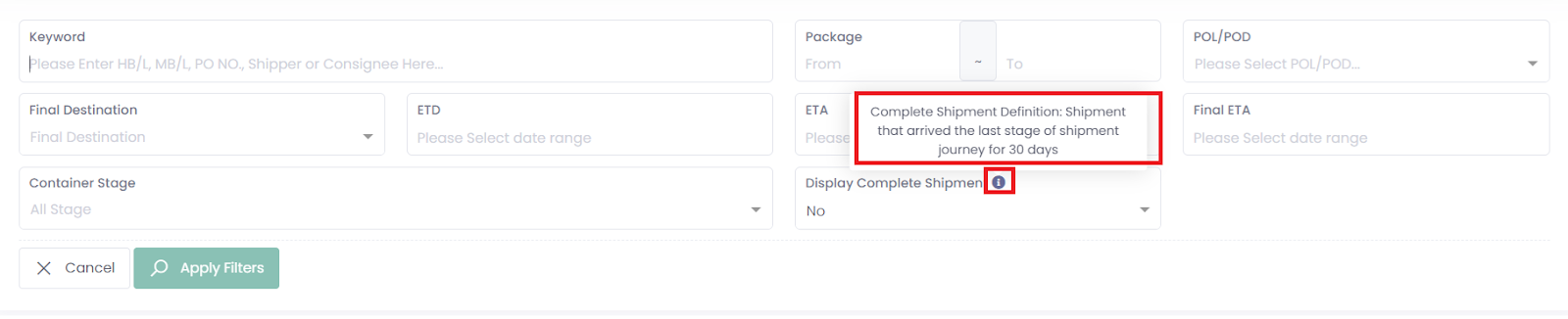
The Complete Shipment function helps you focus on active shipments and hide completed ones for a clearer overview of your logistics activities.
When a shipment is marked complete by your forwarder, it indicates that the shipment has finished all major stages and no longer requires active follow-up.
1. Shipment Report
Use Case
If a specific shipment does not appear in your shipment report, it is likely because the shipment has been marked as completed. If you would like completed shipments to be included in your report, please contact your freight forwarder so they can enable this option.
When a Shipment Is Considered Complete
Only shipments marked as complete by your freight forwarder in the system will be considered complete in your reports.
2. Customer Portal
Use Case
In the customer portal, completed shipments are hidden by default so you can focus on your active, in-progress shipments.
If you would like to view completed shipments, go to your Ocean Shipments page, click Filter, and set Display Complete Shipment to Yes. This will display all shipments that have been marked as completed.
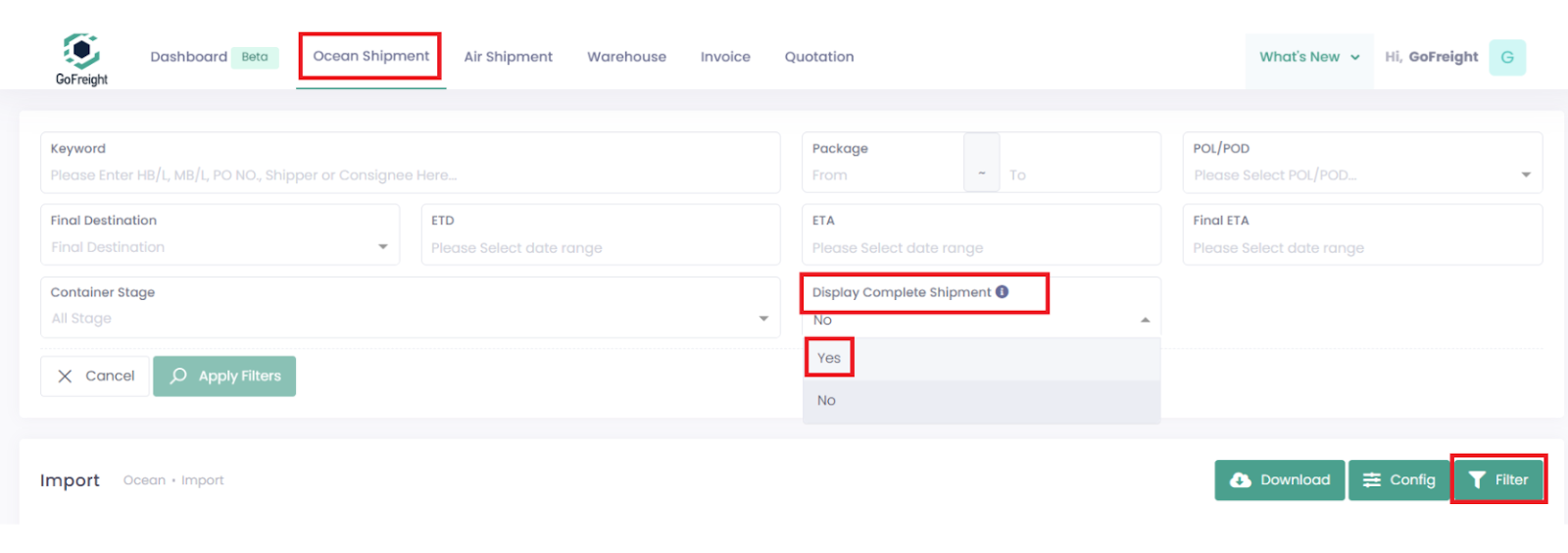
How Completion Is Determined
A shipment may be marked as complete in two ways:
- Manually marked as complete by your forwarder in their system.
- Automatically marked as complete after a specified number of days following the final milestone. For example, in CY-to-CY shipments, the final stage is “Unloaded from Vessel.” You can view the number of days used for automatic completion by hovering over the info (ℹ️) icon next to the “Display Complete Shipment” filter option.
Note: If you would like to adjust the number of days used for automatic completion, please contact your freight forwarder.