
The 'Quick Link' function helps streamline navigation and improve workflow by allowing direct access to specific pages from the list view.
For example, in the House B/L List under Ocean Import, click the arrow icon (→) in the "File No." field to quickly navigate to pages like Container & Item, Accounting, or Doc Center.
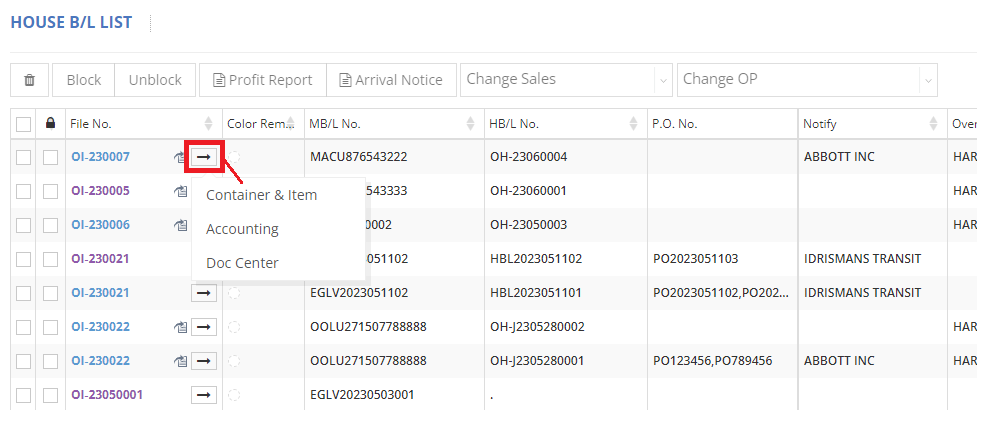
After selecting and clicking your preferred page, you will be redirected to that page.
Similarly, on the invoice entry page, click the blue icon next to ‘File No.’ to reveal a menu with options including ‘Basic,’ ‘Container & Item,’ ‘Accounting,’ ‘Doc Center,’ and/or ‘Work Order.’ Clicking on any of these options will navigate you to the specified page as well.
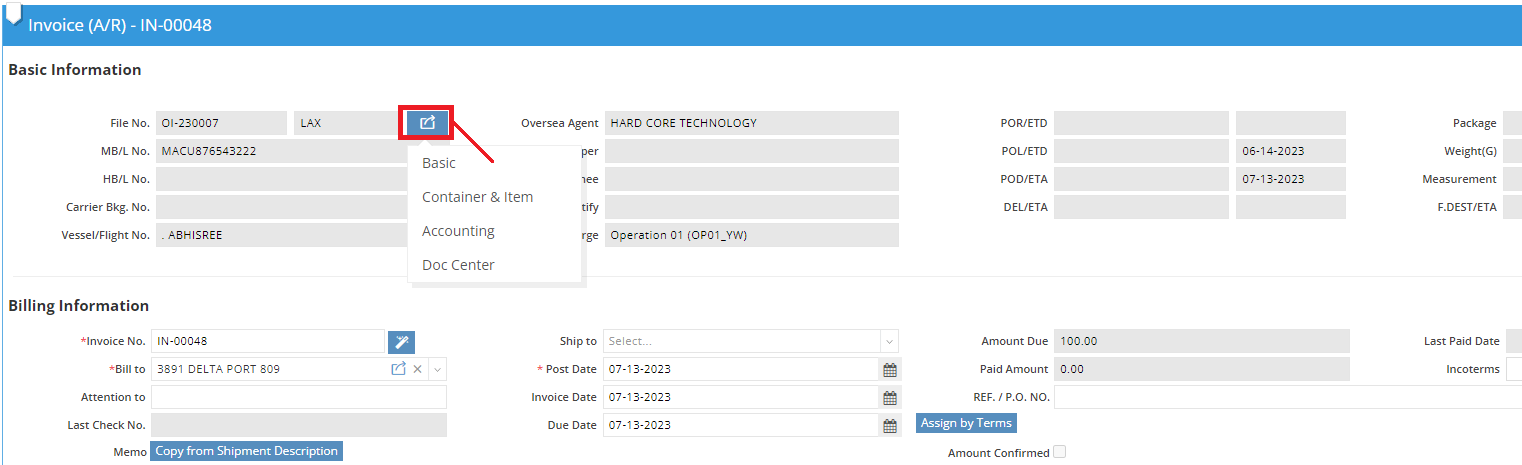
For a visual guide on this feature, please refer to the following video: