
Follow these steps to search for a received payment in the accounting module:
- Navigate to Accounting > Payments > Payment Received List in the left-side navigation bar.
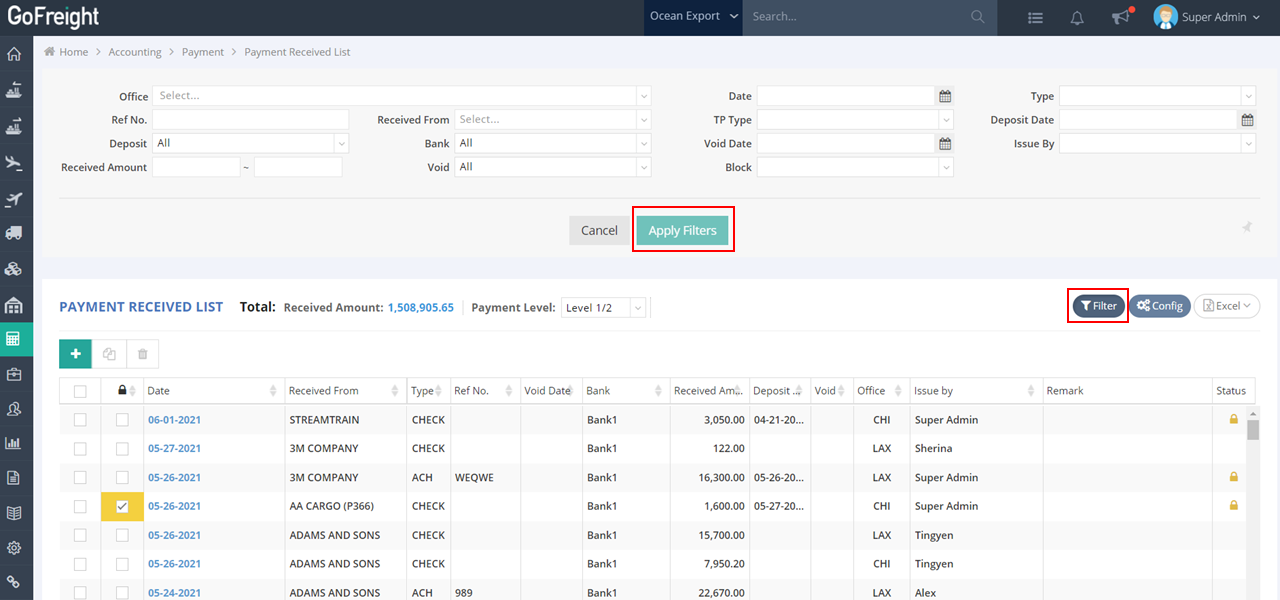
- Click on Filter. You can search for payments by entering or selecting the following criteria: Received From, Reference Number, and Bank, for example.
- Press Apply Filter to view the filtered Payment Received List.
Related to
Was this article helpful?0 out of 0 found this helpful